---
title: Installation and Updates
sidebar_position: 1
description: This page provides detailed instructions for the installation and updating
processes for software, addressing frequently encountered installation issues. These
instructions include resolving Microsoft Visual C++ 14.0 dependencies, benefits
of using Miniconda for package management, methods to update installations, and
solutions for other common installation errors.
keywords:
- Installation
- Updates
- Microsoft Visual C++ 14.0
- Miniconda
- pip install
- PyPi Nightly
- C++ Build Tools
- Homebrew
- bt wheel build failure
- ARM/Linux Raspberry Pi machines
---
import HeadTitle from '@site/src/components/General/HeadTitle.tsx';
"Microsoft Visual C++ 14.0 or greater is required"
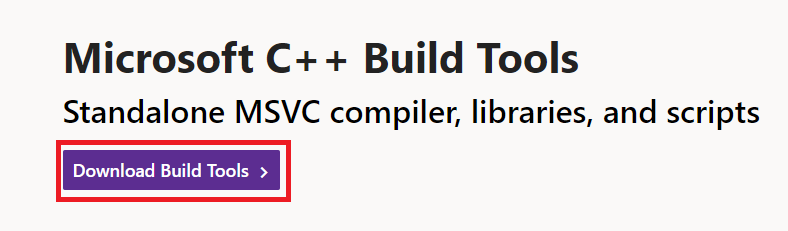
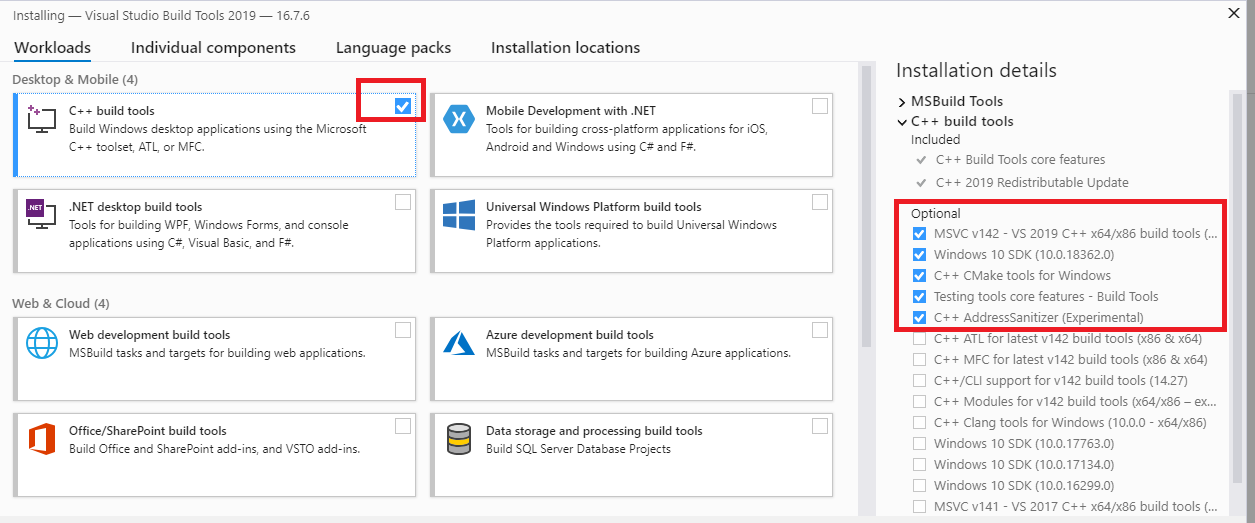
Download and install [C++ Build Tools](https://visualstudio.microsoft.com/visual-cpp-build-tools/), restart the machine, then try again.
Do I have to use Miniconda?
There are certain dependencies which are sourced exclusively from the `conda-forge` directory. Other virtual environment managers, such a `venv`, may not solve the environment properly, resulting in failed package installations or incorrect builds. We highly recommend using Miniconda as the Python virtual environment manager for installing the OpenBB SDK.
How do I update my installation to the latest version?
The code is constantly being updated with new features and bug fixes. The process for updating will vary by the installation type:
- For a `pip` installation, when a new version is published: `pip install -U openbb[all]`
- Upgrade a cloned version of the GitHub repo with:
```console
git fetch
git pull
poetry install -E all
```
**Notes:** If the cloned repository is a fork, pull from: `git pull origin main`, or, `git pull origin develop`. If there are changes locally to the files that conflict with the incoming changes from GitHub, stash them before pulling from main with `git stash`.
"Microsoft Visual C++ 14.0 or greater is required"
Download and install [C++ Build Tools](https://visualstudio.microsoft.com/visual-cpp-build-tools/), restart the machine, then try again.
Error: failed building wheel for bt
There may be an additional message that is printed from this error, stating: "Microsoft Visual C++ 14.0 or greater is required. Get it with "Microsoft C++ Build Tools".
Download and install it. [https://visualstudio.microsoft.com/visual-cpp-build-tools/](https://visualstudio.microsoft.com/visual-cpp-build-tools/)
Mac and Linux users may also encounter a similar error because a C++ compiler is not installed. Install Homebrew:
```console
/bin/bash -c "$(curl -fsSL https://raw.githubusercontent.com/Homebrew/install/HEAD/install.sh)"
```
Then run:
```console
brew install gcc
brew install cmake
```
Additionally, Mac users should install Rosetta:
```console
softwareupdate --install-rosetta
```
Miniconda3 will not install on ARM/Linux Raspberry Pi machines.
Refer to this issue on the Conda [GitHub](https://github.com/conda/conda/issues/10723) page.
Error: Library not loaded: '/usr/local/opt/libomp/lib/libomp.dylib'
This error is resolved by installing libomp from Homebrew:
```console
brew install libomp
```