---
title: Installation and Updates
sidebar_position: 1
description: This page provides comprehensive insights about installing and updating
the OpenBB Terminal. It discusses system requirements, installation process, common
errors and their solutions. Information about updating the OpenBB Terminal through
different methods is also covered.
keywords:
- OpenBB Terminal installation
- Updating OpenBB Terminal
- System requirements for OpenBB Terminal
- Installation errors with OpenBB Terminal
- Python pip installation
- Microsoft Visual C++
- Homebrew installation
- libomp
- Conda installation issue
---
import HeadTitle from '@site/src/components/General/HeadTitle.tsx';
## Installation and Updates
How much hard drive space is required?
An installation will use approximately 4-5 GB of space, with additional storage required for optional machine learning models.
What is the minimum version of Windows or MacOS required to install the OpenBB Terminal?
The OpenBB Terminal installation packages are compatible with:
- Windows 10 or later.
- MacOS Monterey or later.
**Note:** Machines which are not compatible with the installer packages may be able to install from the source code.
How do I update my installation to the latest version?
The terminal is constantly being updated with new features and bug fixes. The process for updating will vary by the installation type:
- As of version 2.4.1, the Windows installer has an option for uninstalling the existing prior to updating.
- For other installer versions, uninstall the previous version (uninstall.exe for Windows, delete the Application folder on MacOS); then, download the latest version and reinstall. User settings and data will remain.
- For a `pip` installation, when a new version is published: `pip install -U openbb[all]`
- Upgrade a cloned version of the GitHub repo with:
```console
git fetch
git pull
poetry install -E all
```
**Notes:** If the cloned repository is a fork, pull from: `git pull origin main` or `git pull origin develop`. If there are changes locally to the files that conflict with the incoming changes from GitHub, stash them before pulling from main with `git stash`.
"Microsoft Visual C++ 14.0 or greater is required"
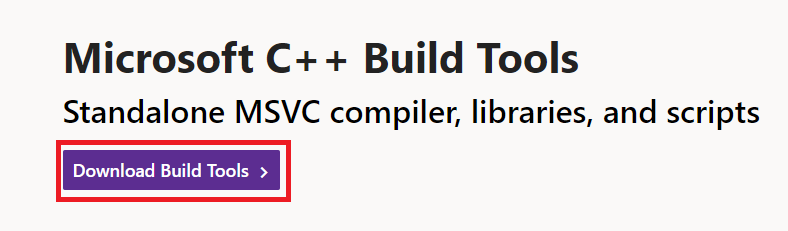
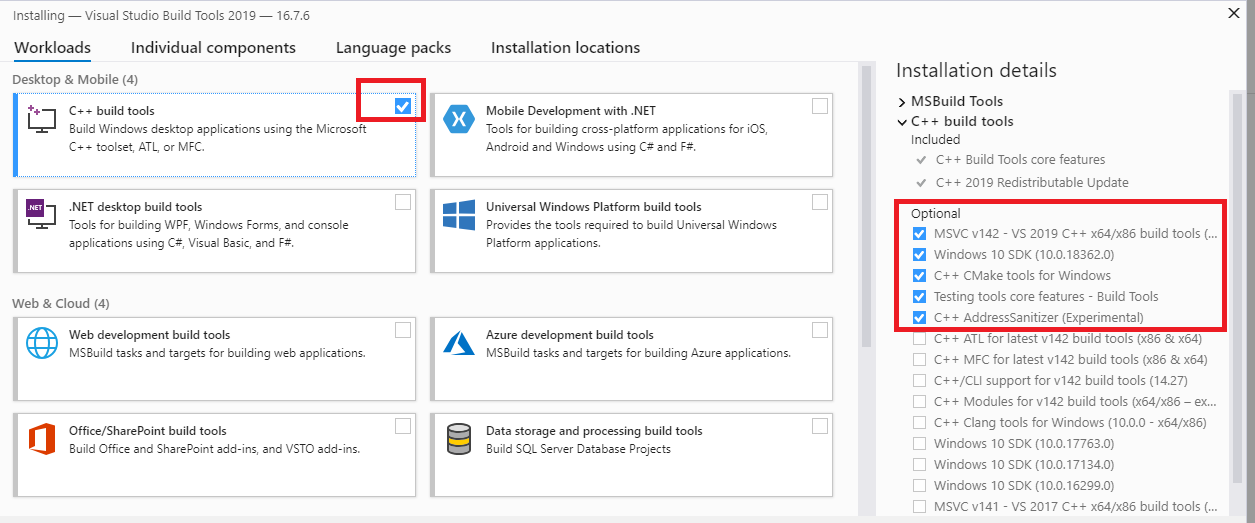
Download and install [C++ Build Tools](https://visualstudio.microsoft.com/visual-cpp-build-tools/), restart the machine, then try again.
Error: failed building wheel for bt
There may be an additional message that is printed from this error, stating: "Microsoft Visual C++ 14.0 or greater is required. Get it with "Microsoft C++ Build Tools".
Download and install it. [https://visualstudio.microsoft.com/visual-cpp-build-tools/](https://visualstudio.microsoft.com/visual-cpp-build-tools/)
Mac and Linux users may also encounter a similar error because a C++ compiler is not installed. Install Homebrew:
```console
/bin/bash -c "$(curl -fsSL https://raw.githubusercontent.com/Homebrew/install/HEAD/install.sh)"
```
Then run:
```console
brew install gcc
brew install cmake
```
Miniconda3 will not install on ARM/Linux Raspberry Pi machines.
Refer to this issue on the Conda [GitHub](https://github.com/conda/conda/issues/10723) page.
Error: Library not loaded: '/usr/local/opt/libomp/lib/libomp.dylib'
This error is resolved by installing libomp from Homebrew:
```console
brew install libomp
```