# OpenBB SDK
OpenBB SDK gives you direct and programmatic access to all capabilities of the OpenBB Terminal.
You will have the necessary building blocks to create your own financial tools and applications,
whether that be a visualization dashboard or a custom report in a Jupyter Notebook.
With OpenBB SDK, you can access normalized financial data from dozens of data providers,
without having to develop your own integrations from scratch.
On top of financial data feeds, OpenBB SDK also provides you with a toolbox to perform financial analysis
on a variety of asset classes, including stocks, crypto, ETFs, funds; the economy as well as your portfolios.
OpenBB SDK is created and maintained by OpenBB team together with the contributions from hundreds of community members.
This gives us an unrivaled speed of development and the ability to maintain stable integrations with numerous third-party data providers.
Developing and maintaining an full-blown investment research infrastructure from the ground up takes a lot of time and effort.
However, it does not have to be. Take advantage of OpenBB SDK with its out-of-the-box data connectors and financial analysis toolkit.
So that you can focus on designing and building your financial reports and applications.
## SDK structure
The OpenBB SDK consists of the core package and extension toolkits.
The core package includes all necessary functionality for you to start researching or developing your dashboards and applications.
The toolkits that you can extend the OpenBB SDK with are:
- Portfolio Optimization Toolkit.
- Forecasting Toolkit.
## System and Platform Requirements
The SDK core package is expected to work in any officially supported python version 3.8 and higher (3.9 recommended).
Optimization and Forecasting toolkits installation requires specific settings on computers powered by Apple Silicon, the newer Windows ARM and Raspberry Pi.
### Minimal and Recommended System Requirements
- A computer with a modern CPU (released in the past 5 years)
- At least 8GB of RAM, 16+ recommended
- SSD drive with at least 12GB of storage space available
- Internet connection
**NOTES ON THE INTERNET CONNECTIVITY:** Installation of the SDK with all the toolkits would require downloading around 4GB of data.
Querying data does not require a lot of bandwidth but you will certainly have a more pleasant experience if you will be on a fast internet line. 4G networks provide a good enough experience so if you're traveling your personal hot-spot will do.
While it's technically possible to use a subset of the functionality in off-line mode, you will not be able to use any data that is queried from the APIs of data providers and services.
### Platform Specific Requirements
**Portfolio Optimization Toolkit and Forecasting Toolkit on Apple Silicon:** To install the Forecasting toolkit on M1/M2 macs you need to use the x86_64 version of conda and install certain dependencies from conda-forge. Follow the [instructions in this section](https://github.com/OpenBB-finance/OpenBBTerminal/blob/main/openbb_terminal/README.md#1-install-miniconda)
**Base Linux Docker containers:** To have the package work in base linux containers like python's `slim-buster` you need to install a C anc C++ compiler that's not bundled with the distribution.
Run `sudo apt update && sudo apt install gcc cmake`
## Installation
We provide a simple installation method in order to utilize the OpenBB SDK. You must first create an environment,
which allows you to isolate the SDK from the rest of your system. It is our recommendation that you utilize a
`conda` environment because there are optional features, such as `forecast`, that utilize libraries that are
specifically sourced from `conda-forge`. Due to this, if you do not use a conda environment, you will not be
able to use some of these features. As such, the installation steps will be written under the assumption that
you are using conda.
### Steps
#### 1. **Install [Miniconda](https://docs.conda.io/en/latest/miniconda.html)**
Download the `x86_64` Miniconda for your respective system and follow along with it's installation instructions. The Miniconda architecture MUST be `x86_64` in order to use the forecasting toolkit. Follow the [instructions in this section](https://github.com/OpenBB-finance/OpenBBTerminal/blob/main/openbb_terminal/README.md#1-install-miniconda)
#### 2. **Create the virtual environment**
```bash
conda create -n obb python=3.9.6 -y
```
#### 3. **Activate the virtual environment**
```bash
conda activate obb
```
#### 4. **Install OpenBB SDK Core package**
```bash
pip install openbb
```
#### 5. **(Optional) Install the Toolkits**
##### 5.1 **If you would like to use the Portfolio Optimization features**
On Apple Silicon Macs (M1/M2) install dependency from conda-forge
```bash
conda install -c conda-forge cvxpy=1.2.2 -y
```
And install the Portfolio Optimization Toolkit
```bash
pip install "openbbterminal[optimization]"
```
##### 5.2 **If you would like ML Forecasting features**
On Apple Silicon Macs (M1/M2) install dependency from conda-forge
```bash
conda install -c conda-forge lightgbm=3.3.3 -y
```
And install the Forecasting Toolkit
```bash
pip install "openbbterminal[prediction]"
```
##### 5.2 **If you would like to use both Portfolio Optimization and ML forecast features**
On Apple Silicon Macs (M1/M2) install dependencies from conda-forge
```bash
conda install -c conda-forge lightgbm=3.3.3 cvxpy=1.2.2 -y
```
And install the Both Toolkits
```bash
pip install "openbbterminal[all]"
```
Congratulations! You have successfully installed `openbbterminal` on an environment and are now able to begin using it. However, it is important to note that if you close out of your CLI you must re-activate your environment in order begin using it again.
## Setup
### 1. Import OpenBB SDK
First off, import OpenBB SDK into your python script or Jupyter Notebook with:
```python
from openbb_terminal.sdk import openbb
```
This imports all Terminal commands at once. To see all the available commands, you can press `tab` in jupyter notebook.
Another approach is to check out [OpenBB SDK Documentation](https://openbb-finance.github.io/OpenBBTerminal/sdk/), where you can explore its capabilities
### 2. Customize chart style
With OpenBB SDK, you can customize your chart style. You can switch between `dark` and `light` easily using this block of code:
```python
from openbb_terminal.sdk import TerminalStyle
theme = TerminalStyle("light", "light", "light")
```
 OR
```python
from openbb_terminal.sdk import TerminalStyle
theme = TerminalStyle("dark", "dark", "dark")
```
OR
```python
from openbb_terminal.sdk import TerminalStyle
theme = TerminalStyle("dark", "dark", "dark")
```
 ### 3. Access Documentation
Each and every command of OpenBB SDK has detailed documentation about input parameters and returned outputs. You can access them in multiple ways:
**Approach 1: Press `shift + tab`.**
This will work out of the box if you're using Jupyter Notebook. In case your IDE is VSCode, you will need to install the [Jupyter PowerToys
extension](https://marketplace.visualstudio.com/items?itemName=ms-toolsai.vscode-jupyter-powertoys).
### 3. Access Documentation
Each and every command of OpenBB SDK has detailed documentation about input parameters and returned outputs. You can access them in multiple ways:
**Approach 1: Press `shift + tab`.**
This will work out of the box if you're using Jupyter Notebook. In case your IDE is VSCode, you will need to install the [Jupyter PowerToys
extension](https://marketplace.visualstudio.com/items?itemName=ms-toolsai.vscode-jupyter-powertoys).
 **Approach 2: Type `help(command)`.**
You can also type `help(command)`, see example below, to see the command' docstring.
**Approach 2: Type `help(command)`.**
You can also type `help(command)`, see example below, to see the command' docstring.
 **Approach 3: Use OpenBB SDK Documentation page.**
Finally, if you prefer to check documentation on a web browser, [OpenBB SDK Documentation](https://openbb-finance.github.io/OpenBBTerminal/sdk/) will be your best friend. You can browse available commands and search for any specific one that you need.
**Approach 3: Use OpenBB SDK Documentation page.**
Finally, if you prefer to check documentation on a web browser, [OpenBB SDK Documentation](https://openbb-finance.github.io/OpenBBTerminal/sdk/) will be your best friend. You can browse available commands and search for any specific one that you need.
 ### 4. Set API Keys
You can set your external API keys through OpenBB SDK.
- Single API setup
```python
openbb.keys.fmp(key="example")
openbb.keys.reddit(
client_id="example",
client_secret="example",
password="example",
username="example",
useragent="example")
```
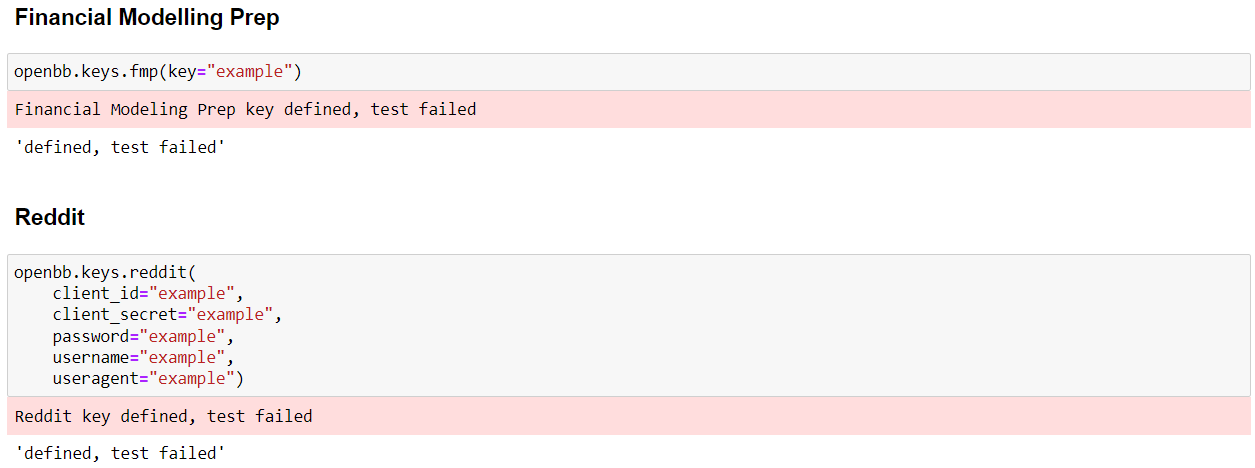
- API key setup with persistence: `persist=True` means that your key will be saved and can be reused after, otherwise it will be lost when you restart the kernel.
```python
openbb.keys.fmp(key="example", persist=True)
```

- Set multiple keys from dictionary
```python
d = {
"fed": {
"key":"XXXXX"
},
"binance": {
"key":"YYYYY",
"secret":"example"
},
}
openbb.keys.set_keys(d)
```
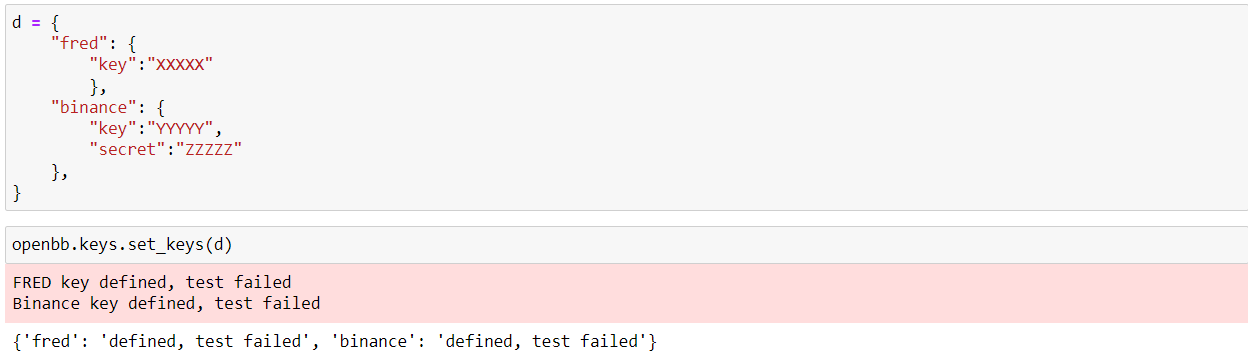
- Get info about API setup arguments
```python
openbb.keys.get_keys_info()
```
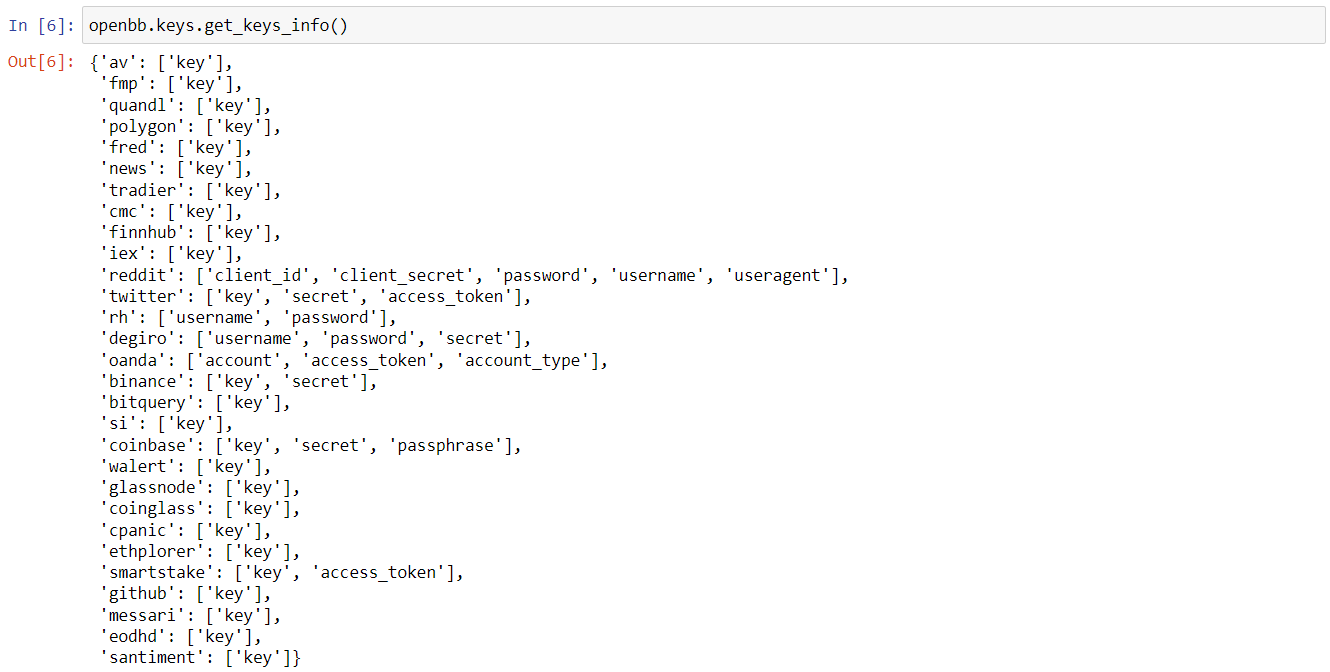
- Get your defined keys
```python
openbb.keys.mykeys()
openbb.keys.mykeys(show=True)
```
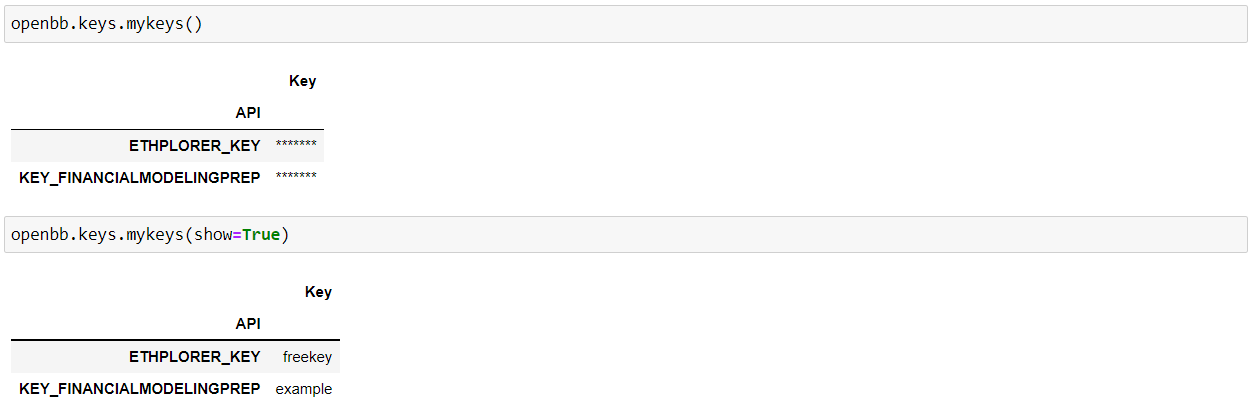
## Usage
Now, let's explore what OpenBB SDK can do. At a high level, you can break down OpenBB SDK's functionalities into two main buckets: (1) Data layer and (2) Toolbox layer.
### 1. Data Layer
### **Getting financial data from multiple data sources using one single SDK**
OpenBB SDK provides you access to normalized financial data from dozens of data sources, without having to built your own integration or relying on multiple third-party packages. Let's explore how we can do that.
First, you will need to load in the desired ticker. If it's not on the top of your mind, make use of our search functionality.
```python
openbb.stocks.search("apple")
```
### 4. Set API Keys
You can set your external API keys through OpenBB SDK.
- Single API setup
```python
openbb.keys.fmp(key="example")
openbb.keys.reddit(
client_id="example",
client_secret="example",
password="example",
username="example",
useragent="example")
```

- API key setup with persistence: `persist=True` means that your key will be saved and can be reused after, otherwise it will be lost when you restart the kernel.
```python
openbb.keys.fmp(key="example", persist=True)
```

- Set multiple keys from dictionary
```python
d = {
"fed": {
"key":"XXXXX"
},
"binance": {
"key":"YYYYY",
"secret":"example"
},
}
openbb.keys.set_keys(d)
```

- Get info about API setup arguments
```python
openbb.keys.get_keys_info()
```

- Get your defined keys
```python
openbb.keys.mykeys()
openbb.keys.mykeys(show=True)
```

## Usage
Now, let's explore what OpenBB SDK can do. At a high level, you can break down OpenBB SDK's functionalities into two main buckets: (1) Data layer and (2) Toolbox layer.
### 1. Data Layer
### **Getting financial data from multiple data sources using one single SDK**
OpenBB SDK provides you access to normalized financial data from dozens of data sources, without having to built your own integration or relying on multiple third-party packages. Let's explore how we can do that.
First, you will need to load in the desired ticker. If it's not on the top of your mind, make use of our search functionality.
```python
openbb.stocks.search("apple")
```
 We want to load `Apple Inc.` listed on US exchange, so our ticker should be `AAPL`. If you want to load `Apple Inc.` from Brazilian exchange, you should load in `AAPL34.SA`.
```python
df = openbb.stocks.load("AAPL")
```
What's extremely powerful about OpenBB SDK is that you can specify the data source. Depending on the asset class, we have a list of available data sources and it's only getting bigger with contributions from our open-source community.
```python
## From YahooFinance
df_yf = openbb.stocks.load("AAPL", source='YahooFinance')
## From AlphaVantage
df_av = openbb.stocks.load("AAPL", source='AlphaVantage')
## From IEXCloud
df_iex = openbb.stocks.load("AAPL", source='IEXCloud')
## From Polygon
df_pol = openbb.stocks.load("AAPL", source='Polygon')
```
### **Easy option to switch between obtaining underlying data and charts**
Depending on your needs, you can get the outputs in form of data (e.g. `pandas dataframe`) or charts. If the latter is what you want, simple add `chart=True` as the last parameter.
### 1. Getting underlying data
```python
openbb.economy.index(indices = ['sp500', 'nyse_ny', 'russell1000'], start_date = '2010-01-01')
```
We want to load `Apple Inc.` listed on US exchange, so our ticker should be `AAPL`. If you want to load `Apple Inc.` from Brazilian exchange, you should load in `AAPL34.SA`.
```python
df = openbb.stocks.load("AAPL")
```
What's extremely powerful about OpenBB SDK is that you can specify the data source. Depending on the asset class, we have a list of available data sources and it's only getting bigger with contributions from our open-source community.
```python
## From YahooFinance
df_yf = openbb.stocks.load("AAPL", source='YahooFinance')
## From AlphaVantage
df_av = openbb.stocks.load("AAPL", source='AlphaVantage')
## From IEXCloud
df_iex = openbb.stocks.load("AAPL", source='IEXCloud')
## From Polygon
df_pol = openbb.stocks.load("AAPL", source='Polygon')
```
### **Easy option to switch between obtaining underlying data and charts**
Depending on your needs, you can get the outputs in form of data (e.g. `pandas dataframe`) or charts. If the latter is what you want, simple add `chart=True` as the last parameter.
### 1. Getting underlying data
```python
openbb.economy.index(indices = ['sp500', 'nyse_ny', 'russell1000'], start_date = '2010-01-01')
```
 You might be wondering how to find all the available indices. This type of information should be available in the docstring. Let's give it a try.
 As mentioned in the docstring, you can access it with the following helper function.
```python
openbb.economy.available_indices()
```
As mentioned in the docstring, you can access it with the following helper function.
```python
openbb.economy.available_indices()
```
 ### 2. Getting charts
```python
openbb.economy.index(indices = ['sp500', 'nyse_ny', 'russell1000'], start_date = '2010-01-01', chart=True)
```
### 2. Getting charts
```python
openbb.economy.index(indices = ['sp500', 'nyse_ny', 'russell1000'], start_date = '2010-01-01', chart=True)
```
 ## 2. Toolbox Layer
In addition to financial data, you can also get access to a robust and powerful toolbox to perform analysis on different asset classes and on your portfolio.
Imagine that you would like to leverage existing financial calculations from OpenBB and apply them on your own data. This can be done easily - OpenBB SDK's commands usually accept a `dataframe` as an input. Here you can load it your data, either via a `csv`, `excel` file, or connecting directly with an `API` or a `database`. The possibilities are endless.
Let's go through an example to see how we can do it in a few simple steps. Here we shall see how to use `portfolio optimization` functionalities from OpenBB SDK.
### Step 1. Loading order book
Here we will use an example orderbook for illustration purposes. You can choose to upload your own orderbook instead.
```python
order_book_path = "portfolio/allocation/60_40_Portfolio.xlsx"
tickers, categories = openbb.portfolio.po.load(excel_file = order_book_path)
```
### Step 2. Optimizing portfolio
We provide multiple portfolio optimization techniques. You can utilize basic mean-variance techniques, such as optimizing for the maximum Sharpe ratio, or minimum variance, as well as advanced optimization techniques including Hierarchical Risk Parity and Nested Clustered Optimization.
```python
## Max Sharpe optimization
weights_max_sharpe, data_returns_max_sharpe = openbb.portfolio.po.maxsharpe(tickers)
print("Max Sharpe")
weights_max_sharpe
```
## 2. Toolbox Layer
In addition to financial data, you can also get access to a robust and powerful toolbox to perform analysis on different asset classes and on your portfolio.
Imagine that you would like to leverage existing financial calculations from OpenBB and apply them on your own data. This can be done easily - OpenBB SDK's commands usually accept a `dataframe` as an input. Here you can load it your data, either via a `csv`, `excel` file, or connecting directly with an `API` or a `database`. The possibilities are endless.
Let's go through an example to see how we can do it in a few simple steps. Here we shall see how to use `portfolio optimization` functionalities from OpenBB SDK.
### Step 1. Loading order book
Here we will use an example orderbook for illustration purposes. You can choose to upload your own orderbook instead.
```python
order_book_path = "portfolio/allocation/60_40_Portfolio.xlsx"
tickers, categories = openbb.portfolio.po.load(excel_file = order_book_path)
```
### Step 2. Optimizing portfolio
We provide multiple portfolio optimization techniques. You can utilize basic mean-variance techniques, such as optimizing for the maximum Sharpe ratio, or minimum variance, as well as advanced optimization techniques including Hierarchical Risk Parity and Nested Clustered Optimization.
```python
## Max Sharpe optimization
weights_max_sharpe, data_returns_max_sharpe = openbb.portfolio.po.maxsharpe(tickers)
print("Max Sharpe")
weights_max_sharpe
```
 ```python
## Minimum risk optimization
weights_min_risk, data_returns_min_risk = openbb.portfolio.po.minrisk(tickers)
print("Min Risk")
weights_min_risk
```
```python
## Minimum risk optimization
weights_min_risk, data_returns_min_risk = openbb.portfolio.po.minrisk(tickers)
print("Min Risk")
weights_min_risk
```
 ```python
## Hierarchical Risk Parity optimization
weights_hrp, data_returns_hrp = openbb.portfolio.po.hrp(tickers)
print("Hierarchical Risk Parity")
weights_hrp
```
```python
## Hierarchical Risk Parity optimization
weights_hrp, data_returns_hrp = openbb.portfolio.po.hrp(tickers)
print("Hierarchical Risk Parity")
weights_hrp
```
 After having obtained the asset allocation outcomes, you can plot a correlation heatmap across tickers, as well as their individual risk contribution.
```python
openbb.portfolio.po.plot(data=data_returns_hrp,weights=weights_hrp,heat=True)
```
After having obtained the asset allocation outcomes, you can plot a correlation heatmap across tickers, as well as their individual risk contribution.
```python
openbb.portfolio.po.plot(data=data_returns_hrp,weights=weights_hrp,heat=True)
```
 ```python
openbb.portfolio.po.plot(data=data_returns_hrp,weights=weights_hrp,rc_chart=True)
```
```python
openbb.portfolio.po.plot(data=data_returns_hrp,weights=weights_hrp,rc_chart=True)
```
 These techniques have an extensive list of parameters and thus the optimization outcome is highly dependent on the chosen parameters. For instance, you can refer to the documentation below.
 This allows us to alter certain assumption which also modify the asset allocation.
```python
weights_hrp_2, data_returns_hrp_2 = openbb.portfolio.po.hrp(
tickers,
interval="5y",
risk_measure="cVaR",
risk_aversion=0.8
)
pd.DataFrame([weights_hrp, weights_hrp_2], index=["Basic", "Extended"]).T
```
This allows us to alter certain assumption which also modify the asset allocation.
```python
weights_hrp_2, data_returns_hrp_2 = openbb.portfolio.po.hrp(
tickers,
interval="5y",
risk_measure="cVaR",
risk_aversion=0.8
)
pd.DataFrame([weights_hrp, weights_hrp_2], index=["Basic", "Extended"]).T
```
 The basic method was optimized for *variance*. The extended method increases the period of historical data, optimizes for conditional Value at Risk and has a lower risk aversion.
```python
openbb.portfolio.po.plot(data=data_returns_hrp,weights=weights_hrp,pie=True)
```
The basic method was optimized for *variance*. The extended method increases the period of historical data, optimizes for conditional Value at Risk and has a lower risk aversion.
```python
openbb.portfolio.po.plot(data=data_returns_hrp,weights=weights_hrp,pie=True)
```
 ```python
openbb.portfolio.po.plot(data=data_returns_hrp_2,weights=weights_hrp_2,pie=True)
```
```python
openbb.portfolio.po.plot(data=data_returns_hrp_2,weights=weights_hrp_2,pie=True)
```
 ## Useful tips
### 1. Display matplotlib charts in Jupyter Notebook
To display matplotlib charts inside the Jupyter notebook output cells, you can use the block of code below, and initialize it at the top of the Notebook.
```python
import matplotlib.pyplot as plt
import matplotlib_inline.backend_inline
from openbb_terminal.sdk import openbb
%matplotlib inline
matplotlib_inline.backend_inline.set_matplotlib_formats("svg")
```
### 2. Take advantage of `external_axes`
The code below utilizes the `external_axes` parameter to get two axis in one chart.
```python
import matplotlib.pyplot as plt
from openbb_terminal.sdk import openbb
fig, (ax1, ax2) = plt.subplots(nrows=2, ncols=1, figsize=(11, 5), dpi=150)
openbb.stocks.dps.dpotc(
"aapl",
external_axes=[ax1, ax2],
chart=True,
)
fig.tight_layout()
```
You can also do this to save output charts in a variable for later uses.
### For more examples, we'd recommend checking out our [curated Jupyter Notebook reports](https://github.com/OpenBB-finance/OpenBBTerminal/tree/main/openbb_terminal/reports). They are excellent demonstration on how to use the SDK to its fullest extent
## Useful tips
### 1. Display matplotlib charts in Jupyter Notebook
To display matplotlib charts inside the Jupyter notebook output cells, you can use the block of code below, and initialize it at the top of the Notebook.
```python
import matplotlib.pyplot as plt
import matplotlib_inline.backend_inline
from openbb_terminal.sdk import openbb
%matplotlib inline
matplotlib_inline.backend_inline.set_matplotlib_formats("svg")
```
### 2. Take advantage of `external_axes`
The code below utilizes the `external_axes` parameter to get two axis in one chart.
```python
import matplotlib.pyplot as plt
from openbb_terminal.sdk import openbb
fig, (ax1, ax2) = plt.subplots(nrows=2, ncols=1, figsize=(11, 5), dpi=150)
openbb.stocks.dps.dpotc(
"aapl",
external_axes=[ax1, ax2],
chart=True,
)
fig.tight_layout()
```
You can also do this to save output charts in a variable for later uses.
### For more examples, we'd recommend checking out our [curated Jupyter Notebook reports](https://github.com/OpenBB-finance/OpenBBTerminal/tree/main/openbb_terminal/reports). They are excellent demonstration on how to use the SDK to its fullest extent