
CRYPTOCURRENCY
This menu aims to explore crypto world, and the usage of the following commands along with an example will be exploited below.
- load
- load a given coin vs a given currency [CoinGecko]
- view
- plot the loaded crypto data
- trend
- show top 7 trending coins
- top
- view top coins from coinmarketcap [coinmarketcap.com]
- select
- select coin/currency to use
- book
- show order book
- candle
- get klines/candles and plot
- balance
- show coin balance
COINGECKO
load
usage: load [-c --coin] [-d --days] [--vs]
Load a given coin vs a given currency. Currently only retrieves price, not volume or MarketCap. The current crypto data is Powered by CoinGecko API, which is an awesome service that currently requires no API Key!
- -c/--coin The coin you wish to load. This can either be the symbol or the name.
load -c btcandload -c bitcoinwill load. The -c flag is optional, the above is equivalent toload btc. - -d/--days The number of days to look. Defaults to 30 days. As per the API: Minutely data will be used for duration within 1 day, Hourly data will be used for duration between 1 day and 90 days, Daily data will be used for duration above 90 days.
- --vs The currency to look against. Defaults to "usd".
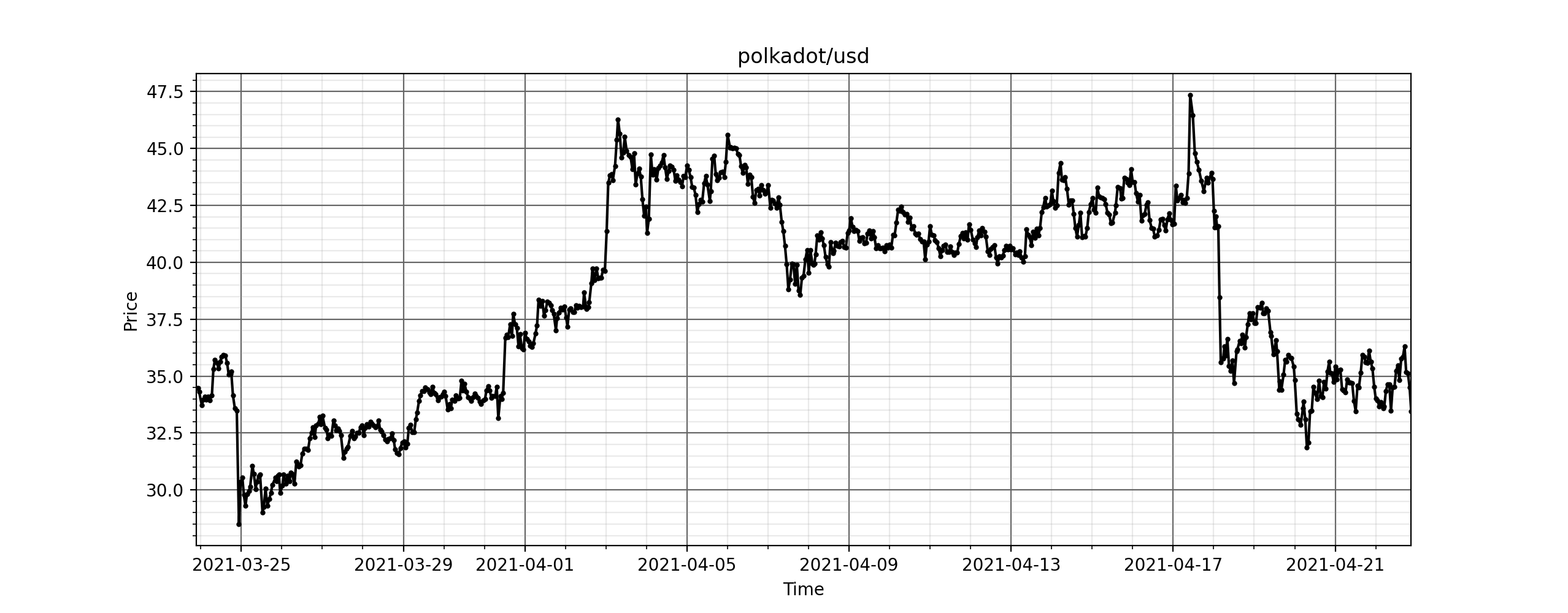
view
usage: view
Plot the loaded crypto data.
trend
usage: trend
Print the top 7 trending coins from coingecko
COINMARKETCAP
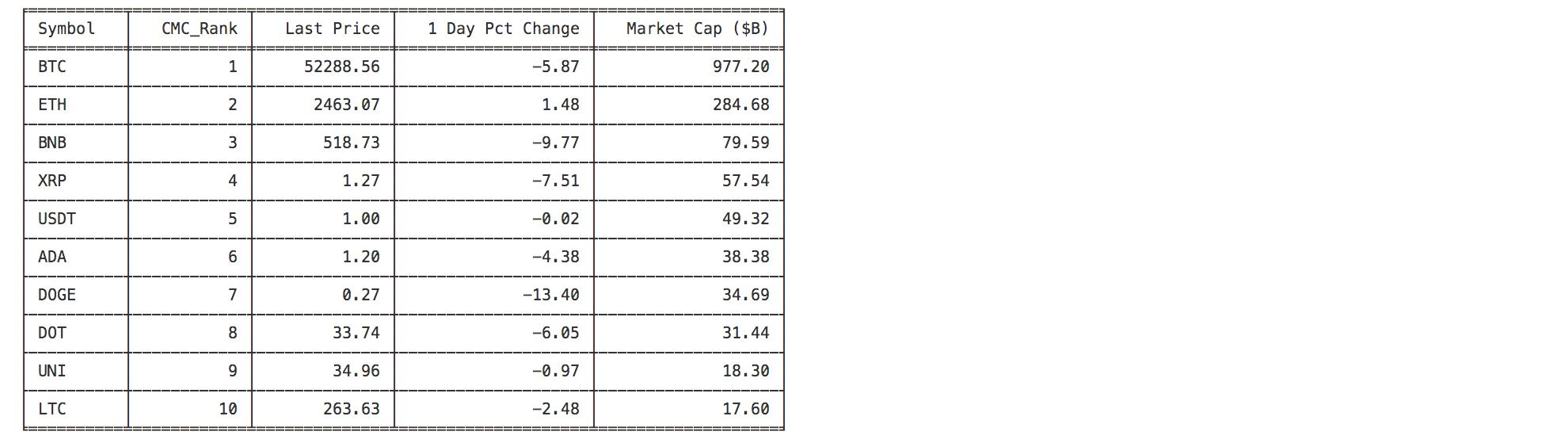
top
top [-n] [-s --sort SORTBY] [--descend]
This command displays the top n cryptocurrencies from coinmarketcap.com.
- -n: Number of coins to look at (after sort). Defaults to 10.
- -s/--sort : Column to sort by. One of {Symbol,CMC_Rank,LastPrice,DayPctChange,MarketCap}. Defaults to sorting by the CMC rank.
- --descend : Flag to change the sorting order. Sorts in ascending order (since default order is the Rank which starts at 1).
BINANCE
select
usage: select [-c --coin] [-q --quote]
- -c/--coin Coin to load. If not specified, BTC will be loaded to prevent errors later.
- -q/--quote Quote currency. Defaults to
USDT(which is 1-to-1 with USD)
Select a coin/currency to the current object. Note that in binance, the exchange "ticker" is usually COINCURR, such as BTCEUR
for BTC to EURO. There is no USD, but it uses a coin tethered to the USD (USDT), which is the default. Some symbols
are a combination of coins, as ETHBTC is a valid symbol
Note that the usage select btc will also work, as it will add -c if not detected.
book
usage: book -l/--limit
- -l/--limit Number of orders to get on each side. One of [5,10,20,50,100,500,1000,5000]. Defaults to 100.
Gets and shows the order book for the given coin/currency. Shows the cumulative amount of orders.
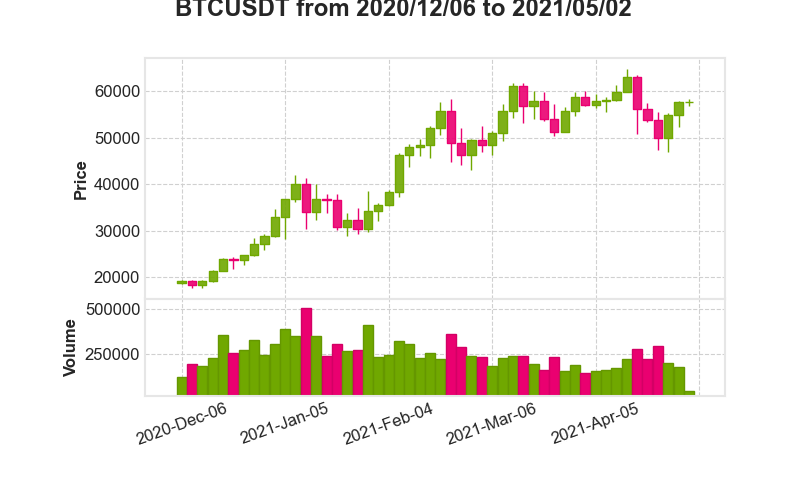
candle
usage: candle [-i --interval] [-l --limit]
- -i/--interval. Interval for candles. One of [1day,3day,1hour,2hour,4hour,6hour,8hour,12hour,1week,1min,3min,5min,15min,30min,1month]. Defaults to 1day.
- -l/--limit. Number of candles to get. Defaults to 100. Example output (using 3day interval and 50 candles)
Show candle chart for loaded coin/currency. (Terminal will quit if coin is not defined).
balance
usage: balance
Shows the current holding balance in your account.