
PRESETS
How to add Presets
-
Go to the folder OpenBBTerminal/openbb_terminal/options/presets.
-
There should be a
README.mdfile and multiple.inifiles. One of these.inifiles should be namedtemplate.ini.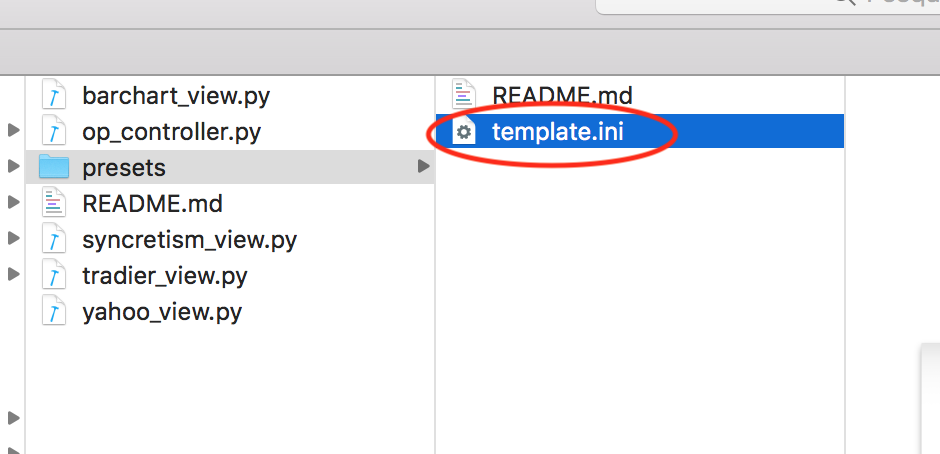
-
Copy the
template.inifile and paste it in the same directory. -
Rename that file to something you find meaningful, e.g.
my_own_filter.ini.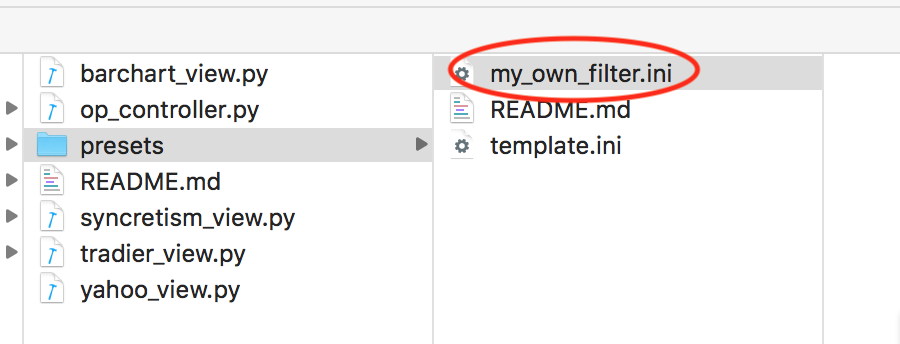
-
Open the file you just renamed (e.g.
my_own_filter.ini), and set the parameters you want to filter.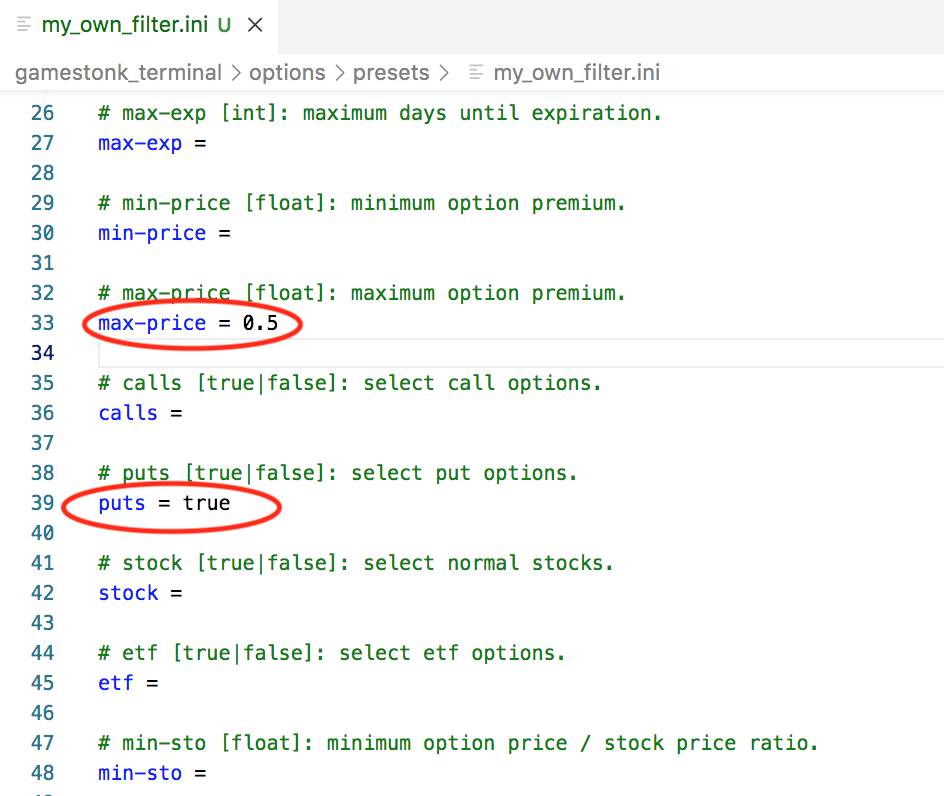
-
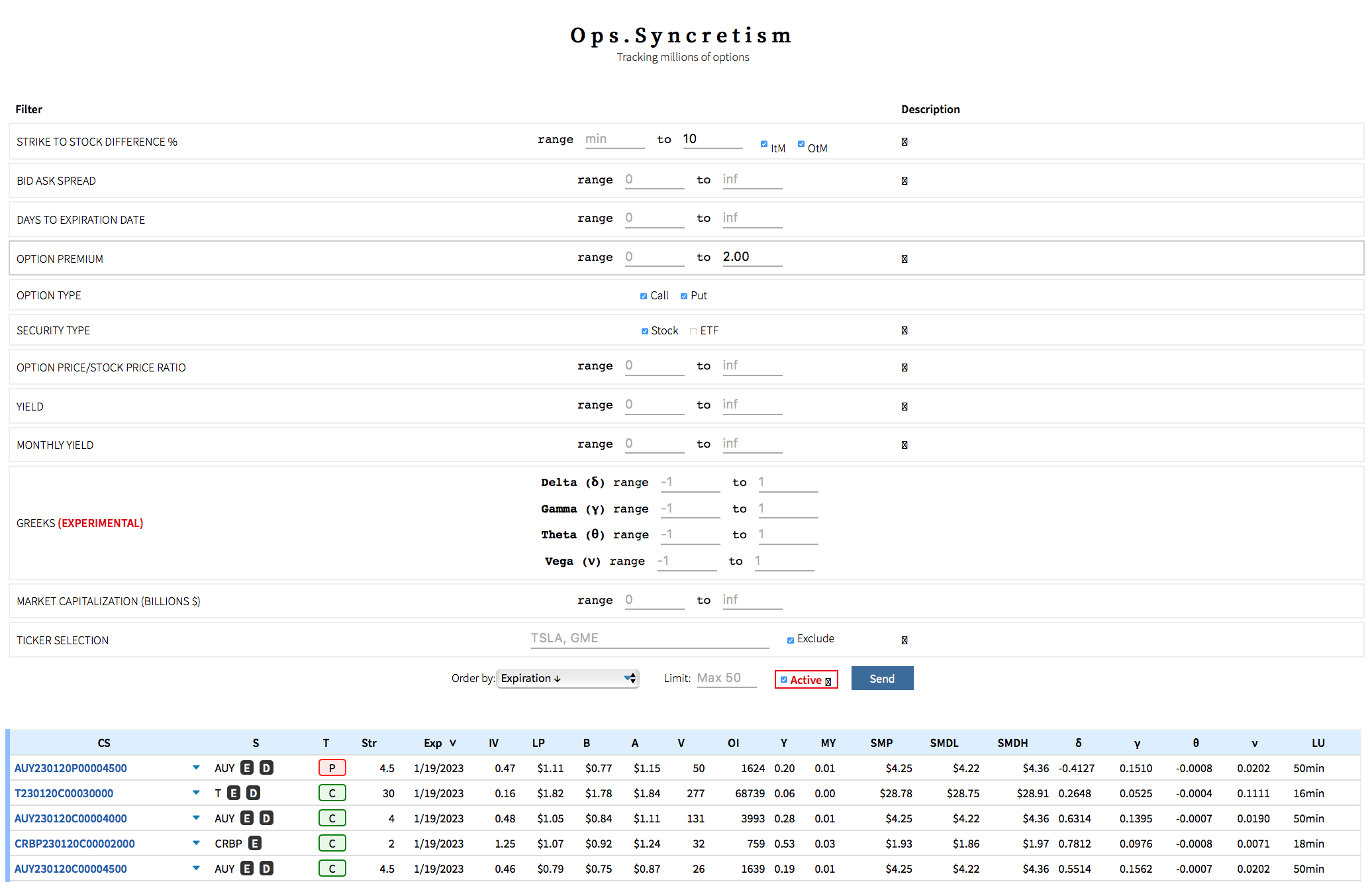
It may be useful to play with the main source https://ops.syncretism.io since you can tweak these and understand how they influence the outcome of the filtered stocks.
-
Update the Author and Description name. E.g.
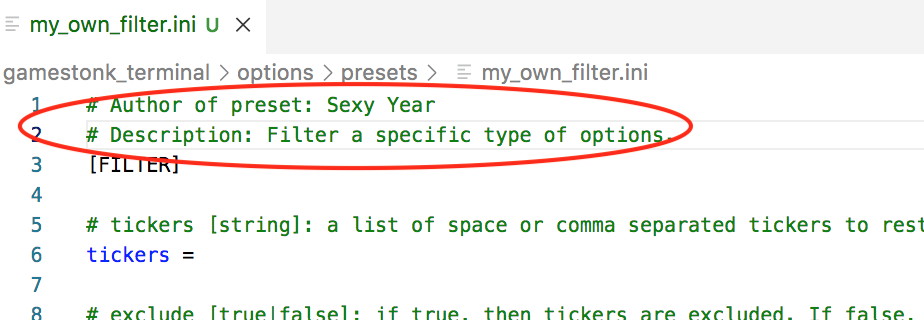
-
Start the terminal, and go to the
> opmenu. In there, you can play with it on the terminal as shown:- disp: Allows to see the screeners available. I.e. all
.inifiles in presets folder. - disp <selected_preset>: Allows to see the specific parameters set for the preset selected.
- scr <selected_preset>: Allows to show stocks that are filtered using the selected preset.
- Note: As default, if the user does scr this will use the
template.inifile. So, the user can do some tests with tweaking of parameters on thetemplate.inifile.
- Note: As default, if the user does scr this will use the
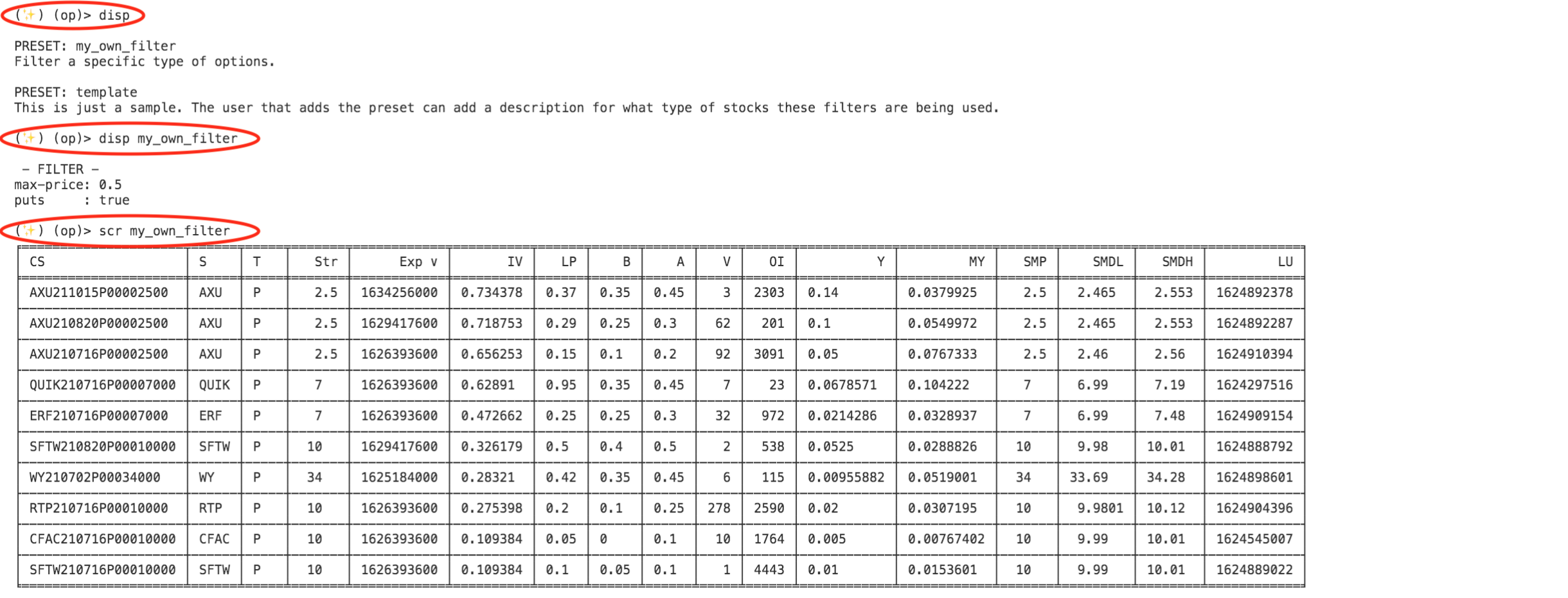
- disp: Allows to see the screeners available. I.e. all
-
Share with other Apes. You can do so by either creating yourself a Pull Request with this change, or asking a dev (e.g. @Sexy_Year) on our discord server to add it for you.
template
- Author of preset: OpenBBTerminal
- Contact: https://github.com/OpenBB-finance/OpenBBTerminal
- Description: Template with all available filters and their options menu. More information can be found in https://ops.syncretism.io/index.html.