mirror of
https://github.com/block/buzz.git
synced 2026-11-26 03:01:38 +00:00
0ffb134e34c1915377e5272aee4232ccd8a2efd2
6 Commits
| Author | SHA1 | Message | Date | |
|---|---|---|---|---|
 Tom Brow |
52cb6818fa |
perf(mobile): keep remote images on disk and show small ones as thumbnails (#9158)
## Summary The mobile app now saves remote images on disk. After a relaunch, avatars, custom emoji, message attachments and agent artwork show immediately. The app does not download them again. Small images on a relay now load only the relay's thumbnail. The app never downloads the full-size upload to show a small image. ## Why Before this change, the app kept remote images only in memory. Each cold launch downloaded every image again. On a slow connection, attachments showed a "Loading image" placeholder for a long time. Also, when a relay had no thumbnail for an image, the app downloaded the full-size upload. That upload can be up to 20 MiB, for an avatar that is a few dozen points wide. ## What changes ### Images on disk - `MediaImageProvider` reads and writes a `MediaDiskCache`. Each account in each community has its own cache, at `<root>/communities/<community id>/media/<signer pubkey>`. The cache is built on `flutter_cache_manager`, with a JSON index. - On iOS, the root is the app group's `Library/Caches` (from a new `buzz/app_group` method channel). App extensions can then read the same cache. On other platforms, the root is the app cache directory. - Each cache holds a maximum of 250 MB. When it is full, the least recently used images go first. `MediaCacheIndex` measures each file when it writes it, because `flutter_cache_manager` limits only the number of files. Every disk read marks the file used, and every write schedules eviction, including a refresh that replaces bytes the package already holds in memory (by default the package does neither for those). - The cache does not save an image that is larger than 5 MiB. The app still shows that image from memory. Thus, one large image cannot push out all the others. - Relay media URLs contain a content hash, so their bytes never change. The cache keeps them until it evicts them. For other URLs, the cache shows the saved image, and then gets a new copy in the background after one week. A maximum of two of these refreshes run at the same time. The app decodes a refreshed image before it replaces the saved copy. - When you remove a community, the app deletes its cache. When a community gets a new signing key, the app deletes the media of the old account. At launch, the app also deletes caches of communities and accounts that are no longer present. - Startup does not wait for the cache. The cache directory resolves in the background. Image reads wait for it for a maximum of 3 seconds. ### Thumbnails for small images - A small relay image loads the relay's WebP thumbnail. If the relay has no WebP thumbnail, the image loads the JPEG thumbnail. If the relay has neither, the widget shows its placeholder (initials for an avatar, an empty tile for artwork). - Native avatars drawn by UIKit (the navigation bar, the community icon on the create button, and the New DM and Add Members pickers) use the same choice, through a new `smallMediaImageProviders`. They try the same thumbnails, fall back the same way, and show initials when neither thumbnail exists. Before, they downloaded the full-size upload and only decoded it small. - Larger layouts and the full-screen viewer load the full-size upload, as before. ### Agent artwork - Preset agent artwork (the tray, flight, video placeholder, avatar hero and the avatar editor's blurred backdrop) now loads through `MediaImage`, so it uses the disk cache too. - The create-agent and empty-bestie pages warm the same `MediaImageProvider` that their widgets read, through a new `mediaImageProviderFor(ref, url)`. - No code in `mobile/lib` uses `Image.network` or `NetworkImage` now. ## Demo A cold relaunch (the app is stopped, then started) into a synthetic "QA demo" Solo chat that holds a few generated images. Shown at half speed. Before: the attachment shows a "Loading image" placeholder while it downloads. https://github.com/user-attachments/assets/107f43a3-63d0-40c3-bd80-4ea9d7897a97 After: the attachment shows with the chat, from disk. https://github.com/user-attachments/assets/d3985bb2-838c-4efa-93cb-44cef51f677d ## Tests - `test/shared/relay/media_disk_cache_test.dart` follows one journey through the real provider and a real cache in a temporary directory. The first launch downloads and saves. An offline relaunch shows the full-size image, its thumbnail and an external image from disk, and the oversized image goes back to the network. Eight days later, only the external image refreshes. Removing the community deletes its directory. - A second test checks the order of eviction when the cache is full, that a file read from disk is evicted after files that were not, and that replacing a file's bytes after eviction last ran evicts again when the cache goes over budget. - `community_provider_test` checks that launch deletes orphan media directories, that a new signing key deletes only the old account's media, and that removing a community deletes its media. - `avatar_image_test` checks that a missing WebP thumbnail falls back to the JPEG thumbnail, and that an avatar with no thumbnail shows its initials. - `native_avatar_image_test` checks the same for native avatars: a WebP 404 paints the JPEG thumbnail, the full-size upload is never requested, a relay with no thumbnail paints initials and is not asked again, and any other failure stops at the initials. - `flutter analyze` and the full mobile test suite pass. - Automated app runs on an iPhone 17 Pro simulator (iOS 27): the channel list, a DM, Home, the Agents grid and an agent details sheet show their images. After a relaunch, the images came from disk and the app wrote no new files. In the "QA demo" chat, a new image from the app showed immediately. - Automated run of the native-thumbnail fix on an iPhone 17 Pro simulator (iOS 27): the native New DM picker shows photo avatars, and the cache gained only relay `.thumb.webp` entries for them, no full-size uploads. After a cold relaunch, the picker showed the same avatars within about 1.5 seconds, and the cache directory gained no files. The avatar editor backdrop was not exercised in the app. The test community has no remote agents, and the backdrop tests cover only emoji and picked-image selections. ## Before merge - [x] Automated simulator run of this head: avatars and agent artwork show their thumbnails, and a cold relaunch shows images from disk. 🤖 Generated with [Claude Code](https://claude.com/claude-code) --------- Signed-off-by: Tom Brow <tomb@squareup.com> Co-authored-by: Tom Brow <tomb@squareup.com> Co-authored-by: Claude Opus 5.5 <noreply@anthropic.com> Co-authored-by: studio <dc2fc481343672df31a689840c09299972e704dac592e0da6f18486646a7ee3e@localhost> |
||
|
Wes
|
1a30e51689 |
mobile: start new agents on the server-recommended model (#9151)
## Summary Builderlab's model catalog can now recommend a model and thinking effort for new agents (`recommended_selection` on `/v3/beekeeper/get-model-catalog`). The mobile create-agent screen now starts on that recommendation, so the default can change on the server without an app release. New agents start on the first of these that applies: 1. The model an agent link suggests, when the catalog offers it (unchanged). 2. The server's recommended model and effort. 3. The first Sonnet model at medium effort, as added in #9034. Used while a deployment sends no recommendation. 4. Blank. A setup resumed after a failure still keeps its saved choice. A recommendation that isn't in the returned catalog, or that is malformed, is ignored. Existing agents' saved models are never changed. The server only sends a recommendation when the deployment's catalog config sets `recommended_selection`. Until then, the app keeps falling back to Sonnet. ## Testing - Unit tests cover the recommendation beating the Sonnet fallback, a draft model beating the recommendation, and recommendations that should be ignored (unsupported effort, unknown model, missing effort, malformed, absent). - A new widget test checks that the form opens on the recommended model and effort instead of Sonnet. - `just mobile-check` and the full mobile suite (`flutter test --dart-define=BUZZ_PUSH_GATEWAY_URL=https://push.example`) pass locally. 🤖 Generated with [Claude Code](https://claude.com/claude-code) Signed-off-by: Wes <wesbillman@users.noreply.github.com> Co-authored-by: Carl <32a2e2c9d428ee08902cab75d956da2c1d235a22d4766b0dd4138bf6e2e5db1d@buzz.block.builderlab.xyz> Co-authored-by: Claude Opus 5.5 <noreply@anthropic.com> |
||
|
morgmart
|
0dd778f800 |
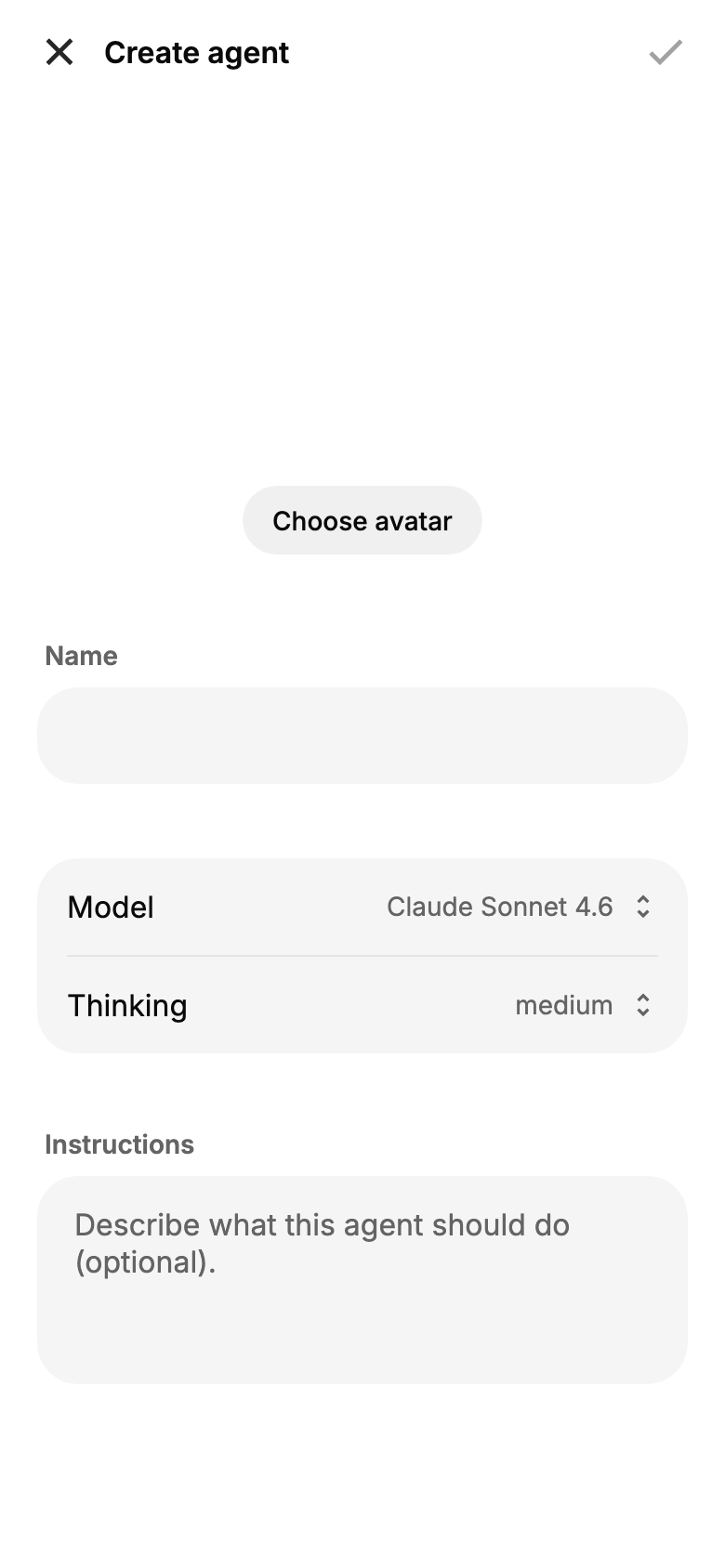
mobile: start new agents on Sonnet at medium effort (#9034)
## Summary
The mobile create-agent screen opened with model and thinking effort
blank, so the easiest path was picking from the full catalog, expensive
models included. A new agent now starts on the first Sonnet model the
catalog offers, at medium effort when that model supports it. People can
still change either one.
- An agent link that suggests a model still wins when Builderlab offers
that model.
- A setup resumed after a failure keeps the choice it saved.
- If the catalog has no Sonnet model, both start blank like today. If
the Sonnet model has no medium effort, only effort is left blank.
Builderlab doesn't send a default or pricing, so the app matches on
"sonnet" in the model id rather than pinning a version. That keeps
working when the catalog moves to a newer Sonnet.
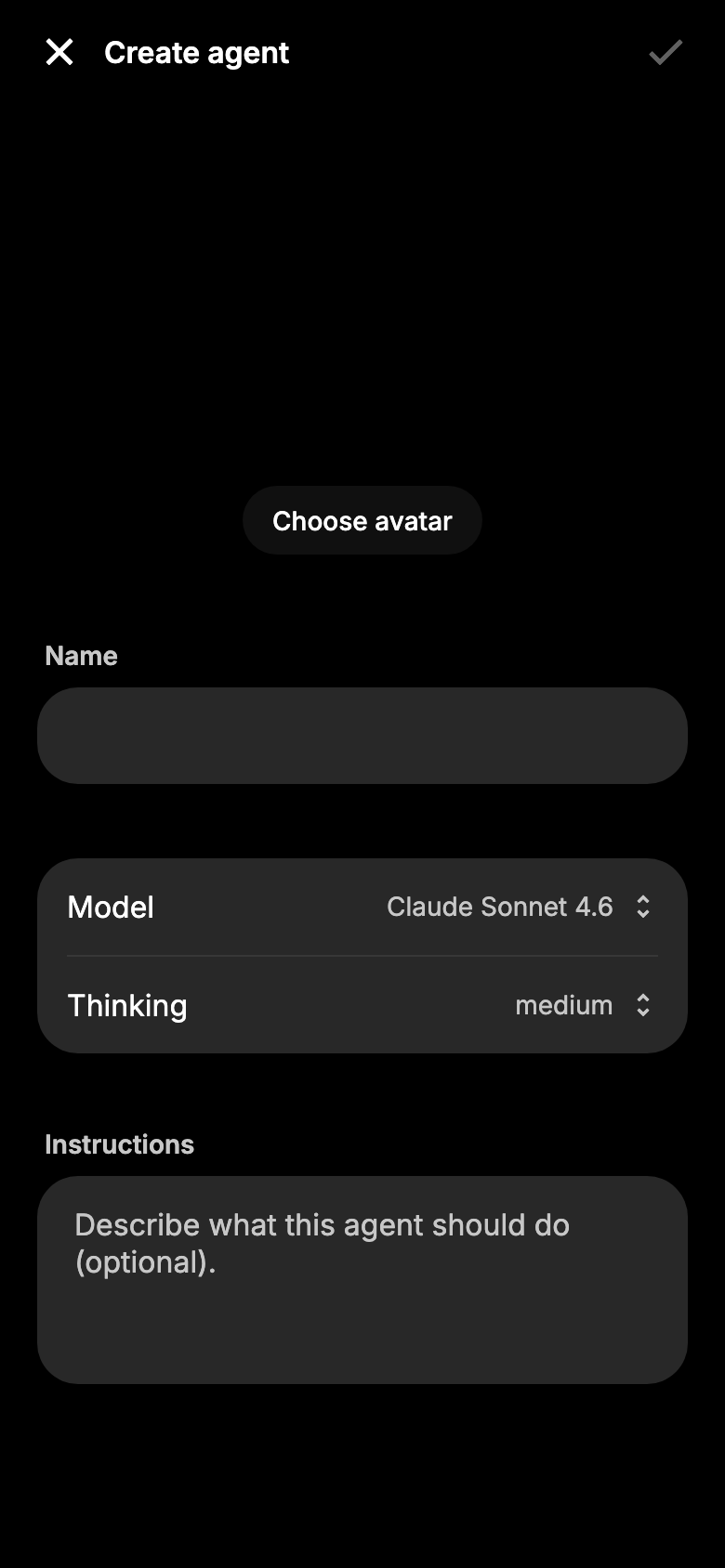
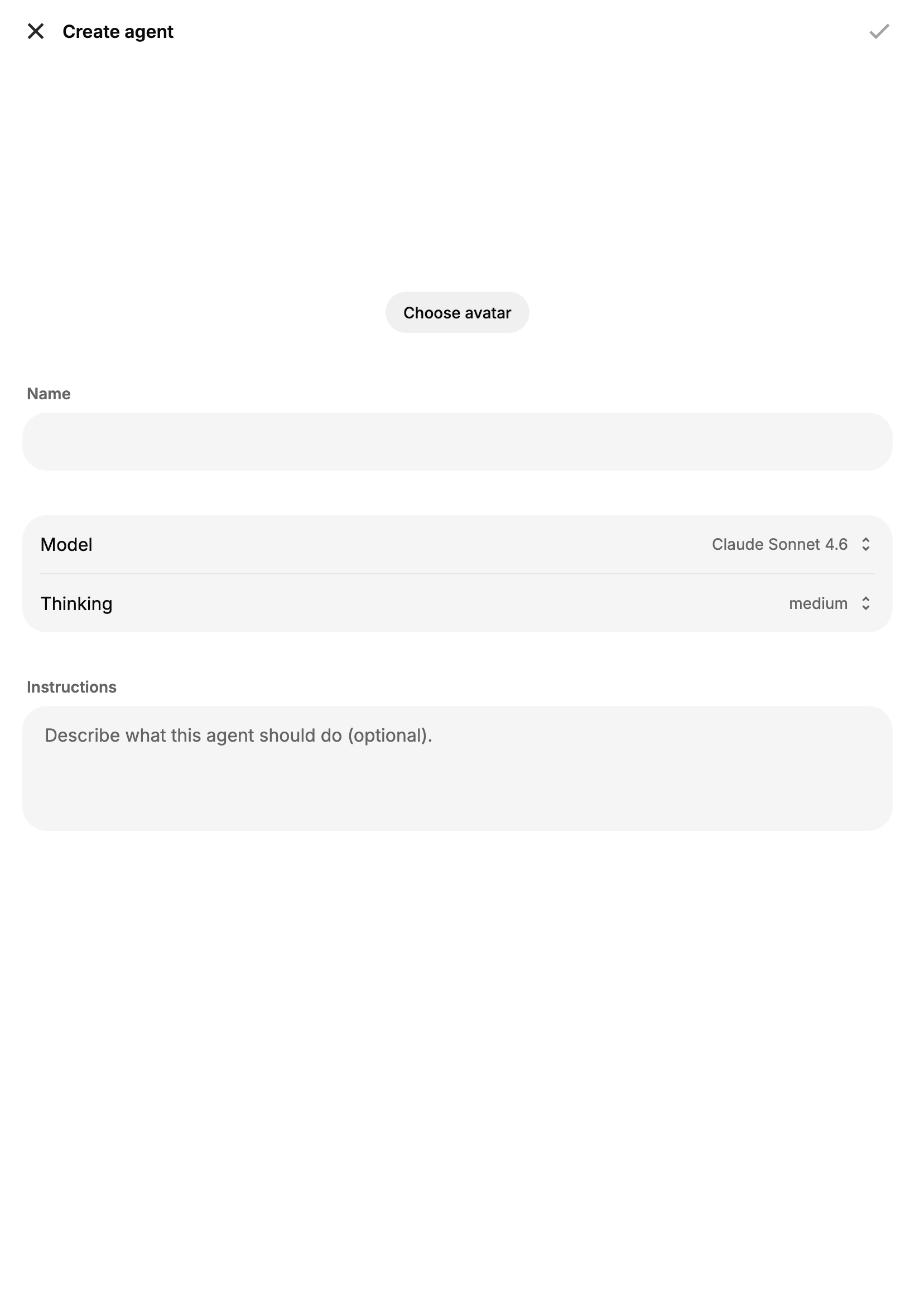
## Screenshots
Captured from the widget test harness with a catalog listing Opus first,
then Sonnet. The avatar preview is blank because the test doesn't load
network images.
| Narrow, light | Narrow, dark | Wide, light |
| --- | --- | --- |
| 
| 
| 
|
## Testing
- New unit tests cover the default, missing medium effort, no Sonnet,
draft model wins, and a draft model the catalog lacks.
- A new widget test checks the form opens on Sonnet at medium and only
needs a name before Create.
- Full mobile suite passes locally with the CI dart-defines
(`BUZZ_PUSH_GATEWAY_URL`, `BUZZ_AUTH_DOMAINS`) at
|
||
|
klopez4212
|
b4509dee8b |
feat(mobile): add Buzzies and refresh agent avatar picker (#8921)
## Summary Adds Buzzies and refreshes the agent avatar picker with larger previews, rounded option strips, and clearer category choices. Also moves Agents above Appearance in the home menu and adds a custom agent icon. ### Related issue None found. ### Testing Analysis, 4,138 app tests, package tests, and 121 configured-auth tests pass. Earlier visual build exercised on Pixel and iOS simulator, with iPhone review; snapshots below show that build. | Android · Pixel | iOS · simulator preview | | --- | --- | |  |  | --------- Signed-off-by: kenny lopez <klopez4212@gmail.com> Co-authored-by: Terp <5856f6900e8e0a4e0ea1f4f8d2ee33e4753d2119bc122f94ecafc660b46c0511@buzz.block.builderlab.xyz> |
||
|
klopez4212
|
a12ad1cdd2 |
feat(mobile): refine agent profiles and model selection (#8773)
## Summary - Simplify agent profiles with Message/Bestie actions, relay-authored published instructions (unavailable without a config channel), management details, public-key copying, and a separate final Delete section. - Sort the Agents directory by name and mark the selected Bestie with a muted filled star. - Place Model and Thinking together below Name. Use native iOS Liquid Glass menus and preserve selection callbacks as controls become enabled. Related: #8685. ## Validation Full mobile checks passed. Regression coverage includes relay-author filtering, unavailable instructions, metadata retry, resizing native pickers, accurate deletion state, selection after loading, and Bestie switching. Real iOS simulator taps verified both pickers; the user confirmed the earlier iPhone build works. Review fixes were checked with widget journeys and the native UIKit resize/selection probe. <details> <summary>Previews</summary> Synthetic fixture renders: | Profile | Create agent | Bestie card | | --- | --- | --- | |  |  |  | Native iOS simulator interaction with a synthetic catalog:  </details> --------- Signed-off-by: kenny lopez <klopez4212@gmail.com> Co-authored-by: Terp <5856f6900e8e0a4e0ea1f4f8d2ee33e4753d2119bc122f94ecafc660b46c0511@buzz.block.builderlab.xyz> |
||
|
klopez4212
|
0cde1fe2f4 |
Make mobile Agents a full-page owned-agent directory (#8693)
Replace the mobile Agents sheet with a full-page directory of verified owned agents. Add dedicated creation and avatar pages with catalog-backed model selection, reuse the profile emoji/photo/camera controls, and expose Builderbot model settings while labeling desktop agents “Manage on desktop.” Share one account-scoped model catalog across editable cards and retries. Choose Bestie from the agent profile using the shared encrypted main-agent record (text-only action, filled star once selected), and move confirmed deletion to a top-left trash control with native iOS glass. Include uploaded avatars in owner registrations so desktop can display them. Validation: mobile analysis and all 3,958 hosted-enabled app tests passed; default-build tests run by the push hook. Earlier iPhone build installed and iterated with the user; the current iOS build succeeds, but final changes still need a device pass. Independent review found no new blockers. Actual camera capture and live Bestie sync remain unconfirmed; the existing shared `main-agent` wire format and Bestie terminology are retained. ### Snapshots Widget-harness captures with test data (not native iOS chrome). | Agents directory | Image avatar editor | | --- | --- | |  |  | --------- Signed-off-by: kenny lopez <klopez4212@gmail.com> Co-authored-by: Terp <5856f6900e8e0a4e0ea1f4f8d2ee33e4753d2119bc122f94ecafc660b46c0511@buzz.block.builderlab.xyz> |


