mirror of
https://github.com/block/buzz.git
synced 2026-11-24 10:12:19 +00:00
3d97535120cd4e18ecd01542e4f7fbcadbf9301c
8 Commits
| Author | SHA1 | Message | Date | |
|---|---|---|---|---|
 Tom Brow |
60b7fb8178 |
fix(mobile): keep shortcut taps and the member picker from wedging (#9388)
Follow-up to review notes on [#9360 Home Screen shortcuts](https://github.com/block/buzz/pull/9360). These are fixes for rare races, with no visible change. - **The member picker can't wedge.** UIKit ignores a dismiss that arrives mid-transition (the sheet still animating in, or during an interactive swipe-down) and never runs its completion. The picker coordinator queues every later present behind that completion, so New DM and Add members then opened nothing for the rest of the session. Dismiss now waits for the transition to finish, then dismisses whatever is still presented. - **A shortcut tap reaches Dart once.** The native bridge both buffered a tap and sent it, so a tap during cold launch could arrive twice and run again after Home had already handled it. Now a tap is buffered only until Dart first takes the pending one, and after that it is sent directly. - **Signing out drops a waiting tap.** Removing Home clears a tap that is still waiting (for example on a Bestie that is still loading), so it can't run in the next account's Home. Not included: carrying the Bestie's pubkey in the shortcut item, so a stale "Message Alice" falls back to Agents rather than opening the current Bestie. It's optional, and it would change the bridge's payload shared with the lock screen widgets in [#9373 lock screen widgets](https://github.com/block/buzz/pull/9373). ### Validation - The Home shortcut journey gains a step: a tap waiting while the app is inactive is cleared when Home goes away. The step fails with the teardown guard removed. - Automated simulator run (iPhone 17 Pro, iOS 27, signed in to a Builderlab test community), driving the app icon's quick actions on the Home Screen: - New DM from a conversation opens the picker. New DM again, with the picker already open, replaces it. New chat over the picker closes it and opens a draft, and New DM after that opens the picker again (it doesn't get stuck). - Message (Bestie) opens the Bestie conversation. - Cold launch through New chat opens exactly one New chat screen. Back returns to Messages. buzz-review-completed Signed-off-by: Tom Brow <tomb@squareup.com> Co-authored-by: Tom Brow <tomb@squareup.com> Co-authored-by: Claude Opus 5.5 <noreply@anthropic.com> |
||
|
Tom Brow
|
27f0fe7527 |
feat(mobile): add iOS Home Screen shortcuts for New chat, New DM and the Bestie (#9360)
Long-pressing the Buzz icon on iOS now offers three quick actions: - **New chat** opens a new solo chat (the same draft as New › New chat). - **New DM** opens the New DM picker. - **Message <Bestie>** opens the DM with the current community's Bestie, using the agent's display name (for example "Message astra"). It's hidden when the community has no Bestie, and it updates when the Bestie, its name or the community changes. | Before | After | | --- | --- | | <img alt="before" src="https://github.com/user-attachments/assets/393c3fb6-fe64-4505-a7a4-12714d8bf1df" width="300"> | <img alt="after" src="https://github.com/user-attachments/assets/1c57df92-6fed-4fee-9ce8-e9ea0ec70294" width="300"> | ### How it works Home publishes the items through a small native bridge (`buzz/home_screen_shortcuts`), which sets `UIApplication.shortcutItems`. A tap goes through the scene delegate. The bridge keeps the latest one until Dart has handled it, the same pattern push-notification taps use, so cold launches work too. Home runs it only once the app is active and the destination is ready. When a tap arrives, Home pops back to the first route once, so a shortcut never opens beneath a Flutter sheet or a conversation that was already open. A screen that refuses to close (for example a New chat whose first message is still sending) stays, and the tap is dropped. The one exception is the native iOS New channel form, which isn't a Flutter route: a shortcut tapped with it open runs underneath it. If a screen is opened while a tap is still waiting for its destination, the tap is dropped. A New DM tap while the New DM picker is open replaces the picker. Opening the Bestie DM now goes through one shared function, so the Home launcher button and the shortcut run identical code. A second open while the DM is still being looked up does nothing. Signing out clears the items. The shortcut wiring lives in its own leaf widget, so Home doesn't rebuild for it. Behavior change for the existing Home Bestie launcher: if you open another screen while it's still looking up the DM, the DM no longer opens over that screen. Behavior change for the native member picker (New DM, and Add members in channels): a picker reopened while the previous one is still closing now opens once the dismissal finishes, instead of failing with "Cannot open the member picker". ### Validation - Added tests: a Home journey covers the published titles (including the Bestie's name), a cold tap that waits for the app to resume and for New chat to be available, a Bestie tap made with another route open, a New chat tap while a draft is open, a New DM tap replacing an open picker, a waiting tap dropped once another screen opens, no Home rebuilds on lifecycle changes, and clearing the items when Home goes away. A launcher test covers a slow Bestie lookup, and a New chat test covers a shortcut tapped while the first message is still sending. I also broke the code that runs the shortcut and confirmed the journey fails. - Full mobile suite and `flutter analyze` pass. CI doesn't compile Swift on drafts, so `NativeAddMembersSheet.swift` was compiled with a local `flutter build ios --simulator` build. - iPhone 17 Pro simulator (iOS 27), signed in to a Builderlab community: from a cold launch, New chat opened the new-chat draft. Then, with the app warm, New DM opened the picker and Message <Bestie> replaced it with the Bestie DM. The recording stays in Buzz because it shows real account data. buzz-review-completed 🤖 Generated with [Claude Code](https://claude.com/claude-code) --------- Signed-off-by: Tom Brow <tomb@squareup.com> Co-authored-by: Tom Brow <tomb@squareup.com> Co-authored-by: Claude Opus 5.5 <noreply@anthropic.com> |
||
|
Tom Brow
|
5f59940544 |
fix(mobile): steady New DM picker rows and animate picks (#9249)
On iOS, the New DM (and Add Members) picker is a native UIKit sheet that Flutter drives by pushing the picker's whole state on every rebuild. Each push called `reloadData`, which rebuilt every visible row in a fresh, unreused cell showing the initials fallback, then fetched each avatar again over the platform channel. So whenever anything refreshed (several refreshes land right after foregrounding), every avatar blinked to its initial for a frame or two. Picks also jumped instantly from the results to the chosen section. Now the picker: - ignores a pushed state identical to the one it shows; - applies the rest as a diffable snapshot, so unchanged rows keep their cells and changed rows are redrawn in place, in reused cells; - keeps loaded avatars by avatar key for the life of the sheet, so a redrawn row shows its avatar at once; - animates a member's row moving between the chosen and result sections when it's picked or removed (no animation with Reduce Motion). Flutter's toggle handlers in both pickers now read the current selection rather than the one captured at build time. A fast second tap could otherwise add the same person twice, which the diffed table would reject. ### Validation - Native member picker test (`scripts/test-mobile-member-picker.sh`), extended: after an avatar loads, a changed row is redrawn with that avatar and requests nothing more. The avatar check fails on `main` and passes here; the existing identity and accessibility checks still pass with the diffable table. - Added a New DM test: two toggles before Flutter rebuilds never list a person twice. It fails without the toggle fix. - Full mobile Flutter suite and analyzer pass in CI on the current head, which includes `main`'s fix for the right-drag link tests. - Simulator runs of the app (iPhone 17 Pro, iOS 27, signed in to a test community): opened New DM, backgrounded and foregrounded the app, searched, picked from the list and from a search, and removed a pick. Without this change, every avatar flashed to its initial after a foreground. With it, no avatar flashed at any point, and picks and removals animate between sections. Recordings show real community members, so they're shared in Buzz rather than here. #### Full-app comparison, `main` vs this PR The same scripted New DM sequence on a clone of the same signed-in simulator (iPhone 17 Pro, iOS 27), first on `main` ( |
||
|
Tom Brow
|
ec21753e1b |
Make mobile New DM and Add members pick recipients like mention autocomplete (#9065)
The mobile New DM picker listed the first 50 relay profiles alphabetically, mostly identities the viewer doesn't know. It ran its own debounced directory search with no cache, and its rows disappeared on every keystroke until the search returned. Mention autocomplete in the composer already solves the same problem well, so New DM and Add members now use its implementation. Add members was reusing the same New DM directory search. ### What changes - **Same candidates and order as mention autocomplete.** The chooser's candidate building, ranking, row stability, 200 ms debounced search and search cache now back both surfaces. New DM is treated like a stream with no members yet: the viewer's own agents and agents shared with them appear up front, people are found by name, and agents that couldn't answer the viewer are left out. Typing a name shows the same people in the same order as `@name` in a stream. - **Results stay on screen while a search runs.** A query searched before shows its people immediately, and a longer query starts from the shorter query's results. A failed search keeps its rows and adds a retry row below them. - **Presentation matches the mention rows.** Rows show the name, and agents show "agent · managed by …". Npub lines are gone. - **Sheet chrome.** The title is "New DM", like the menu item that opens it. Both pickers keep their grouped cards but drop the "People and agents" and "Selected" section titles and the empty header bands above them (selected recipients stay in their own card at the top with checkmarks on iOS, as chips on Android). The native iOS picker now focuses search once it appears, which iOS used to ignore. In New DM a pick clears the query, as an inserted mention ends its query. - **Add members keeps what is specific to it.** Existing members and members just added are never offered, names are still compared with the channel roster so a same-name candidate is told apart, the query stays after a pick so several matches can be added in a row, and agents that don't answer the viewer can still be added, since a channel can hold them. While the WebSocket reconnects, the relay agent directory and its owners keep their last read in the community instead of going empty, so shared agents already found stay eligible in both New DM and the composer chooser. The debug-only offline preview directory and the old directory listing and search providers are removed, since no picker reads them any more. ### Validation Added tests: the New DM widget journey now drives the real mention search through a fake relay session. It covers the empty-query state, the debounce, rows kept while a longer query searches, cached results shown again at once, selection, chips and submit. The layout journey covers the 50-row cap, and the native-bridge journey covers title, rows without key detail lines, the selection limit and failure handling. The full `mobile/test/features/channels` suite passes. Automated app run (iPhone 17 Pro simulator, iOS 27, debug build, Remote Agents Pilot community): opened New DM from the menu, confirmed the keyboard comes up with only the viewer's own agents listed, searched for people and an agent, selected both and confirmed the query cleared after each pick. Also exercised the composer mention chooser (same results and order for the same query) and the shared Add members sheet (plain style, autofocus, search, query kept after a pick). Captures show real community members, so they're shared internally rather than here. The DM was not actually created, to avoid a stray conversation; submit is covered by the widget tests. 🤖 Generated with [Claude Code](https://claude.com/claude-code) --------- Signed-off-by: Tom Brow <tomb@squareup.com> Co-authored-by: Tom Brow <tomb@squareup.com> Co-authored-by: Claude Opus 5.5 <noreply@anthropic.com> |
||
|
klopez4212
|
a66cb5f7ab |
Modernize mobile channel and DM creation sheets (#8942)
Modernizes New Channel and New DM with full-height forms and X/Create or X/checkmark actions. iOS uses UIKit sheets throughout; Android uses the Flutter fallback. Channel menus default to Ongoing/Public, and native menu previews lift only the trailing value while labels stay fixed. Channel names disable automatic capitalization, autocorrect, and spellcheck; both platforms use descriptive placeholders. Preserves recipient search and limits, creation error retries, and navigation after native dismissal. Validation: 4,154 mobile tests passed (38 skipped), auxiliary suites and static checks passed; iOS device/simulator and Android builds passed. Exercised menus, dismissal, DM search and selection in the simulator and Android form behavior on Pixel; iPhone UI tested and approved by the author. | iOS native form (Simulator) | Android Flutter form (Pixel) | | --- | --- | |  |  | Native menu with the left label fixed:  --------- Signed-off-by: kenny lopez <klopez4212@gmail.com> Co-authored-by: Terp <5856f6900e8e0a4e0ea1f4f8d2ee33e4753d2119bc122f94ecafc660b46c0511@buzz.block.builderlab.xyz> |
||
|
klopez4212
|
93b8b8febc |
Standardize mobile navigation edges (#8895)
Standardizes mobile navigation headers: Android uses Home’s shared Flutter blur; iOS uses native soft edges, with graduated material retained during large-title collapse and the iOS 26 fallback preserved. Preserves Home’s upward title motion with a soft boundary and keeps the avatar crop title visible. Validation: 4,112 Flutter tests and 111 native tests passed after merging main. Rendered partial-scroll regression verified on the iOS 27 simulator; removing either review fix fails its regression assertion. The earlier preview was installed on a physical iPhone with the existing profile. --------- Signed-off-by: kenny lopez <klopez4212@gmail.com> Co-authored-by: Terp <5856f6900e8e0a4e0ea1f4f8d2ee33e4753d2119bc122f94ecafc660b46c0511@buzz.block.builderlab.xyz> |
||
|
Tom Brow
|
acf56fff6f |
fix(mobile): use the desktop agent squircle for every agent avatar (#8873)
On mobile, the Create agent form previewed emoji and image avatars as circles. Once the agent was created, its avatar showed as a rounded square, and other surfaces used yet other radii. None of them matched the agent squircle desktop uses. This PR makes `lib/shared/widgets/avatar_shape.dart` the single source of avatar silhouettes. Agents get desktop's squircle (traced from buzz-app's `avatar-squircle.svg`), and people keep circles. `avatarShape(isAgent:)`, `avatarPath()` and `AvatarClip` are the only ways to get either shape, and the squircle border class is private. Every agent avatar surface now goes through that bottleneck: - Create agent form and avatar picker previews (previously circles for emoji and photo avatars, and unclipped for catalog characters; `PresetAgentAvatar` now owns the clip) - The avatar picker's camera cutout (`ImageAvatarCapture` with `isAgent: true`); profile editing keeps the circle - Agents grid card portrait (previously a 22pt rounded rect) - `AvatarImage` (message authors, DM rows, member lists), the profile sheet, `SmallAvatar`, and the native avatar PNG used by iOS Add members (previously 30% rounded rects) - Huddle speaking halo, preparing placeholder, and spotlight frame - The iOS Add members fallback tile (Swift), shown while an avatar loads, now draws the same squircle instead of a 30% rounded rect To catch future drift, `avatar_shape_test.dart` adds a source guard. It fails when code under `lib/` picks an avatar shape inline from agent identity (for example `isAgent ? BoxShape.rectangle` or `if (!isAgent) return ClipOval`), hand-rolls the old 30%/60% agent radius, or uses a person shape (`ClipOval`, `CircleAvatar`, `BoxShape.circle`) under `lib/features/agents/`. Against main it flags 8 of the 10 old sites. It is best effort: the native PNG's inline ternary and the card's RRect didn't match those patterns and are fixed directly here. The Create agent form also gets 8pt above **Choose avatar**, so the button and everything below it move down from the preview, as Kenny requested. ### Before / after Captured on the iPhone SE (iOS 27) with a release build against a hosted Builderlab community, using a throwaway agent with an emoji avatar. In each pair, before (main) is on the left and after is on the right. **Create agent form** (also shows the 8pt spacing) 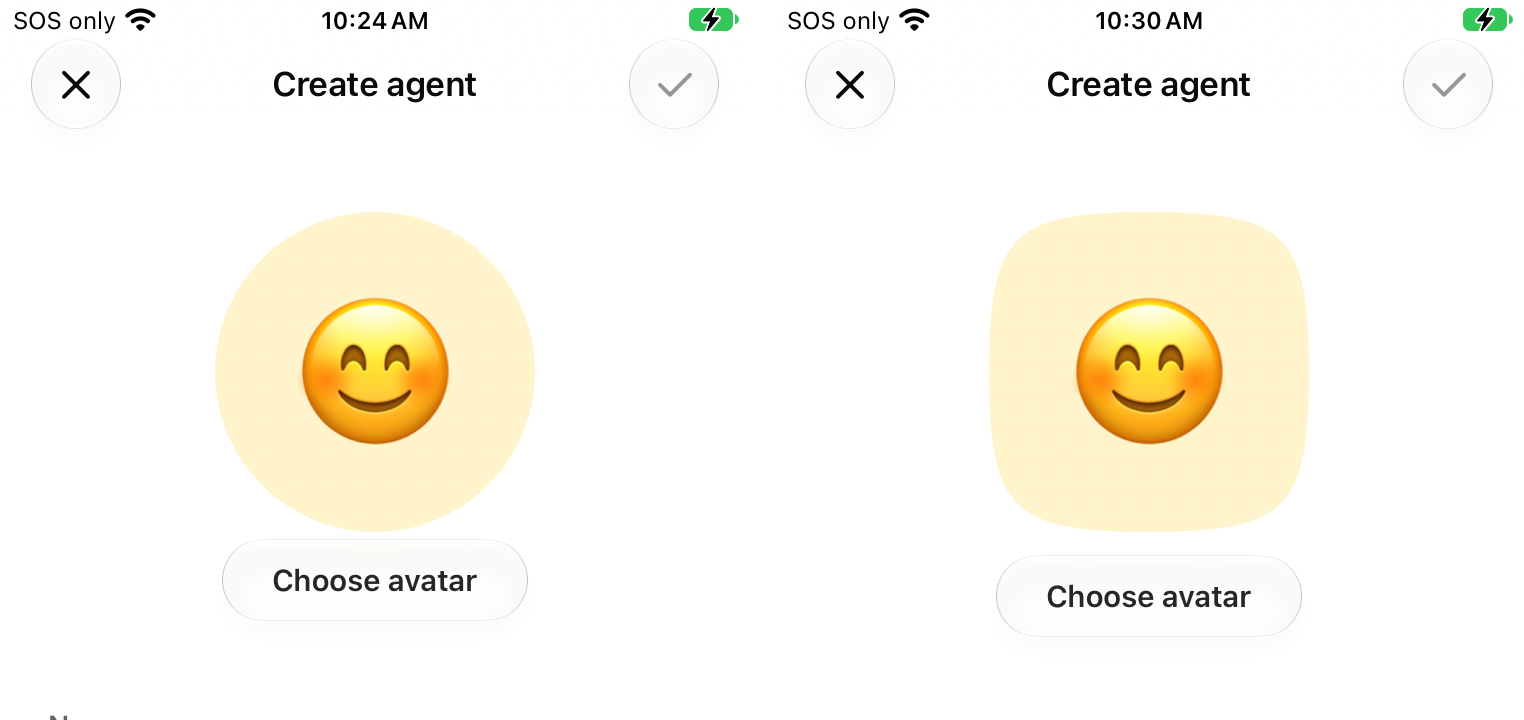 **Avatar picker** 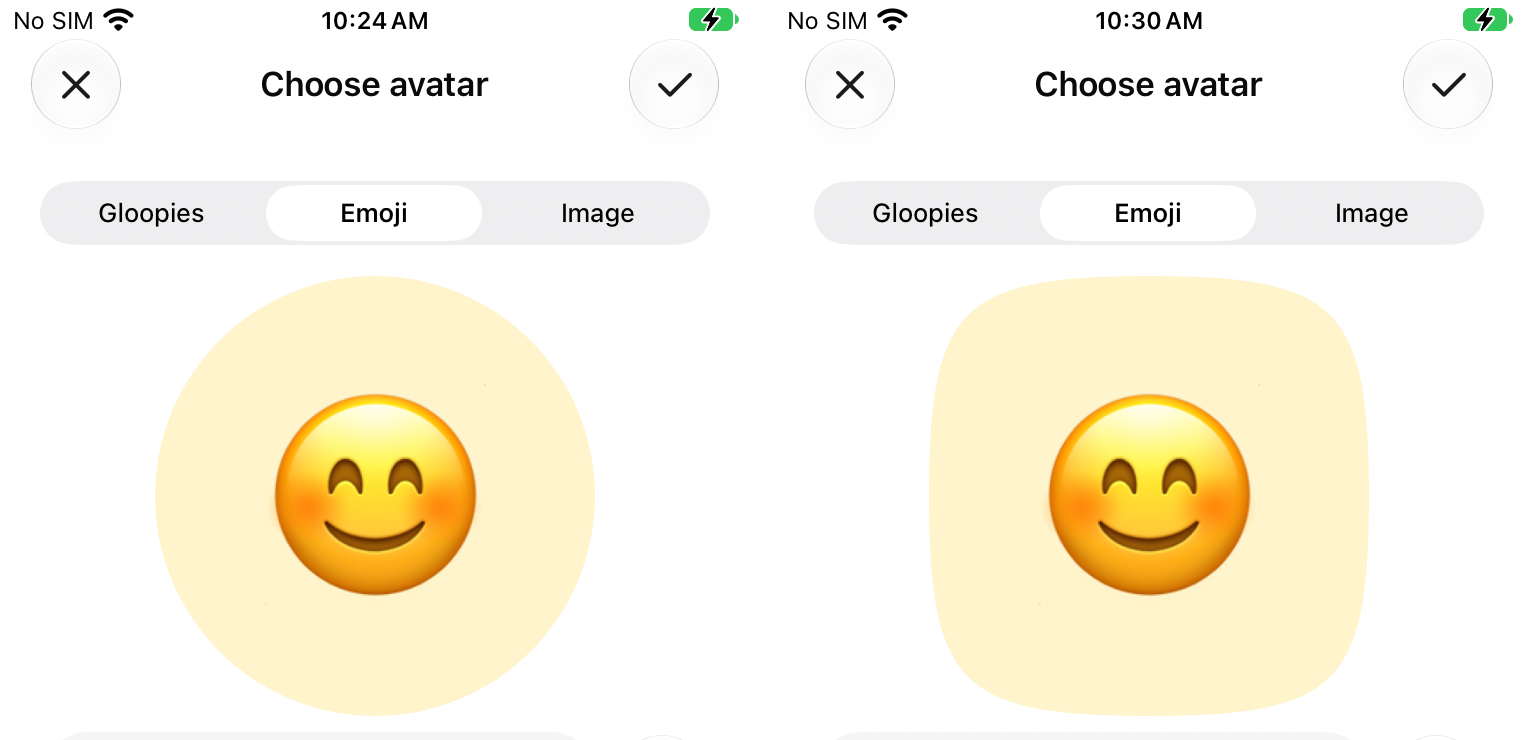 **Agents card** 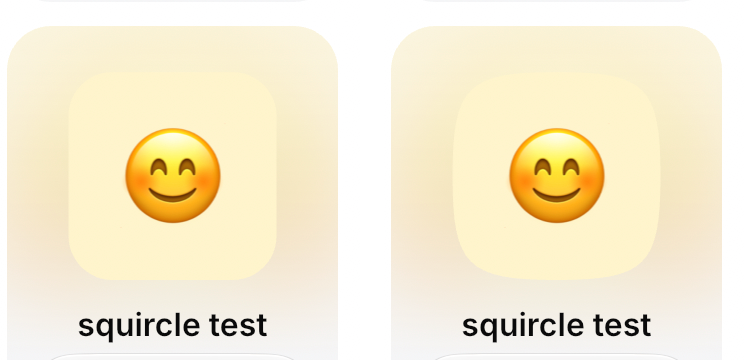 **Agent profile sheet** 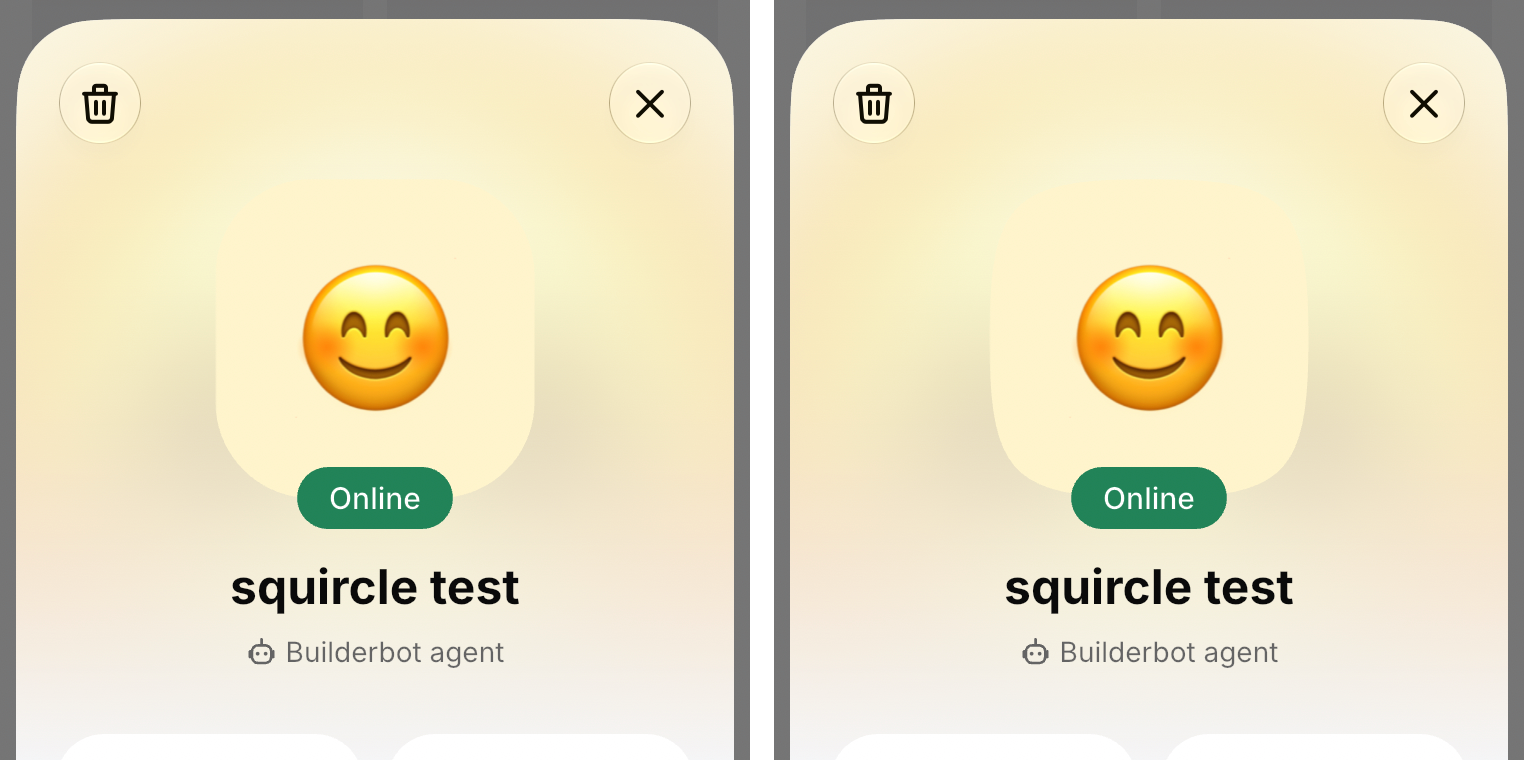 **Message author avatar** (`AvatarImage`) 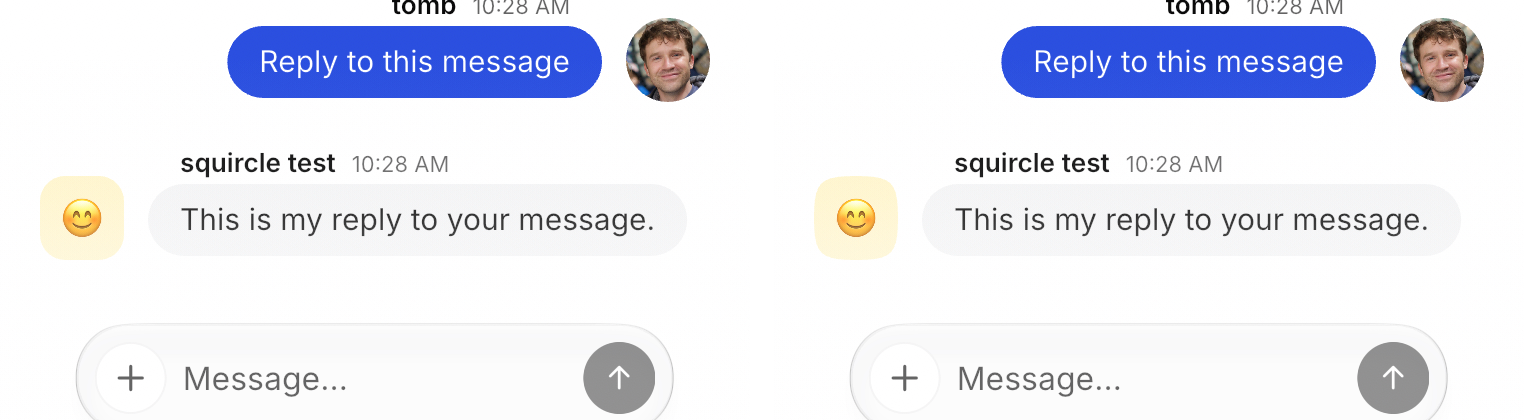 **DM list row** (`AvatarImage`)  **Add members** (native iOS list, `nativeAvatarImage`) 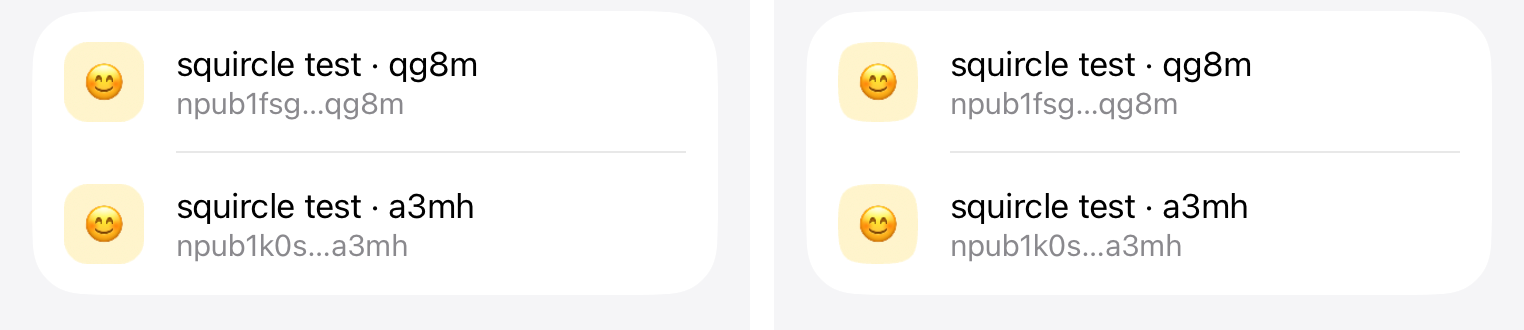 Not captured on device: `SmallAvatar` (thread reply and search avatars) and the Huddle halo, placeholder, and spotlight, which need a live agent thread or huddle. Widget tests cover these. ### Validation - Device: the before/after captures above. They predate the catalog preview clip ([ |
||
|
klopez4212
|
7e8aac4403 |
fix(mobile): polish channel management and iOS Settings (#8171)
## Summary Use native iOS sheets for channel editing and Add Members, with profile avatars, matching search, and destructive removal dialogs. Canvas content becomes a tappable preview with Add/Remove actions. Fix the Settings availability menu and clipped copy confirmation. Align channel action messages with chat styling and keep agent identities distinguishable across selection, attribution, and profile surfaces. ### Related issue No duplicate found in the existing mobile Settings/channel issues and PRs. ### Testing - Flutter analysis, formatting, file-size checks, focused collision regressions, and the full mobile test suite passed. - Production UIKit picker simulator check passed: distinct visible/accessibility labels, avatar updates, selected rows, and pubkey callbacks. Wired into Mobile Swift CI. - Original UI was built and tested on the physical iPhone with author confirmation; profile/community data preserved. - Review fixes await renewed author device confirmation before restoring `buzz-review-completed` and ready-for-review status. --------- Signed-off-by: kenny lopez <klopez4212@gmail.com> |






