**Category:** new-feature
**User Impact:** Users can create, download, and verify a
password-protected backup of their private identity from desktop
Settings.

**Problem:** Buzz does not currently give signed-in users a
Settings-based path to protect or validate their private identity
independently of onboarding. **Solution:** Add a focused backup menu to
the private-key row, keep encryption and verification local in Rust, and
preserve completed encrypted backups briefly so native saves can be
retried without repeating encryption.

<details>
<summary>File changes</summary>

**desktop/src/features/settings/**
Adds the background backup lifecycle, create and test dialogs,
private-key menu integration, password handling, and focused unit
coverage.

**desktop/src/features/onboarding/ui/NsecMaskedDisplay.tsx**
Extends the masked private-key display with reusable overflow-menu
actions used by Settings.

**desktop/src/app/App.tsx**
Mounts the backup provider at app scope so encryption and save work
survive closing Settings or the modal.

**desktop/src/shared/api/tauriIdentity.ts**
Adds typed desktop bindings for local backup creation, save, selection,
and verification.

**desktop/src-tauri/src/key_backup.rs and
desktop/src-tauri/src/commands/identity.rs**
Implements local NIP-49 encryption, password generation, file handling,
and public-identity-only verification results.

**desktop/src-tauri/src/egress_guard.rs and guarded call sites**
Blocks encrypted secret material from relay, websocket, snapshot,
sharing, and huddle egress paths.

**desktop/src-tauri tests and fixtures**
Covers encryption, verification, file behavior, and fail-closed
no-egress protections.

**desktop/src/testing/e2eBridge.ts, desktop/tests/, and
desktop/playwright.config.ts**
Expands the mock native bridge and browser coverage across create,
retry, expiry, and current/different-identity verification states.

**desktop/src-tauri/Cargo.toml, Cargo.lock, and assets**
Adds the local cryptography/password-generation dependencies and
embedded short-word list.

</details>

## Reproduction steps

1. Run the desktop app and open **Settings → Profile → Identity**.
2. Open the private-key overflow menu and choose **Create backup**.
3. Enter or generate a valid password, submit, and confirm progress
continues if the dialog or Settings is closed.
4. Save the resulting `.ncryptsec` file; cancel and retry to confirm the
temporary download remains available.
5. Choose **Test backup**, select the file, enter a wrong password, then
retry with the correct password.
6. Confirm success identifies whether the backup matches the current
identity and displays only the public `npub`.

## Screenshots

| Settings identity | Private-key menu | Create backup |
|---|---|---|
| <img width="1280" height="720" alt="image"
src="https://github.com/user-attachments/assets/981e391b-6829-4081-95ca-ca75a369de71"
/> | <img width="1280" height="720" alt="image"
src="https://github.com/user-attachments/assets/7972c68e-7635-47d8-b0ad-9639390d3e6c"
/> | <img width="1280" height="720" alt="image"
src="https://github.com/user-attachments/assets/4709c8f7-cf02-46f1-bec9-b3f98fe56fb2"
/> |

| Encrypting | Download available | Test success |
|---|---|---|
| <img width="1280" height="720" alt="image"
src="https://github.com/user-attachments/assets/1ac3e934-2b4b-4135-bae6-126c715c8c59"
/> | <img width="1280" height="720" alt="image"
src="https://github.com/user-attachments/assets/cb6f07ee-a16f-44a5-b9a0-6b9fe0e4d40d"
/> | <img width="1280" height="720" alt="image"
src="https://github.com/user-attachments/assets/ea58b1b1-966c-46aa-8d59-92c9f06a25bd"
/> |

Visual review and additional states: [Buzz
thread](buzz://message?channel=50ca7ef1-201e-4159-9499-40de3964b7c3&id=87eceb5f0f82fd50c32e560de3d35be48e293760f6620718aafdcef289d475fe)

---------

Signed-off-by: Taylor Ho <taylorkmho@gmail.com>
Co-authored-by: npub1223z34hd7vtwc6qj4s7flsxkj644nlre2nthu7lrrmkumhu3xddsrx9r6w <52a228d6edf316ec6812ac3c9fc0d696ab59fc7954d77e7be31eedcddf91335b@buzz.block.builderlab.xyz>
## Why

Hack-day feedback exposed a dangerous mismatch between the UI and the
underlying access model. The `Anyone` respond-to mode appeared as a
neutral dropdown choice, while a Buzz agent may act with the files,
accounts, and tools available on the machine where it runs.

People reasonably read this as sharing a bot in a channel. The current
UI did not explain that it can also share the agent's available access.

## What

- Reframes `respond-to` as **agent access** in user-facing UI.
- Uses plain audience labels: **Only me**, **Anyone**, and **Selected
people**.
- Warns for **both** sharing modes, not just `Anyone` — `Selected
people` also hands host access to someone other than the owner, so only
the audience phrase differs:
> Anyone can use this agent to access your computer, including files,
accounts, and connected tools.

> Selected people can use this agent to access your computer, including
files, accounts, and connected tools.
- Names the machine the agent actually runs on. A provider-backed
(remote) agent reads:
> Anyone can use this agent to access the server it runs on, including
any accounts and tools available there.

The remote wording deliberately omits the owner's files — those aren't
theirs to describe on a host they don't own.
- Places the warning below the selector for `Anyone`, but **after** the
people picker for `Selected people`, so it never sits between the user
and the selection they came to make.
- Removes Nostr, harness, pubkey, and `!shutdown` jargon from the
primary decision copy. Direct pubkey entry remains available as an
advanced path.
- Replaces the green open-access avatar dot with an amber warning marker
and accessible text. Selected access uses a separate blue status.
- Aligns the sidebar action and profile field with the same language.
- Records the shared-field disclosure contract in
`desktop/src/features/agents/AGENTS.md` so future surfaces do not
silently omit it.

## Design decisions

**Persistent inline warning, not a confirmation modal.** The setting
does not autosave; the consequence remains visible beside the selection
until the person chooses **Save access**. This gives the information
before commitment without adding a dismiss-and-confirm ritual that would
repeat in every create/edit surface.

**An unknown run location falls back to the local wording.** It does not
hedge with "computer or server". A remote host requires an installed
`buzz-backend-*` provider, and without one `WhereToRunSection` never
renders — so "server" would name a concept the owner has never been
shown. When it *is* remote, they picked that host from the selector
themselves. Surfaces never synthesize a run location they don't have.

**One resolution site, published through context.** `AgentDialog`
resolves the run location (`runLocationForBackend` from
`ManagedAgent.backend`, `runLocationForRunOn` from the create flow's
`WhereToRunDraft`) and publishes it via `AgentRunLocationContext`. It is
not threaded as a prop through `AgentDefinitionDialog` (1047 lines) or
`AgentInstanceEditDialog` (1228 lines) — neither uses the value, and
both are already over the file-size ceiling. Surfaces outside that tree
(`EditRespondToDialog`) pass the prop directly.

The copy follows the writing system's guidance for high-sensitivity
decisions: lead with the material consequence, use plain actor/action
language, keep helper text adjacent and persistent, and never rely on
color alone.

## Scope

Desktop only. The web and mobile clients do not currently expose this
setting. No protocol, gate, runtime, persistence, or backend behavior
changes.

This does not add team-scoped remote agents. It makes the current
local-or-remote access model honest while that product work remains
separate.

## Validation

- `pnpm exec biome check` and `pnpm exec tsc --noEmit` — clean
- `lib/agentAccessWarning.test.mjs` (8/8) — every mode × run-location
copy variant, both resolvers, unknown-reads-as-local, blank `runOn` is
not a provider
- `ui/respondToFieldContract.test.mjs` (8/8) — plain labels, both
warning positions, source-order guard that the `allowlist` warning
follows the picker, helper-not-inline-copy guard
- `agent-access-warning.spec.ts` (3/3) — native local, provider-backed
remote (asserts the server sentence and *not* "your computer"),
persona-backed edit; includes a bounding-box check that the `Selected
people` warning renders below the picker

---------

Signed-off-by: David Hamilton <daveh@squareup.com>
Signed-off-by: Clay Delk <clay.delk@gmail.com>
Co-authored-by: Clay Delk <clay.delk@gmail.com>
Co-authored-by: Claude Opus 5 (1M context) <noreply@anthropic.com>
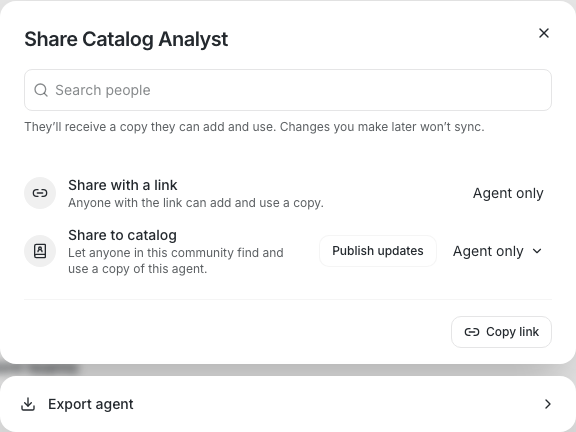
Registering a custom ACP harness works today, but only from Settings →
Agents. Anyone whose first touchpoint is "New agent" has no way to
discover the custom path — the dropdown just lists the baked-in presets
plus whatever was registered earlier. This adds an inline "Add custom
harness…" entry to the harness dropdown in all three agent surfaces:
create, edit-definition (`AgentDefinitionDialog`), and instance edit
(`AgentInstanceEditDialog`).

The entry is a sentinel option (`ADD_CUSTOM_HARNESS_VALUE`, NUL-prefixed
so it can never collide with a real harness id — backend ids match
`[a-z0-9_][a-z0-9_-]*`), mirroring the `CUSTOM_ENTRY_ID` trick already
used in `HarnessCatalogDialog`. Picking it never writes into form state;
it opens `AddCustomHarnessDialog`, a thin modal wrapper hosting the
existing `CustomHarnessForm` in `chromeless` mode. `CustomHarnessForm`'s
`onSaved` now carries the saved `definition.id` (the form may rewrite
it); the two existing call sites ignore the argument, so their behavior
is unchanged.

Selection after save is deferred rather than immediate.
`usePendingHarnessSelection` holds the saved id until the runtime
catalog actually publishes it via discovery, then selects it exactly
once — so the dialog never selects an id it cannot render, and
back-to-back registrations resolve correctly. The wait is scoped to the
owning dialog's `open` state: both host dialogs stay mounted when
closed, so an unpublished id is dropped on close rather than selecting
into reset form state when discovery later catches up. Selection is
routed through each dialog's normal dropdown change handler, so
provider/model reset (and command pinning in the instance dialog) behave
identically to a hand-picked harness. Dismissing the modal leaves the
previous selection untouched. `AgentInstanceEditDialog`'s existing
"Custom command" option is a different feature (ad-hoc command override
vs. a registered reusable harness) and is untouched.

Coverage is 16 unit tests in `addCustomHarness.test.mjs` (real React
mount, following the existing `.test.mjs` pattern) plus 4 Playwright
specs in `inline-custom-harness.spec.ts` covering all three surfaces
end-to-end. Both suites were mutation-verified: treating the sentinel as
a real selection, selecting before the catalog publishes, never clearing
the pending id, ignoring the dialog's open state, and reversing
latest-save-wins each turn the unit tests red; reverting the two dialog
diffs turns all four e2e specs red. The `check-file-sizes.mjs` overrides
for the two dialogs are ratcheted to their exact new counts (1048 and
1229) — verified tight in both directions, N passes and N−1 fails, so no
headroom is introduced.

---------

Signed-off-by: Will Pfleger <pfleger.will@gmail.com>
**Category:** improvement
**User Impact:** Users can understand, install, authenticate, and manage
agent runtimes from one progressively disclosed Agents settings
experience.

**Problem:** Runtime health and custom harness management were split
across overlapping settings surfaces, exposing low-level configuration
too early while leaving setup and authentication states hard to
understand. **Solution:** Consolidate those operations into one stable
runtime list and an Add runtimes catalog, with task-oriented state
labels, direct setup actions, and custom configuration contained in a
dedicated form.

<details>
<summary>File changes</summary>

**desktop/playwright.config.ts**
Registers the visual coverage needed for the redesigned runtime catalog.

**desktop/public/harness-logos/CREDITS.md**
Documents bundled runtime-mark provenance and the decision not to ship
the withdrawn OpenAI mark.

**desktop/public/runtime-icons/codex.png**
Removes the obsolete Codex bitmap in favor of the neutral fallback.

**desktop/public/runtime-icons/goose.svg**
Removes the old Goose asset now replaced by the theme-adaptive mark.

**desktop/src-tauri/src/managed_agents/discovery.rs**
Aligns runtime discovery guidance with the new task-oriented setup
language.

**desktop/src-tauri/src/managed_agents/discovery/runtime_metadata.rs**
Updates runtime metadata used by the redesigned settings states.

**desktop/src/features/agents/ui/runtimeAvailabilityWarning.test.mjs**
Updates availability-warning expectations for the revised runtime
guidance.

**desktop/src/features/onboarding/assets/harness-logos/chatgpt.png**
Removes the redundant bitmap from the unified runtime icon pipeline.

**desktop/src/features/onboarding/assets/harness-logos/goose.png**
Removes the redundant Goose bitmap.

**desktop/src/features/onboarding/ui/HarnessMarks.tsx**
Adds theme-adaptive bundled runtime marks with safe fallbacks.

**desktop/src/features/onboarding/ui/RuntimeIcon.tsx**
Centralizes runtime logo rendering so settings and catalog rows cannot
drift.

**desktop/src/features/onboarding/ui/SetupStep.tsx**
Aligns onboarding runtime setup copy with the settings terminology.

**desktop/src/features/onboarding/ui/presetLogos.test.mjs**
Guards bundled-logo behavior and prevents the withdrawn Codex mark from
returning.

**desktop/src/features/settings/ui/CustomHarnessForm.tsx**
Reworks custom runtime creation and editing into a clear, dedicated
catalog form.

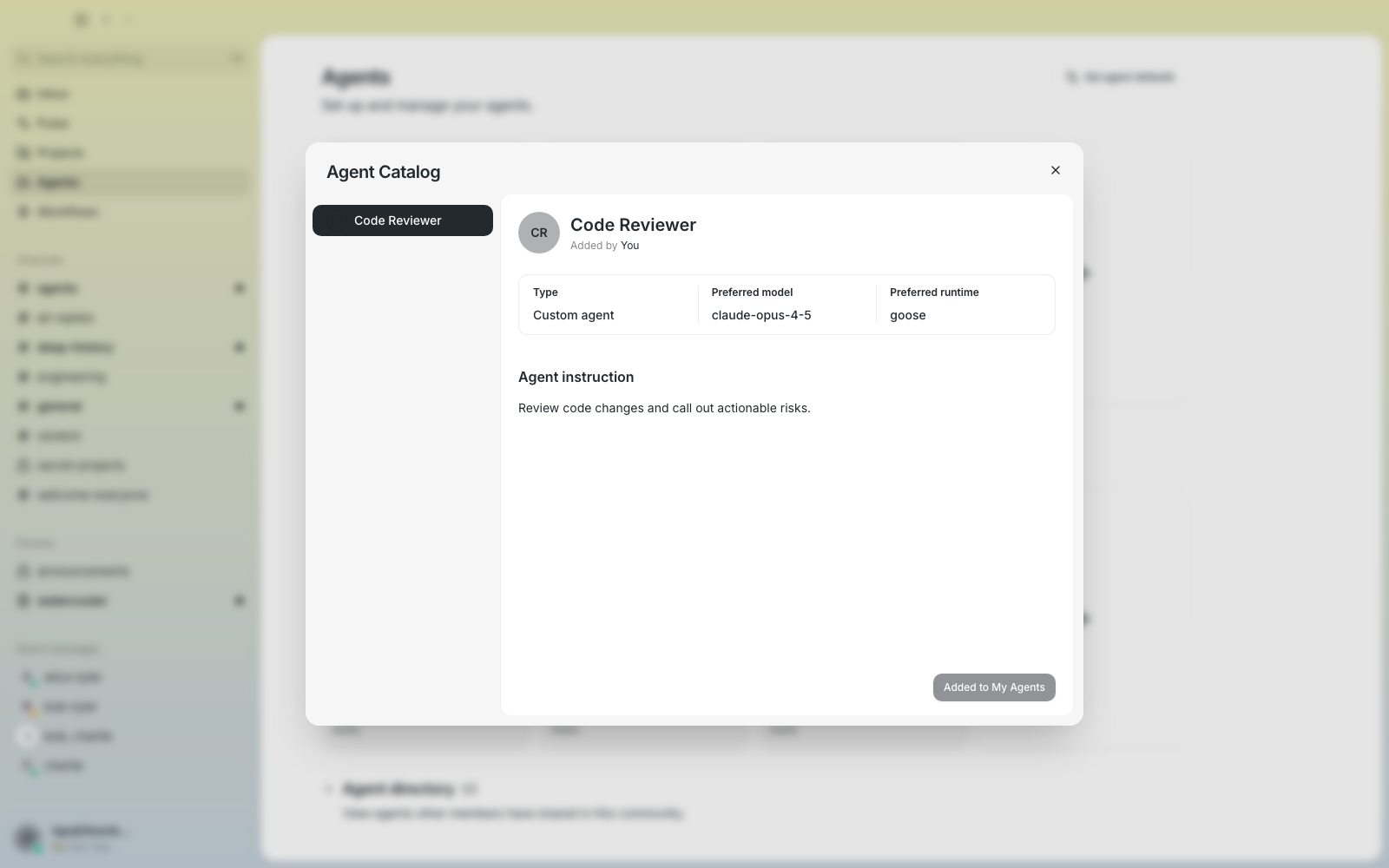
**desktop/src/features/settings/ui/HarnessCatalogDialog.tsx**
Introduces the Add runtimes master-detail catalog, grouped setup states,
loading treatment, and pinned actions.

**desktop/src/features/settings/ui/HarnessManagementCard.tsx**
Removes the superseded standalone custom-harness management surface.

**desktop/src/features/settings/ui/HarnessRow.tsx**
Provides stable operational runtime rows with install, update,
authentication, edit, and delete behavior.

**desktop/src/features/settings/ui/HarnessesSettingsPanel.tsx**
Consolidates runtime health and custom management into one Agents
settings panel.

**desktop/src/features/settings/ui/SettingsPanels.tsx**
Wires the consolidated panel into Agents settings.

**desktop/src/features/settings/ui/harnessCatalogCopy.ts**
Adds restrained, source-annotated runtime descriptions and setup
guidance.

**desktop/src/features/settings/ui/harnessCatalogLogic.test.mjs**
Covers grouping, state labels, stable row order, actions, and adapter
warnings.

**desktop/src/features/settings/ui/harnessCatalogLogic.ts**
Centralizes catalog grouping, actions, status labels, and runtime-safe
warning copy.

**desktop/src/features/settings/ui/harnessGalleryLogic.test.mjs**
Removes obsolete gallery-only tests after consolidation.

**desktop/src/features/settings/ui/harnessGalleryLogic.ts**
Retains only the shared custom-runtime safety logic needed by the new
surface.

**desktop/src/shared/ui/config-nudge-attachment.tsx**
Points configuration nudges to Agent runtimes with matching terminology.

**desktop/src/testing/e2eBridge.ts**
Adds deterministic runtime states for authentication and catalog E2E
coverage.

**desktop/tests/e2e/doctor-states.spec.ts**
Verifies ready, setup-required, node-gated, authentication, loading, and
error contracts.

**desktop/tests/e2e/harness-catalog-screenshots.spec.ts**
Captures whole-pane visual states for the runtime catalog experience.

**desktop/tests/e2e/harness-management.spec.ts**
Exercises catalog actions and custom runtime create, edit,
authentication, and deletion flows.

**desktop/tests/e2e/onboarding-agent-defaults.spec.ts**
Updates default-runtime expectations for the consolidated experience.

**desktop/tests/e2e/profile.spec.ts**
Aligns profile navigation assertions with the new settings surface.

</details>

## Reproduction steps

1. Open Settings → Agents and inspect Agent runtimes; ready, signed-out,
installable, and setup-required runtimes should have stable rows and
explicit actions.
2. Open Add runtimes and browse the Setup and Installed groups; select
entries to see sourced guidance and a pinned Install or Setup guide
action.
3. Select Custom harness, create a runtime, then edit and delete it;
verify required-field gating and the blast-radius confirmation.
4. Exercise a signed-out runtime and connect it; the row should move
from Sign-in needed to Ready without reordering.
5. Resize the window and switch themes to verify responsive layout and
adaptive bundled marks.

## Screenshots

| Mixed runtime states | Goose not installed | Sign-in needed |
|---|---|---|
| <img width="980" height="1000" alt="image"
src="https://github.com/user-attachments/assets/28705b39-1d91-440a-a954-fb2d7d8ee759"
/> | <img width="980" height="1000" alt="image"
src="https://github.com/user-attachments/assets/e65ce8e1-8c85-4272-afb5-e6001b94d560"
/> | <img width="980" height="1000" alt="image"
src="https://github.com/user-attachments/assets/3987f355-960d-4744-8c26-b3746944a33c"
/> |

| Add runtimes catalog | Custom runtime | Setup guide |
|---|---|---|
| <img width="896" height="672" alt="image"
src="https://github.com/user-attachments/assets/a2f32c8a-4dff-4929-af96-b07346933335"
/> | <img width="896" height="672" alt="image"
src="https://github.com/user-attachments/assets/b2e85a0c-3940-4875-a138-4035423c9de7"
/> | <img width="896" height="672" alt="image"
src="https://github.com/user-attachments/assets/5a690c1c-368e-4ee3-98b9-ffefdc3cf804"
/> |

Full 13-state screenshot matrix and review evidence:
https://buzz.block.builderlab.xyz/channels/c5af9e3e-4317-4853-b3e3-ed9c15bc511d?event=ec88f6e472f2b08d6318ae76fd754fd4f218385f67cfe59b73034c4bc34c9252

---------

Signed-off-by: Taylor Ho <taylorkmho@gmail.com>
Signed-off-by: npub1223z34hd7vtwc6qj4s7flsxkj644nlre2nthu7lrrmkumhu3xddsrx9r6w <52a228d6edf316ec6812ac3c9fc0d696ab59fc7954d77e7be31eedcddf91335b@buzz.block.builderlab.xyz>
Co-authored-by: npub1223z34hd7vtwc6qj4s7flsxkj644nlre2nthu7lrrmkumhu3xddsrx9r6w <52a228d6edf316ec6812ac3c9fc0d696ab59fc7954d77e7be31eedcddf91335b@buzz.block.builderlab.xyz>
## Summary
- align the multi-community rail with the content surface and balance
its visible 10px side gutters
- center Mobile pairing, start sessions on demand, and keep retry states
inside the QR area
- reveal the QR code and copy action with 250ms motion and use the
standard loading spinner

The rail was centered within its own box, but the adjacent sidebar added
another 11px to the visible right gap. Mobile pairing also started
before user intent, which could leave an idle session waiting for EOSE.

## Validation
- `pnpm -C desktop build:e2e`
- `pnpm -C desktop test` — 3,516 passed
- `pnpm -C desktop exec playwright test tests/e2e/community-rail.spec.ts
--project=smoke` — 19 passed
- `pnpm -C desktop exec playwright test
tests/e2e/mobile-pairing-qr.spec.ts --project=smoke` — 1 passed

`pnpm -C desktop check` is currently blocked by the existing
`src-tauri/src/managed_agents/runtime.rs` file-size baseline (2,220
lines; limit 2,216).
## Summary
- render mobile pairing QR codes locally with Wallet-inspired styling
- hide the raw pairing URI behind a matching copy button
- add focused rendering and dialog coverage

## Test plan
- desktop lint and 3,489 desktop tests
- focused pairing dialog Playwright test
- decoded the rendered QR back to the exact pairing URI
## Why

Installing the Codex, Claude, or Goose desktop app does not install the
command-line harness Buzz needs. The current UI makes that distinction
unclear, links some missing-CLI states to adapter documentation, and can
report a successful install from the installer exit code even when
runtime discovery still fails. On Windows, Buzz also invokes Goose's
Bash installer, which writes the executable somewhere Buzz does not
discover.

## What

- distinguish missing vendor CLIs from missing or outdated ACP adapters
in runtime metadata and UI guidance
- link Codex, Claude Code, and Goose missing-CLI states to their
official CLI installation documentation
- explain in Settings, onboarding, and agent configuration that the
desktop app alone is not sufficient
- use Goose's official PowerShell installer on Windows
- refresh PATH and rediscover the requested runtime after installation,
keeping the control retryable if the runtime is still unavailable
- add Rust and Playwright regression coverage for Windows installer
selection, CLI/adapter guidance, false-success prevention, verified
installs, and onboarding copy

## Risk Assessment

Medium. This changes desktop onboarding and runtime installation
behavior. Successful installs now require the runtime catalog to verify
availability; previously hidden discovery failures will surface as
actionable errors instead of a false success state.

## References

- [Codex CLI installation](https://developers.openai.com/codex/cli/)
- [Claude Code
installation](https://code.claude.com/docs/en/getting-started)
- [Goose
installation](https://goose-docs.ai/docs/getting-started/installation/)
- Follow-up to #2563 and #2587

## Validation

- `just desktop-typecheck`
- `just desktop-test` — 3,455 passed
- focused Rust post-install verification tests
- focused Playwright Doctor/onboarding coverage (in progress; CI and
local sequential rerun will provide final results)

Generated with Codex

---------

Signed-off-by: Atish Patel <atish@squareup.com>
Co-authored-by: Codex <noreply@openai.com>
Co-authored-by: Goose <opensource@block.xyz>