 30425557a0
* Another batch of markdownlint updates

* Update additional markdowns in gamestonk_terminal/
6.4 KiB
Vendored
PRESETS
- How to add presets
- template
- sexy_year
- buffett_like
- cheap_bottom_dividend
- cheap_dividend
- cheap_oversold
- cdeath_cross
- golden_cross
- heavy_inst_ins
- modified_dreman
- modified_neff
- rosenwald
- rosenwald_gtfo
- undervalue
How to add presets
-
Go to the folder GamestonkTerminal/gamestonk_terminal/screener/presets.
-
There should be a
README.mdfile and multiple.inifiles. One of these.inifiles should be namedtemplate.ini.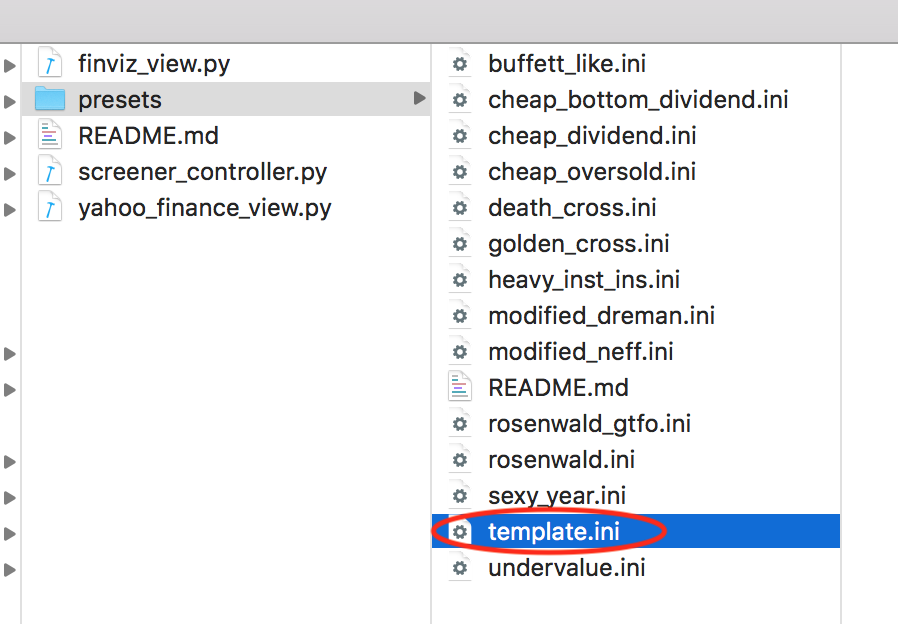
-
Copy the
template.inifile and paste it in the same directory. -
Rename that file to something you find meaningful, e.g.
my_own_filter.ini.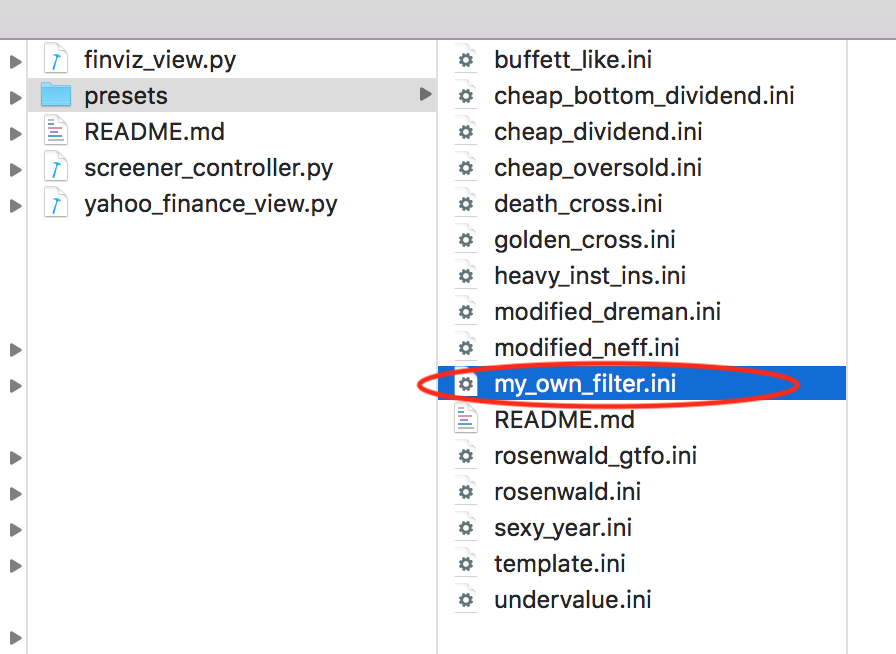
-
Open the file you just renamed (e.g.
my_own_filter.ini), and set the parameters you want to filter.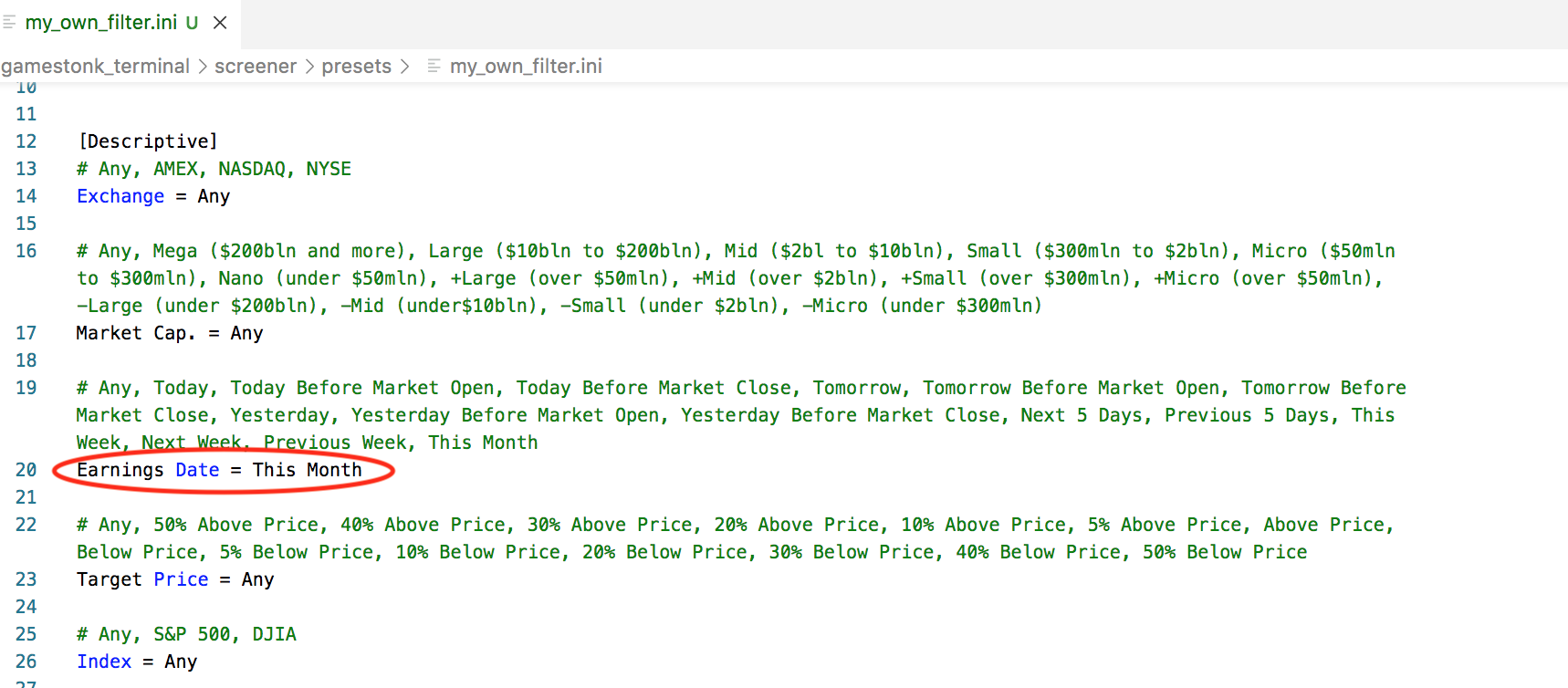
-
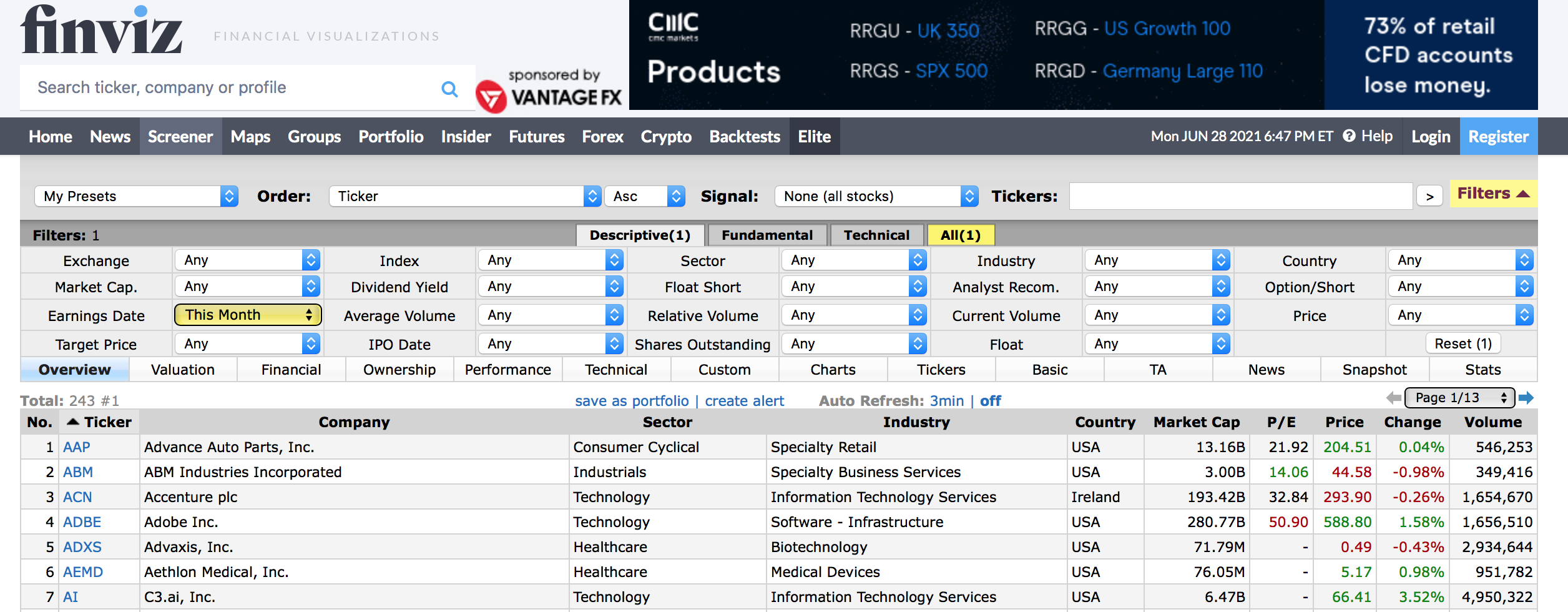
It may be useful to play with the main source https://finviz.com/screener.ashx since you can tweak these and understand how they influence the outcome of the filtered stocks.
-
Update the Author and Description name. E.g.
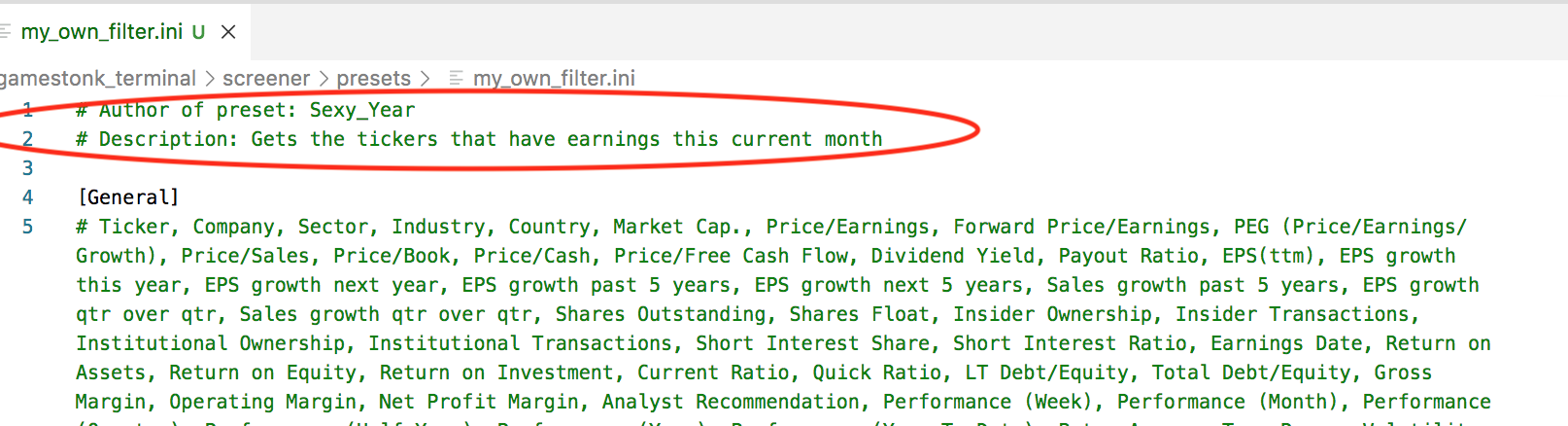
-
Start the terminal, and go to the
> scrmenu. In there, you can play with it on the terminal as shown:-
view: Allows to see the screeners available. I.e. all
.inifiles in presets folder.
-
view <selected_preset>: Allows to see the specific parameters set for the preset selected.
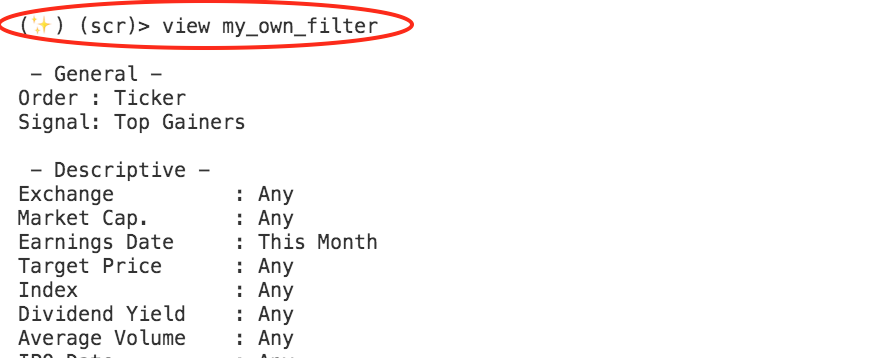
-
set <selected_preset>: Allows to set this preset as main filter. See that the help menu will display a different
PRESET: my_own_filter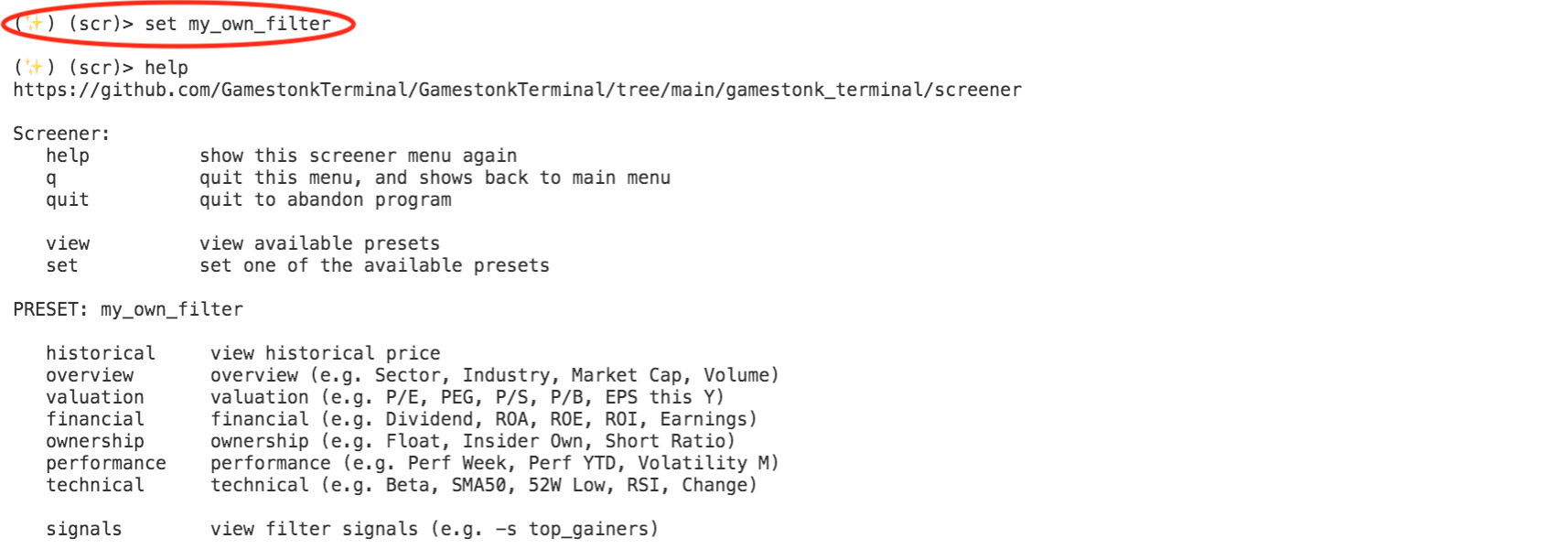
-
historical, overview, valuation, financial, ownership, performance, technical commands will now be performed on tickers that are filtered with the selected preset. Note: Since it is likely that there will be a big range of tickers, we cap it to 10 randomly. So, it is normal if for the same filter the user sees 10 different tickers. If the user wants to see more than 10 tickers, it can select a different limit using
-lflag.

-
-
Share with other Apes. You can do so by either creating yourself a Pull Request with this change, or asking a dev (e.g. @Sexy_Year) on our discord server to add it for you.
template
- Author of preset: GamestonkTerminal
- Contact: https://github.com/DidierRLopes/GamestonkTerminal#contacts
- Description: Template with all available filters and their options menu. More information can be found in https://finviz.com/help/screener.ashx and https://finviz.com/help/technical-analysis/charts-patterns.ashx
sexy_year
- Author of preset: Sexy Year
- Contact: Add contact of author, if (s)he whishes to be contacted. This can be an hyperlink, an e-mail, wtv
- Description: This is just a sample. The user that adds the preset can add a description for what type of stocks these filters are aimed for
buffett_like
- Author of preset: Traceabl3
- Contact: via smoke signals
- Description: Buffet like value screener (Value invsting for long term growth)
cheap_bottom_dividend
- Author of preset: Traceabl3
- Contact: swing the bullroarer
- ABOUT: High Yield Dividend stonks that are at-or-near their lowest price. Inverse Head and shoulders pattern recognized.
cheap_dividend
- Author of preset: Traceabl3
- Contact: illuminated bat symbol in the sky
- Description: cheap dividend stocks
cheap_oversold
- Author of preset: Traceabl3
- Contact: hit me on my skytel pager
- Description: Cheap stonks that are oversold: under 10% above the low, and oversold on the RSI.
death_cross
- Author of preset: Traceabl3
- Contact: take the red pill
- Description: Death cross : when the 50sma crosses below the 200 sma
- More information: https://www.investopedia.com/terms/d/deathcross.asp
golden_cross
- Author of preset: Traceabl3
- Contact: flip the pigeons
- Description: Golden Cross when the 50 day moves above the 200 day from below.
heavy_inst_ins
- Author of preset: Traceabl3
- Contact: blow into the conch shell
- Description: Heavily owned by institutions and insiders (>30% each)
modified_dreman
- Author of preset: Traceabl3
- Contact: Drum Telegraphy
- Description: Modified Version of the Dreman Screener.
modified_neff
- Author of preset: Traceabl3
- Contact: bang the drums
- Description: Neff Screener with modifications // operational margin <50%
- More information: https://marketxls.com/template/neff-screen/
rosenwald
- Author of preset: Traceabl3
- Contact: three shots in the air.
- Description: the classic rosenwald screen based on some dude I work with best guess.
rosenwald_gtfo
- Author of preset: Traceabl3
- Contact: wave the white flag
- Description: Too many indicators indicating an impending downturn.
undervalue
- Author of preset: Traceabl3
- Contact: message on tor browser.
- Description: Potential Undervalued stocks