 6381b2ae7d
* fixing a url

* moving around menus

* Grammar Update

* many fixes to links and some added pics to install

* Add improvements

* fix: tabs

* Move support/feedback window to FAQ

* Forgot to save

* MVC moved around

* change installation Source -> Python

* fix: tabs

* guides to basics

* Add new README LINKS

* Change links

* Change forecasting to forecast

* fix: details

* more fixes

* Change markdown file so it is ready for pypi

Co-authored-by: Chavithra <chavithra@gmail.com>
Co-authored-by: Danglewood <85772166+deeleeramone@users.noreply.github.com>
Co-authored-by: Jeroen Bouma <jer.bouma@gmail.com>
Co-authored-by: Jeroen Bouma <jeroenbouma@Jeroens-MacBook-Pro.local>
Co-authored-by: jose-donato <zmcdonato@gmail.com>
4.5 KiB
Vendored
title, keywords, date, type, status, excerpt
| title | keywords | date | type | status | excerpt | ||||||||||||||||||||||||||||||
|---|---|---|---|---|---|---|---|---|---|---|---|---|---|---|---|---|---|---|---|---|---|---|---|---|---|---|---|---|---|---|---|---|---|---|---|
| Technical Analysis |
|
2022-06-17 | guides | publish | This guide introduces the Technical Analysis menu, which is common across many sections of the OpenBB Terminal. |
The Technical Analysis menu offers the user a suite of tools for analyzing the technical components of an asset's trading history. The menu can be found in most wings of the Terminal:
The commands are divided by categories that define their purpose for general-use:
- Overlap - Moving averages
- Momentum - Oscillating signals
- Trend - Directional strength
- Volatility - Width of the price bands
- Volume - Singling out volume
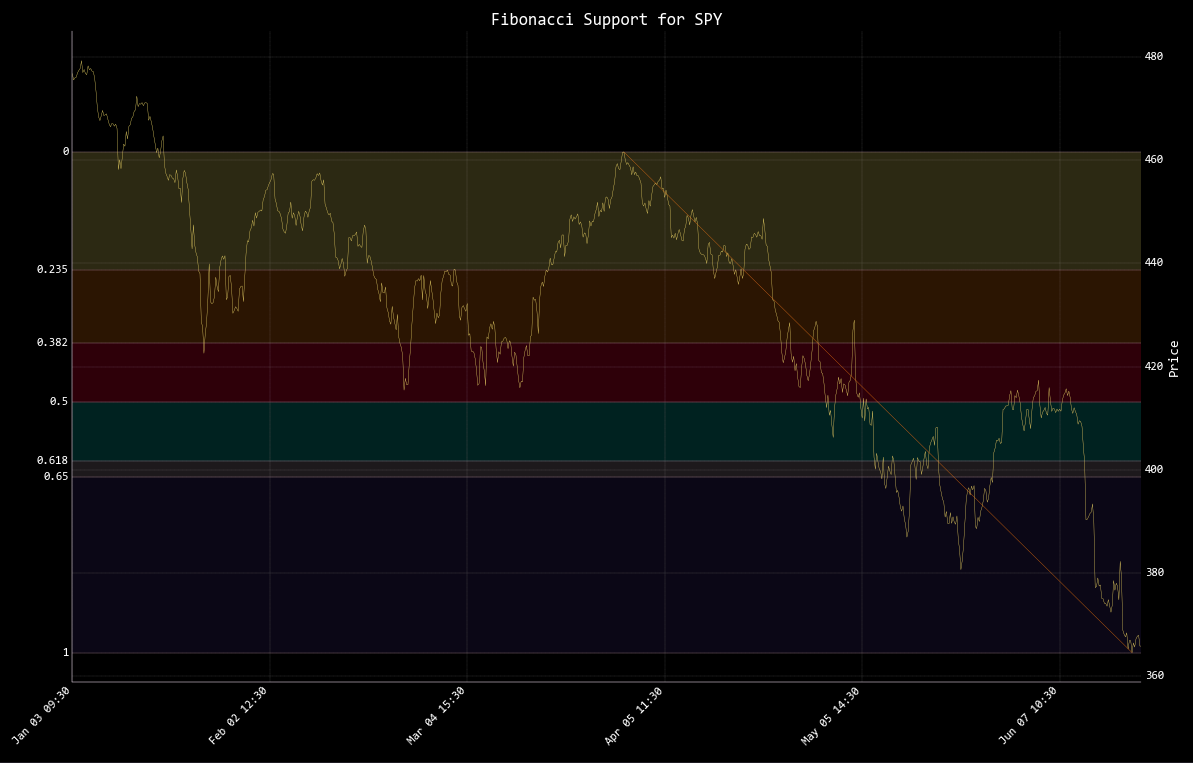
- Custom - Fibonacci retracements
All commands in this menu will rely on the interval and window chosen when loading an asset for analysis. Refer to the directory tree on the left side of the page for information on individual commands. To get a better understanding of what these features are, and the formulas behind them, a number of sources should be consulted; but, a good starting point is Investopedia.
How to use
To begin, enter the menu from one of the menus listed above by entering ta.

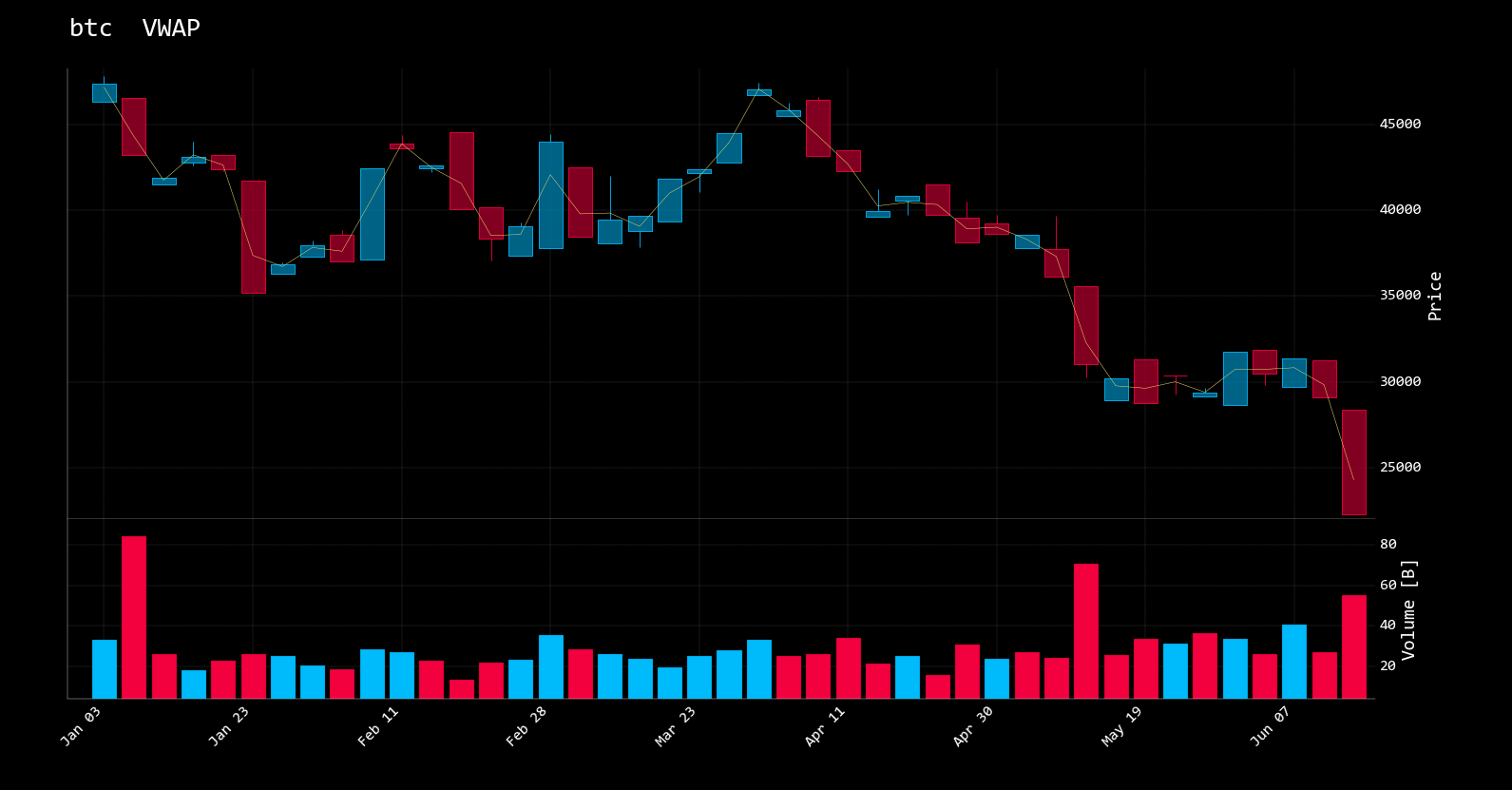
Choose a beginning and end date to see a volume-weighted average price chart of the loaded ticker. vwap --start 2022-01-01 --end 2022-06-17
The Fibonacci retracements are drawn with fib
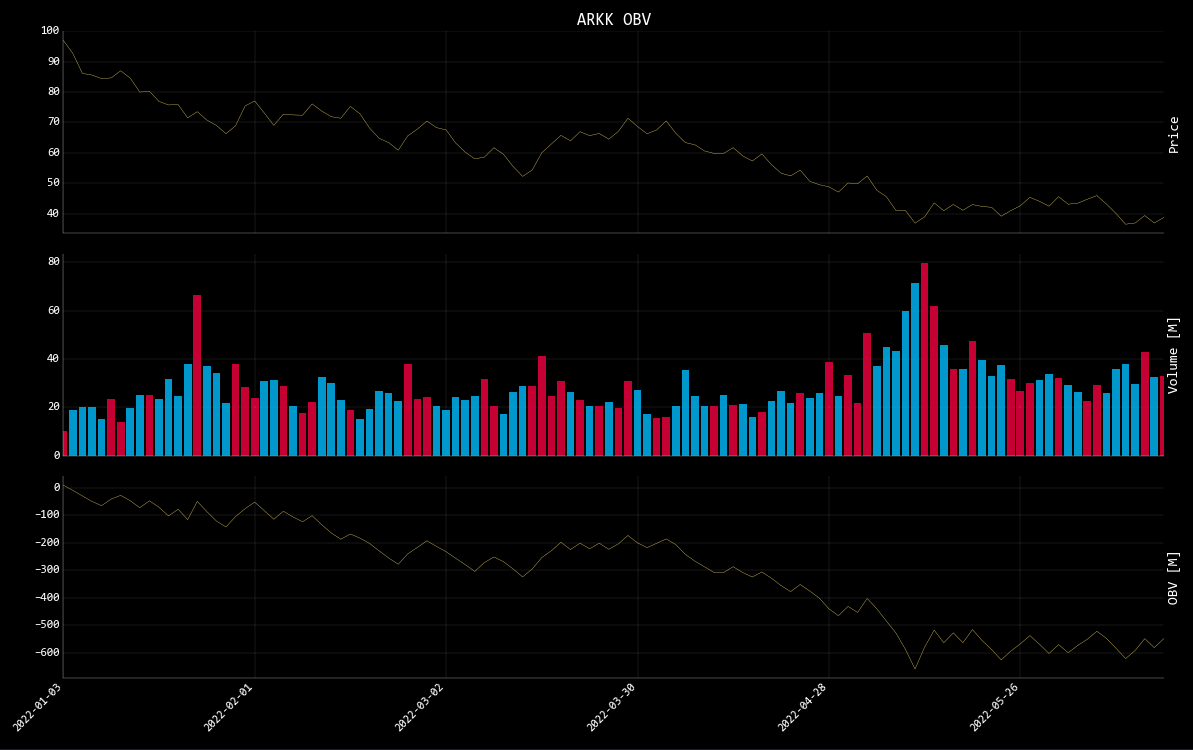
See the on-balance volume for the time-period loaded.
The help dialogue for any feature is printed by attaching -h to the command.
Examples
recom & summary are commands available only with a stock loaded as the asset. summary is a text description of the technical conditions.
(🦋) /stocks/ta/ $ summary
MSFT price has changed 1.29% in the last 3 days and 1.09% yesterday.
RSI is less than 30 and the indicator is pointing downwards.
Asset is in the oversold area.
MACD is in the Bearish area and the histogram is moving upwards.
MSFT price is trading below the 200-day SMA line and the SMA is trending down.
The asset price is between the Middle and the Lower Bollinger Bands.
recom projects buy & sell signals for the short-term.

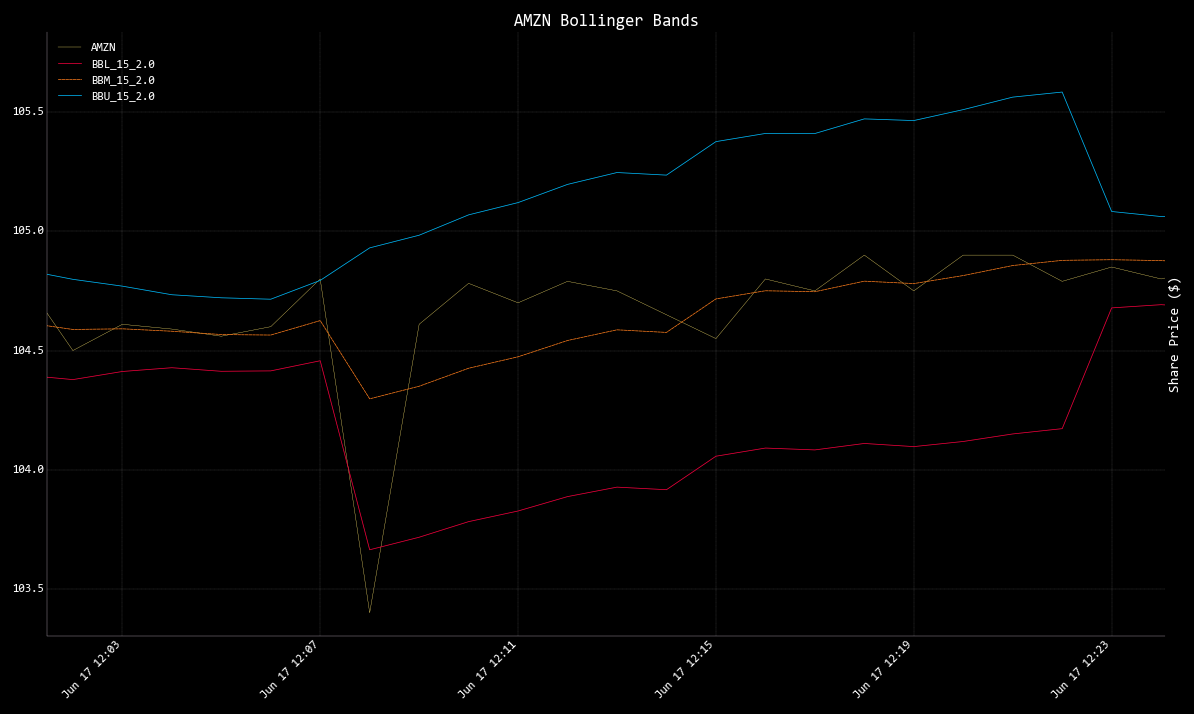
Bollinger Bands with a 1-minute resolution for AMZN - bbands
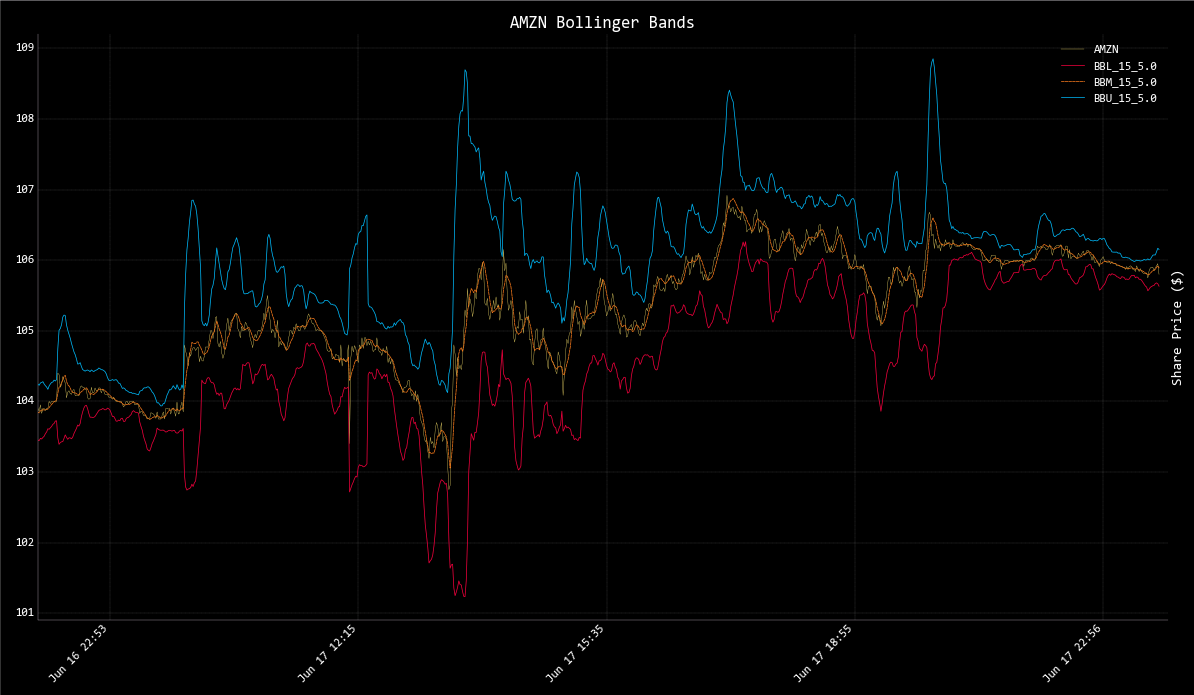
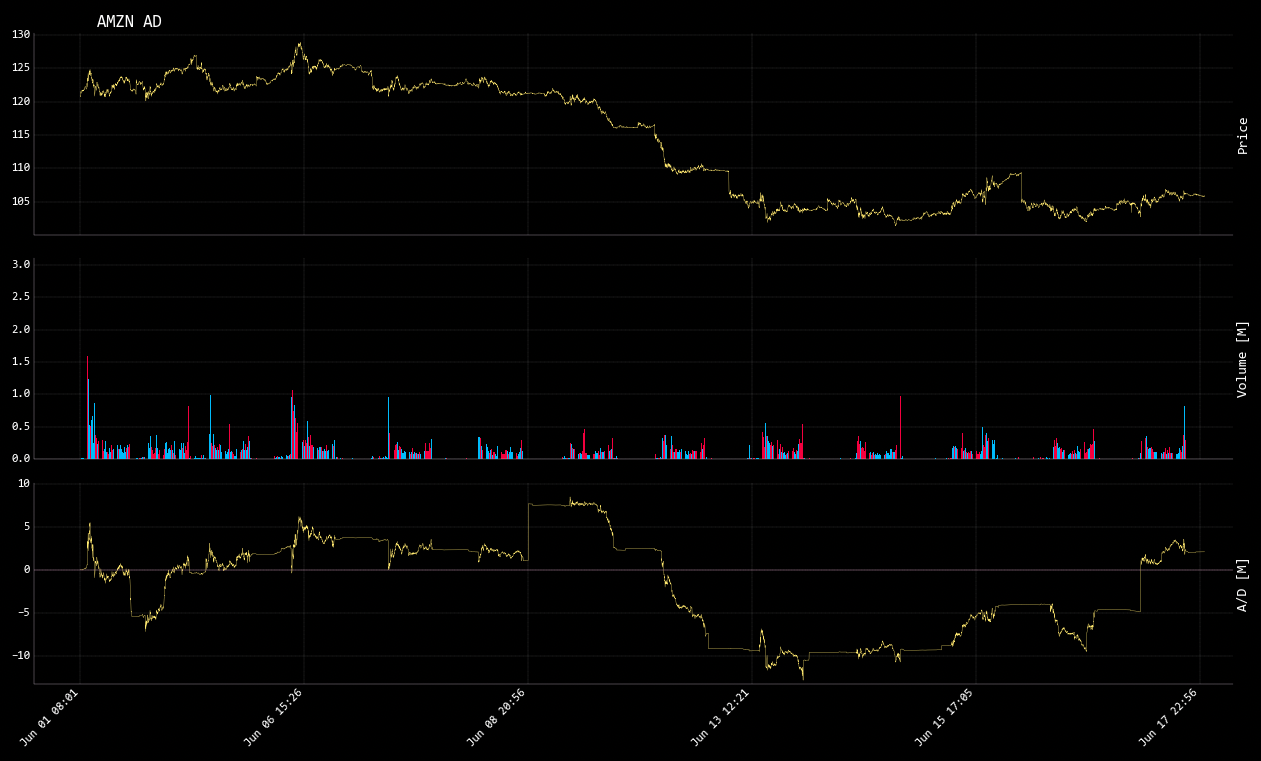
The Accumulation/Distribution line of AMZN - ad
To play a demonstration of this menu in the OpenBB Terminal run,
exe ta_demo.openbb, from the main menu.