 33da518dfa
* Create KEYCHRON_MACROS.md

* Update KEYCHRON_MACROS.md

* Update KEYCHRON_MACROS.md

* Update KEYCHRON_MACROS.md

* Update KEYCHRON_MACROS.md

* Update KEYCHRON_MACROS.md

* Update and rename KEYCHRON_MACROS.md to KEYBOARD_HOTKEY_MACROS.md

* Update KEYBOARD_HOTKEY_MACROS.md

* Update KEYBOARD_HOTKEY_MACROS.md

---------

Co-authored-by: James Maslek <jmaslek11@gmail.com>
Co-authored-by: Henrique Joaquim <h.joaquim@campus.fct.unl.pt>
4.9 KiB
Vendored
Keyboard Hotkey Macros
This document will explain how you can set hotkeys macros on your customizable keyboard which allow you to perform investment research in a few seconds.
Introduction to Routines
The OpenBB Terminal is a powerful open source investment research platform.
The more proefficient you get on the platform, the faster and more efficiently you are able to do investment research.
One of the concepts that OpenBB introduced early on was the concept of script routines. Read more here.
TL;DR: You can create MACROS like in Excel to run a sequence of commands.
E.g. by running exe script.openbb the following sequence could be executed
stocks/load AAPL/candle --ma 20/fa/epsfc/pt/est
which would lead to:

This allows to automate the process of investment research, and can improve user's experience by a significant margin.
Supported Configurators
VIA
This document will explain how you can set hotkeys on your customizable keyboard using VIA.
Here is a list of VIA's supported keyboards: https://www.caniusevia.com/docs/supported_keyboards
Note: We were in the market looking for a keyboard that could be highliy customizable for the needs of OpenBB power users. This is when we stumbled upon Keychron and the VIA configurator which allows users to intuitively remap any key on the keyboard, and create numerous macro commands, shortcuts, or key combinations. Here's a post from Keychron on VIA: Why VIA is one of the most essential features for a custom keyboard?
For the purpose of this example, the command pipeline we are creating has the following sequence of commands: dps/psi/../fa/pt/income/..
-
Try VIA here. The following screen should popup

-
Select the Layer you are interested in altering. As we're not looking forward to remap any of the existing main keys, we need to go to layer 2, 3 or 4. In my case, with a Keychron Q2, I know that Layer 4 can be accessed by pressing on "Fn2". Thus, I select that layer.
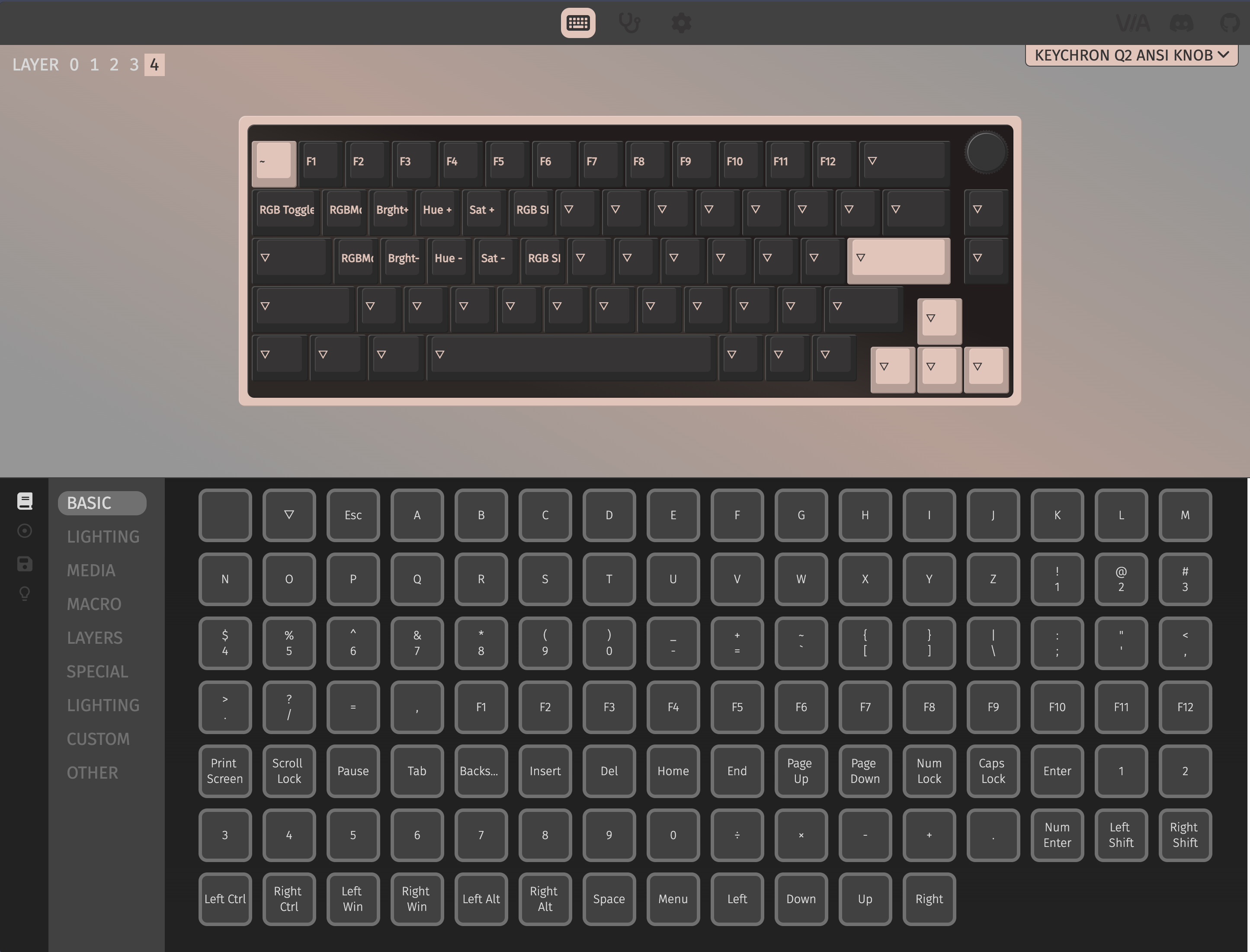
-
Most keys should have a triangle upside down which simbolizes that they don't have any functionality. You want to select one of those keys to contain your hotkey routine. After that selection you want to remap the key functionality, hence in the KEYMAP settings below you click on MACROS tab and select "MO". Now the screen should look like this:
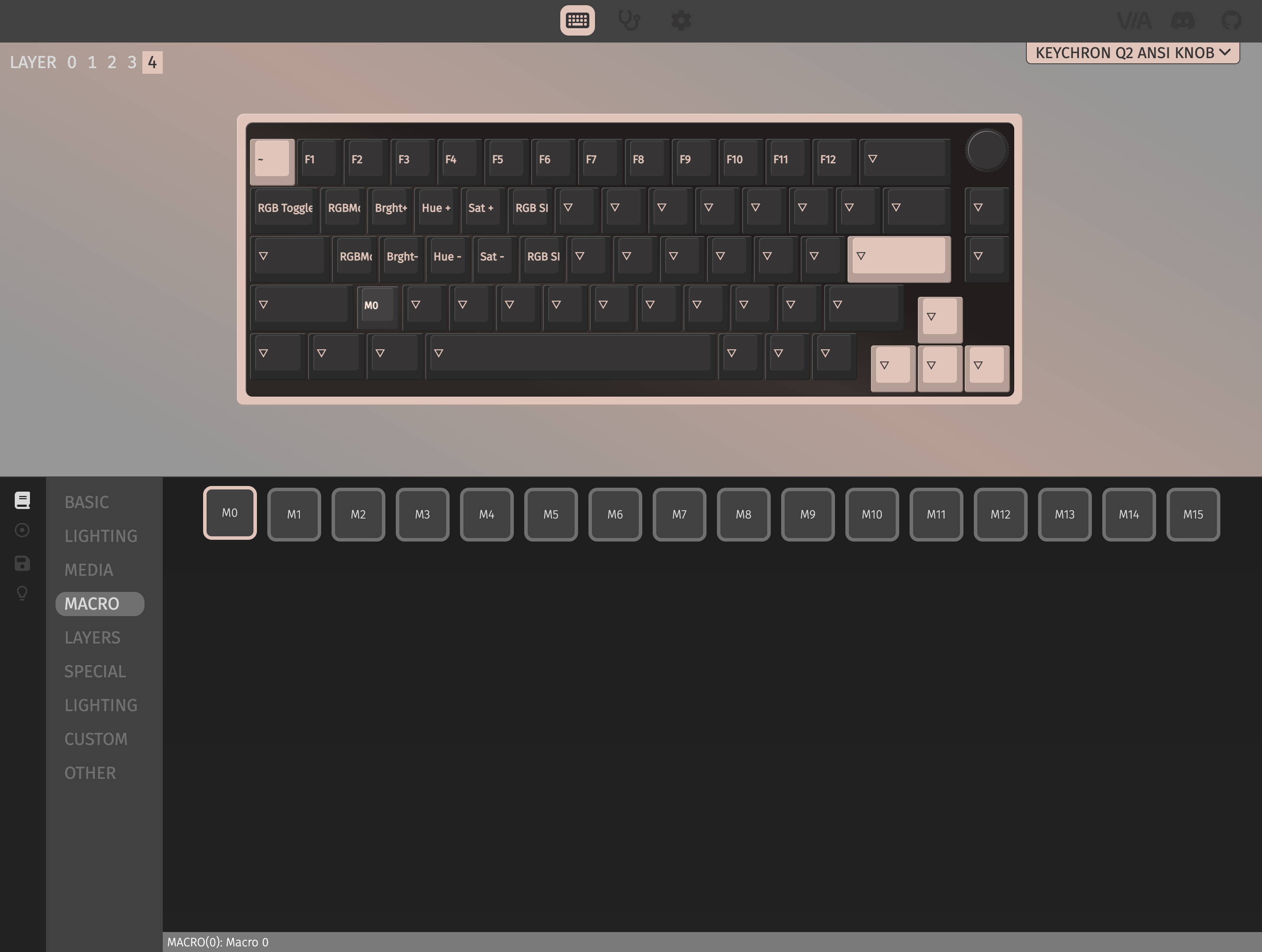
-
Now we want to change what "MO" does and for that we select the MACROS settings below. Then we can select "M0" and insert
dps/psi/../fa/pt/income/..{KC_ENT}. The screen should look like this:
Note that the
{KC_ENT}will ensure that the command is run on the terminal. -
Save. To ensure that everything is correct you can go into the KEYMAP settings and click on the hotkey that you just created to see if it contains the sequence of commands, the following sequence should appear:
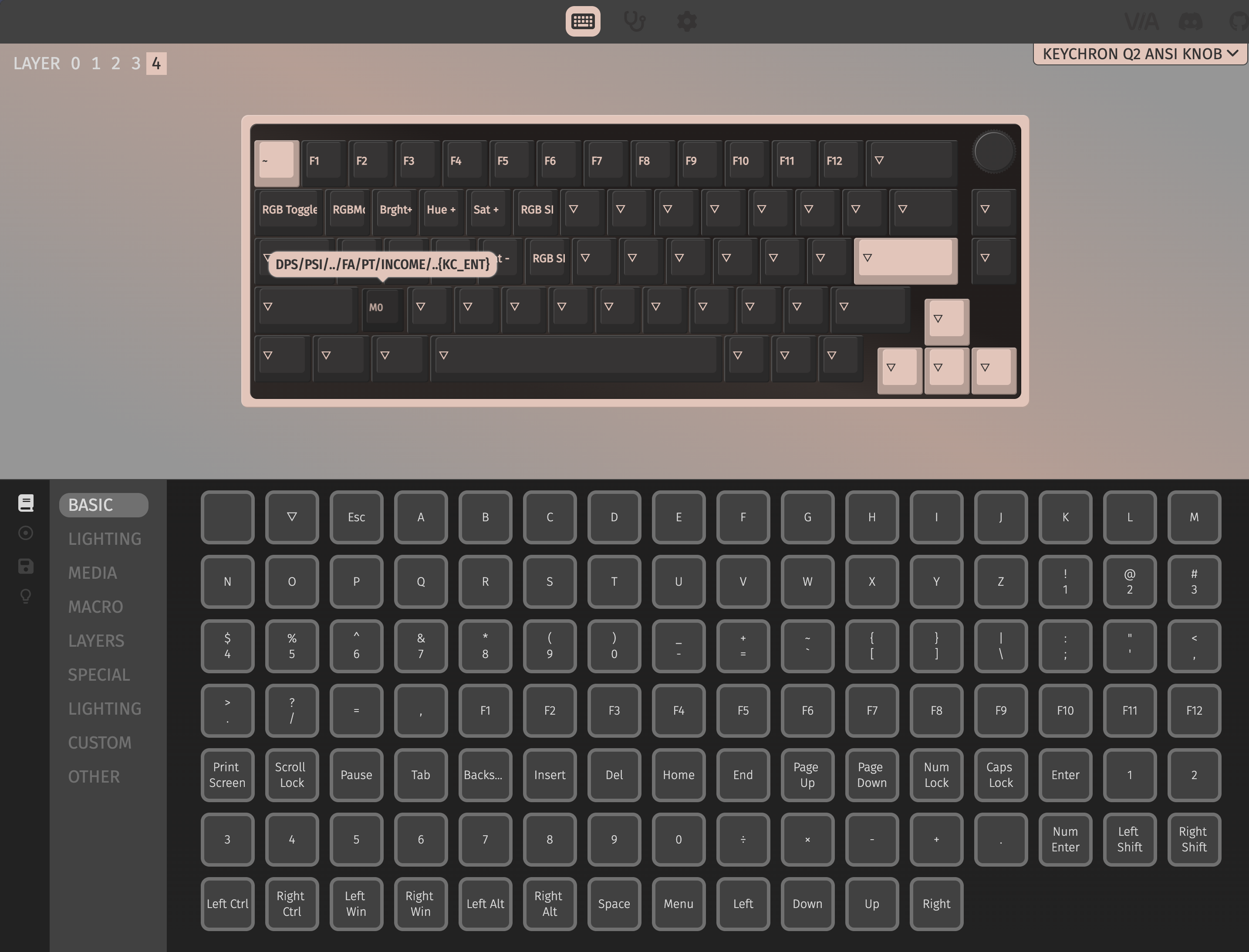
-
Finally, we are ready to test it on the OpenBB Terminal. After going into
stocksand doingload AAPL, I pressed "Fn2'+Z which lead to: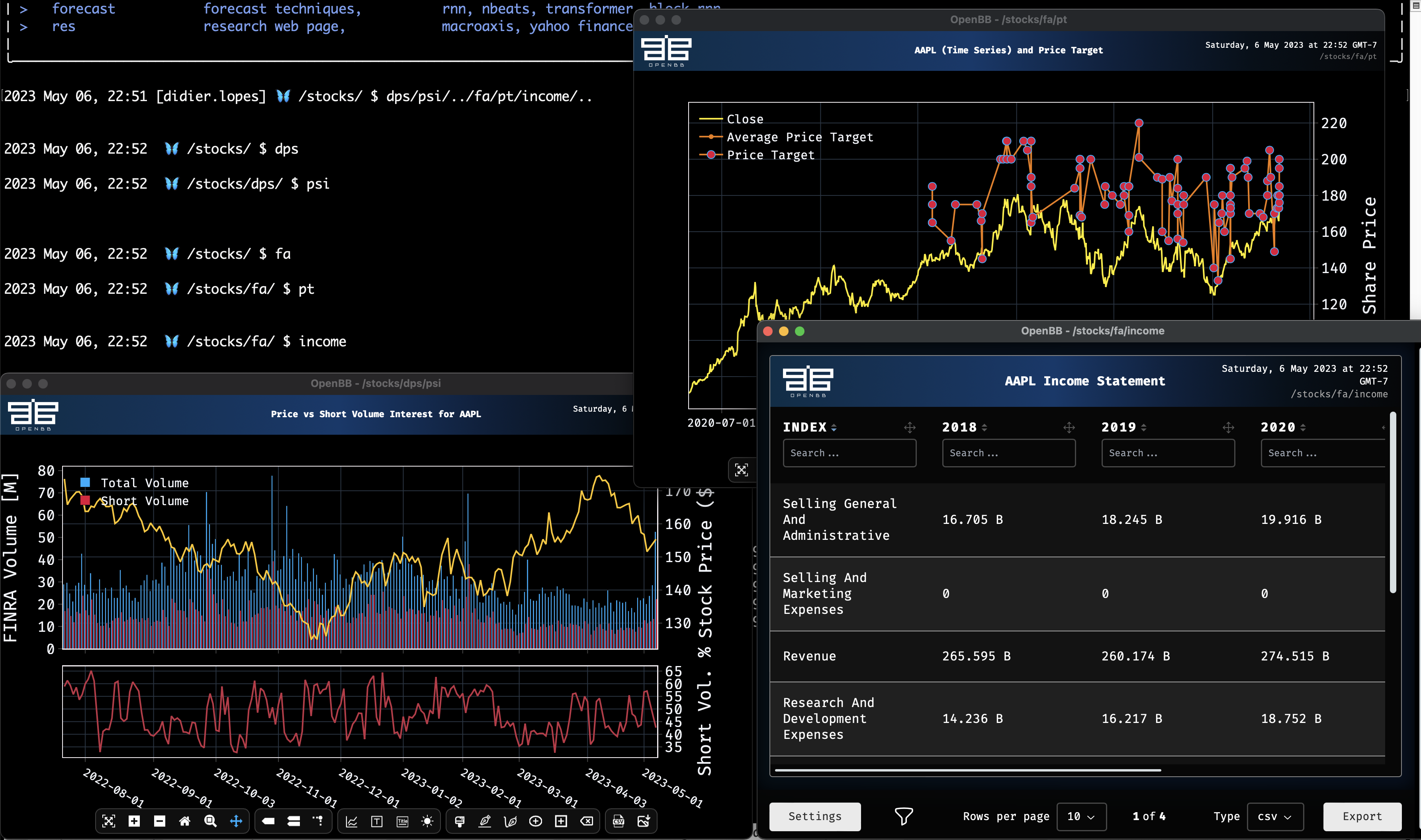
PS: If you prefer to see this in video format, you can do so by checking the following video.

Hope you enjoy this tutorial, and please let us know what type of MACROS are you setting up.