 95431ecb85
* Many improvements to the documentation

* Remove redundant guides

* details

* Add guide backin

* linting

* Update FAQs

* Match it up with SDK

* add po to sdk

* Add PO in

* adding discovery

* adding BA and FA to sdk

* Add in Troubleshooting page

* quick fix on forecast

* onemore quickie

* fix sdk

* updates to troubleshooting

* Add in ticker to codespel so it doesn't whine

Co-authored-by: Jeroen Bouma <jeroenbouma@Jeroens-MacBook-Pro.local>
Co-authored-by: andrewkenreich <andrew.kenreich@gmail.com>
Co-authored-by: martinb-bb <105685594+martinb-bb@users.noreply.github.com>
Co-authored-by: james <jmaslek11@gmail.com>
6.0 KiB
Vendored
title, sidebar_position
| title | sidebar_position |
|---|---|
| Set API keys | 3 |
Within the keys menu you can define your, often free, API key from various platforms like Alpha Vantage, FRED, IEX, Twitter, DeGiro, Binance and Coinglass. API keys are in essence a set of random characters that is unique to you.
You can access this menu from the homepage with keys which will open the menu as shown below:
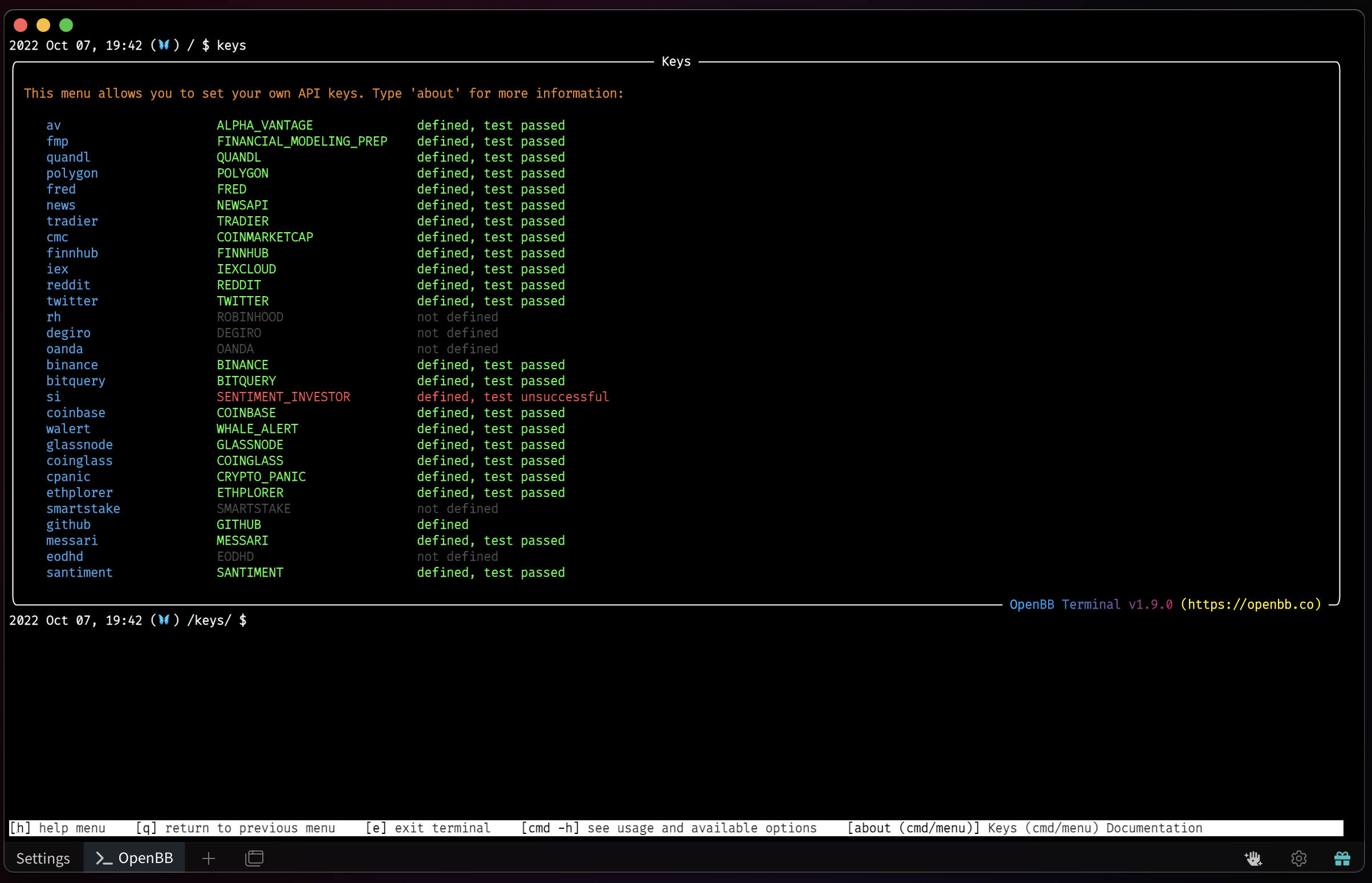
Within this menu you are able to set your API keys to access the commands that require that key. You can do so by typing the command followed by the API key, for example: fred a215egade08a8d47cfd49c849658a2be. When you press ENTER (⏎) the terminal will test whether this API key works. If it does, you receive the message defined, test passed and if it does not, you receive the message defined, test failed.
To figure out where you can obtain the API key, you can enter the command (e.g. av) and press ENTER (⏎) or use the table below. We recommend that you gradually obtain and set keys whenever you wish to use features that require an API key. For example, if you are interested in viewing recent news about a company, you should set the API key from the 'News API'.