
1.6 KiB
Vendored
sidebar_position, title
| sidebar_position | title |
|---|---|
| 1 | Structure of the Terminal |
The OpenBB Terminal is based off the Command Line Interface (CLI) which is installed by default on every computer. By opening the application you have installed via "Accessing the OpenBB Terminal", you are greeted with the following interface:
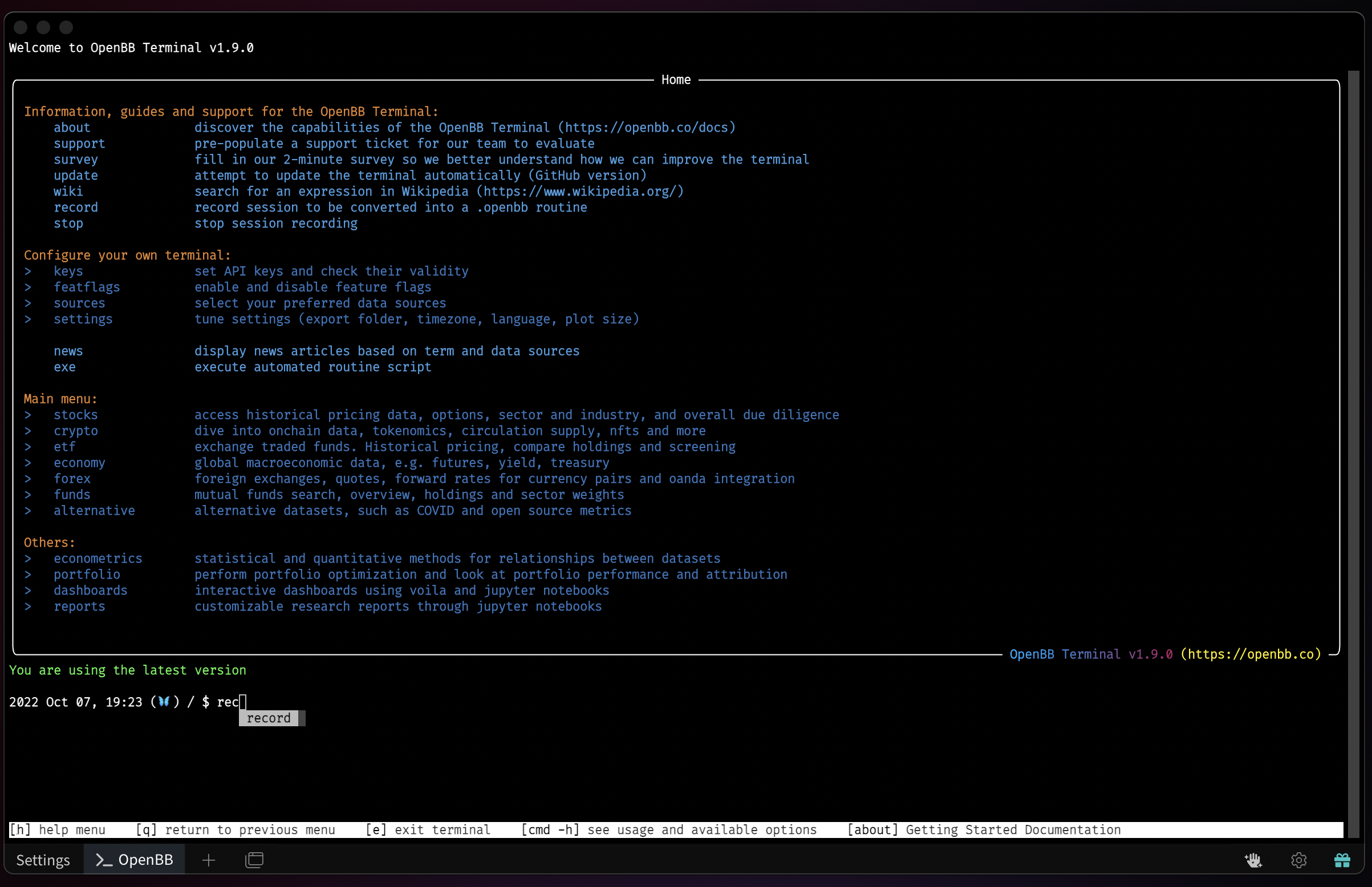
The OpenBB Terminal is centered around keyboard input. To navigate and perform analysis you will have to type in the name of the command followed by an ENTER (⏎). If you wish to see information about the OpenBB Terminal you can do so by typing about and then press ENTER (⏎). As you are typing, you will notice that you receive suggestions, by using the DOWN (⌄) arrow and pressing ENTER (⏎) you can select the command and execute it.
Throughout the entire terminal, the same set of colors are used which all share the same representation. This is structured as follows:
- <span style={{color:"#00AAFF"}}>Light Blue: represents commands.
- <span style={{color:"#005CA9"}}>Dark Blue: represents menus, also recognizable by the
>in front. - <span style={{color:"#EF7D00"}}>Orange: represents titles and headers.
- <span style={{color:"#FCED00"}}>Yellow: represents descriptions of a parameter or variable.
- White: represents text, usually in combination with a description that is in Yellow.