mirror of
https://github.com/block/buzz.git
synced 2026-11-24 18:21:59 +00:00
 b7fb268e8b
## Summary Locking an iPhone paused Buzz and ended the current Huddle. An admitted iOS Huddle now keeps its audio session and media connection through app pause and resume. Detaching the app or switching communities still ends local audio, and the main relay retains its normal pause policy. ### Related issue None found. The disconnect was reported while using the installed Buzz iPhone app. ### Testing - A Flutter regression joins a Huddle, pauses the app, lets the main relay’s background grace period expire, and resumes. The baseline left the Huddle. With the fix, the local session remains active and detach still stops media. The test uses fake media and transport. - The iOS simulator package and development-signed iPhone package both declare the background audio mode. An iPhone 15 Pro running the development build at `18db4d969494` stayed connected when locked. Two-way lock-screen audio and headset switching remain unverified. In a test Huddle, exchange distinct phrases in both directions with the phone unlocked, while it stays locked, and after unlock. Confirm that participation continues without rejoining and that Leave stops audio. - Before readiness, verify what peers see when the backgrounded app exits after its main relay disconnects, and what the iPhone shows on unlock after a prolonged media interruption. #### Screenshots Flutter Huddle card rendered with test data. 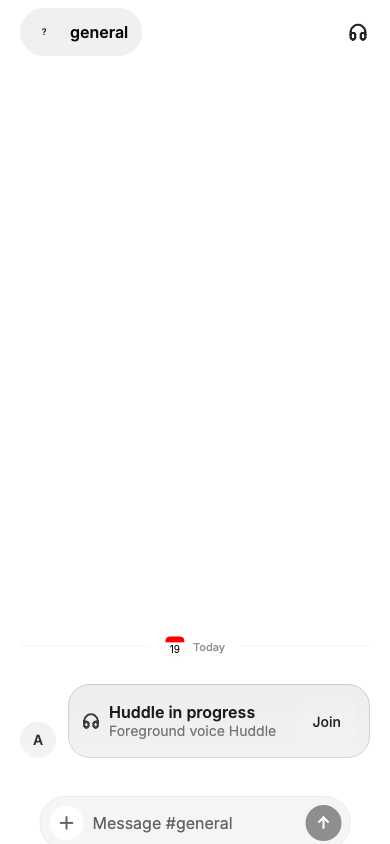 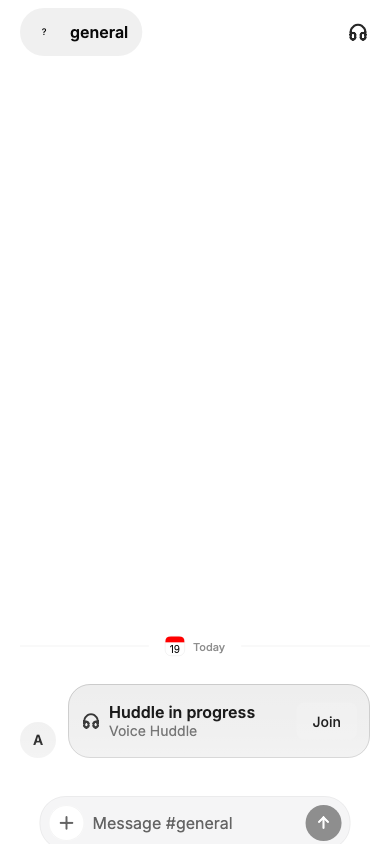 --------- Signed-off-by: John Tennant <jtennant@squareup.com> Signed-off-by: Tom Brow <tomb@block.xyz> Co-authored-by: Oliver <e78152627ea32fbacb070e5047afcfb8e409fa3343d9e618227baacca5b5e607@buzz.block.builderlab.xyz> Co-authored-by: Tom Brow <tomb@block.xyz>


130 lines
7.2 KiB
Markdown
130 lines
7.2 KiB
Markdown
# Mobile Huddles MVP
|
|
|
|
Mobile Huddles use the same Desktop and relay protocol. An admitted iOS
|
|
Huddle can also continue while the phone is locked. Android and iOS clients can start a human Huddle, open a recent
|
|
Desktop-started Huddle card, join with the microphone on, hear multiple remote
|
|
participants, send microphone audio, mute, and leave.
|
|
|
|
The parent channel carries creator-signed kind `48100` start and `48103` end
|
|
events. The private `stream` backing channel uses kind `9007`, `ttl=3600`, and
|
|
is hidden from the ordinary channel list only after a matching start event
|
|
links it from an accessible parent. The top-right hang-up follows Desktop's
|
|
rule: it fetches the current kind `39002` backing-channel snapshot and counts
|
|
non-`bot` members before disconnecting, submits kind `9022` when another human
|
|
remains, and otherwise publishes kind `48103` and archives with kind `9002`.
|
|
A failed count safely assumes another human is present so a transient relay
|
|
error cannot end the Huddle. Creator-only explicit
|
|
end support remains in the controller, but the current mobile UI does not
|
|
foreground a separate “End for everyone” control. On relaunch, parent event
|
|
history reconstructs the visible card without silently reopening a microphone.
|
|
|
|
## Control plane
|
|
|
|
1. Connect to `WS /huddle/{ephemeral_channel_id}/audio`.
|
|
2. Receive `{"type":"challenge","challenge":"..."}`.
|
|
3. Sign NIP-42 kind `22242` with `relay=<base relay WebSocket URL>` and the
|
|
challenge. The `relay` tag is **not** the Huddle endpoint URL.
|
|
4. Send an object envelope containing `type=auth`, the signed event,
|
|
`parent_channel_id`, and `protocol_version=2`.
|
|
5. Treat the connection as usable only after a `joined` response. `error`,
|
|
unexpected close, handshake timeout, and protocol failures are explicit
|
|
states. An established session retries only its media socket with bounded
|
|
backoff (`0, 100, 250, 500, 1000, 2000, 2000 ms`) and keeps native media
|
|
alive while reconnecting.
|
|
|
|
The main Nostr socket is intentionally not shared: it accepts Nostr JSON arrays
|
|
and drops binary frames, while Huddle control messages are JSON objects.
|
|
|
|
Emoji reactions remain on the shared Nostr control plane. Mobile publishes the
|
|
same ephemeral kind `24810` event as Desktop, scoped to the backing channel with
|
|
`h`, `reaction`, and `sender_name` tags (plus the optional NIP-30 `emoji` tag for
|
|
custom emoji). While a Huddle session is active, Mobile also subscribes to that
|
|
same backing-channel event stream and bursts reactions from other identities;
|
|
the sender's relay echo is ignored because its burst already plays locally.
|
|
When the sender's full-screen participant avatar is visible, that avatar is the
|
|
burst origin so authorship is spatially clear; minimized calls fall back to the
|
|
available Huddle surface. Reaction events never enter the ordinary channel
|
|
timeline.
|
|
|
|
## Media plane: protocol v2
|
|
|
|
Audio is 48 kHz, mono Opus in 20 ms (960-sample) frames.
|
|
|
|
Client to relay:
|
|
|
|
```text
|
|
8-byte header | Opus payload
|
|
```
|
|
|
|
Relay to client:
|
|
|
|
```text
|
|
peer_index u8 | 8-byte header | Opus payload
|
|
```
|
|
|
|
The header is network byte order: sequence `u16`, 48 kHz timestamp `u32`,
|
|
level dBov `i8` in `-127...0`, and flags `u8` where bit 0 marks DTX. Unknown
|
|
flag bits are ignored. Frames are capped at 4096 bytes before the relay peer
|
|
prefix.
|
|
|
|
The dBov header also drives the participant speaking treatment. Values above
|
|
`-55 dBov` feed a 50 ms visual update cadence. Speaking fades in a close,
|
|
four-point ring, tinted with blurred avatar artwork where available. The portrait
|
|
has a stable slight tilt and responds subtly to volume, growing by at most 3.6%.
|
|
Reduced motion keeps the speaking ring without animated scaling or rotation.
|
|
Agent preparing-response indicators keep their existing meaning and behavior.
|
|
|
|
On iOS, the full-screen call controls use the existing native Liquid Glass
|
|
container with the same Flutter Tabler artwork, labels and actions. Android
|
|
retains its existing button treatment. The minimized sheet keeps its original
|
|
buttons on both platforms. The emoji action is hidden on both platforms; the
|
|
reaction implementation remains available for future use. On iOS foldable displays, full-screen actions follow
|
|
the workspace side rail: leave then minimize at the top, microphone and speaker at the bottom. Without a rail, controls retain their original positions and sizes, with
|
|
speaker then microphone in the bottom row. Microphone-on and speaker-on use filled selected glass states.
|
|
|
|
## Native boundary
|
|
|
|
`buzz/huddle_media` owns microphone permission and the voice audio session. Each platform probes its native Opus encoder and decoder before
|
|
advertising support. On Android, `AudioRecord` captures 48 kHz mono PCM,
|
|
`MediaCodec` encodes and decodes Opus, and one `AudioTrack` per remote
|
|
participant lets the Android communication mixer combine decoded PCM. On iOS,
|
|
`AVAudioEngine` owns voice-processed capture and per-peer mixed playout while
|
|
`AVAudioConverter` performs native Opus encoding and decoding. Both paths use a
|
|
three-packet startup jitter buffer with a ten-packet per-peer bound.
|
|
|
|
Acoustic echo cancellation is enabled through Android's voice communication
|
|
effects and iOS Voice Processing I/O. Audio focus/session interruptions surface
|
|
explicitly; media resumes only when the platform permits it. The Flutter
|
|
speaker control directly switches between the built-in speaker and the normal
|
|
communication route. Built-in output starts on the earpiece/receiver, while an
|
|
already-selected external Bluetooth or wired communication route remains under
|
|
the operating system's routing policy until the user explicitly enables the
|
|
built-in speaker.
|
|
|
|
Only compressed `localOpusFrame` and `playRemoteOpusFrame` messages cross the
|
|
Flutter bridge; PCM remains inside the native realtime path. Capture starts
|
|
unmuted. Debuggable builds also emit aggregate pre-encode RMS/peak dBov
|
|
histograms plus the active recording route and exposed voice-processing state.
|
|
They never retain or persist PCM, Opus packets, or speech content. Native
|
|
capture and compressed ingress queues are bounded so a session cannot accumulate unbounded latency.
|
|
|
|
On iOS, an admitted Huddle continues when the app is backgrounded or the device
|
|
is locked. The Huddle audio socket stays independent of the main relay socket,
|
|
which follows its usual background disconnect and resume policy. Detaching the
|
|
app or switching communities tears down the Huddle. On Android, pausing or
|
|
detaching leaves the room. Mobile agent controls, mobile-originated STT/TTS,
|
|
recordings, background incoming calls, and advanced device controls remain
|
|
outside this slice. Agent-authenticated Opus published by a Desktop
|
|
Huddle uses the same remote playback path as any other participant.
|
|
|
|
Physical iOS acceptance must separately verify permission, receiver/speaker and
|
|
connected-headset routing, interruption recovery, and two-way audio with a
|
|
Desktop participant while foregrounded, locked, and after unlocking. Static codec and Flutter tests do not prove those device
|
|
behaviors.
|
|
|
|
The rail uses 48-point controls with 12-point gaps and 28-point Tabler glyphs.
|
|
The side rail keeps a 24-point bottom inset, increased for reported occlusions.
|
|
The compact cover display adds 24 points above the top controls to clear its
|
|
system status cluster; the inner display uses the reported rail clearance.
|
|
Participant content spans the full display width beneath the overlaid rail.
|